Docs Use Lantern
Automation
Run Ansible playbooks through your AWX, with a dry run first, live output, and every configuration change credited to the job.
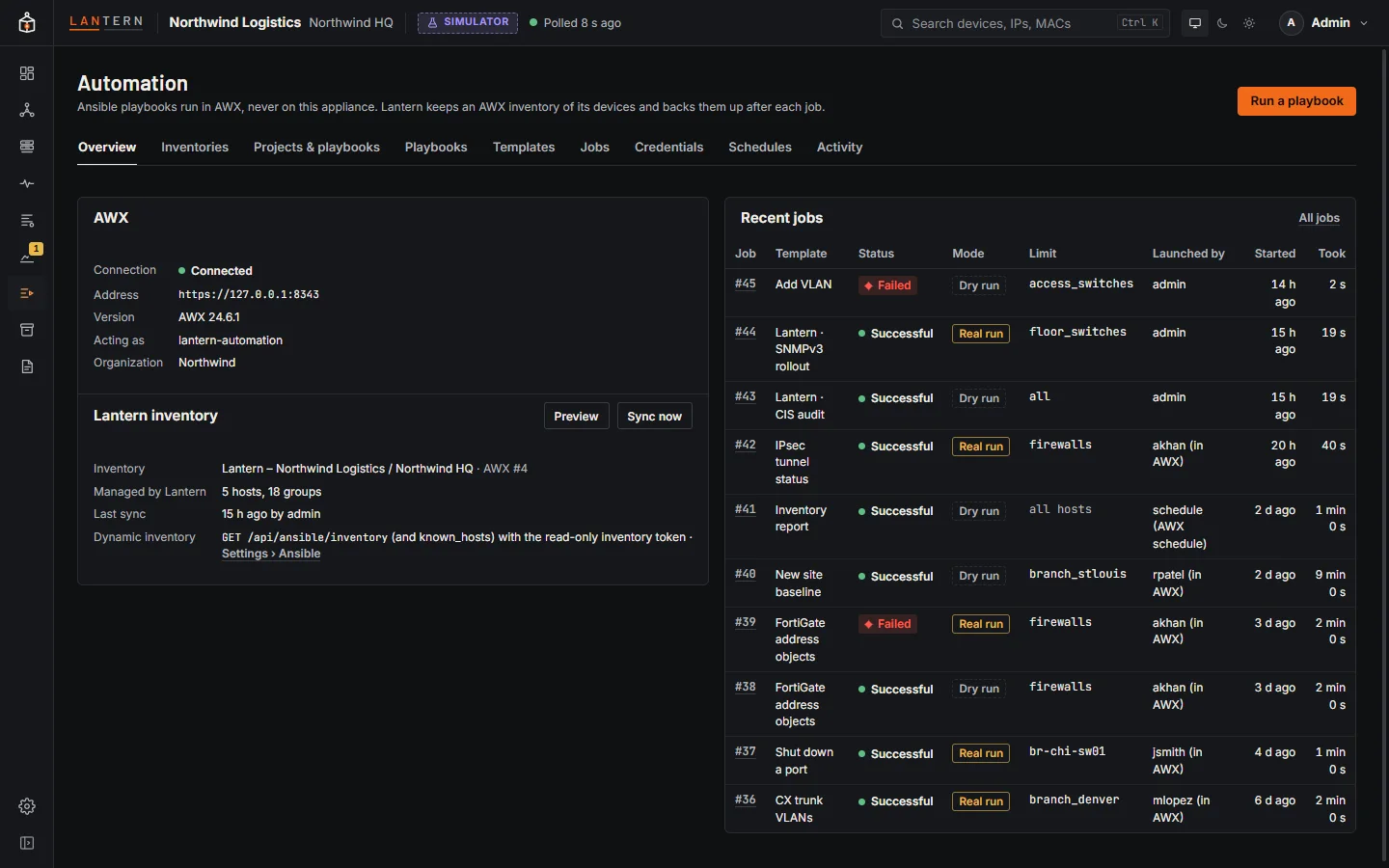
The Automation page is a front end to your own AWX (Ansible's open-source automation controller; the automation controller of Red Hat Ansible Automation Platform works the same way). Playbooks run in AWX, never on the Lantern collector, and Lantern itself stays read-only towards your devices. From Lantern you can keep an AWX inventory of everything Lantern has found, manage the AWX projects, templates, credentials and schedules a network team needs, launch jobs with a dry run first, watch their output live, and see exactly what each job changed.
To connect Lantern to AWX, see Connect Lantern to AWX. Until it is connected, the page says so; Playbooks and Build an inventory file still work without AWX.
The tabs
| Tab | What it is for |
|---|---|
| Overview | The AWX connection (address, version, the AWX user Lantern acts as, organization), the Lantern inventory and its last sync, and Recent jobs. |
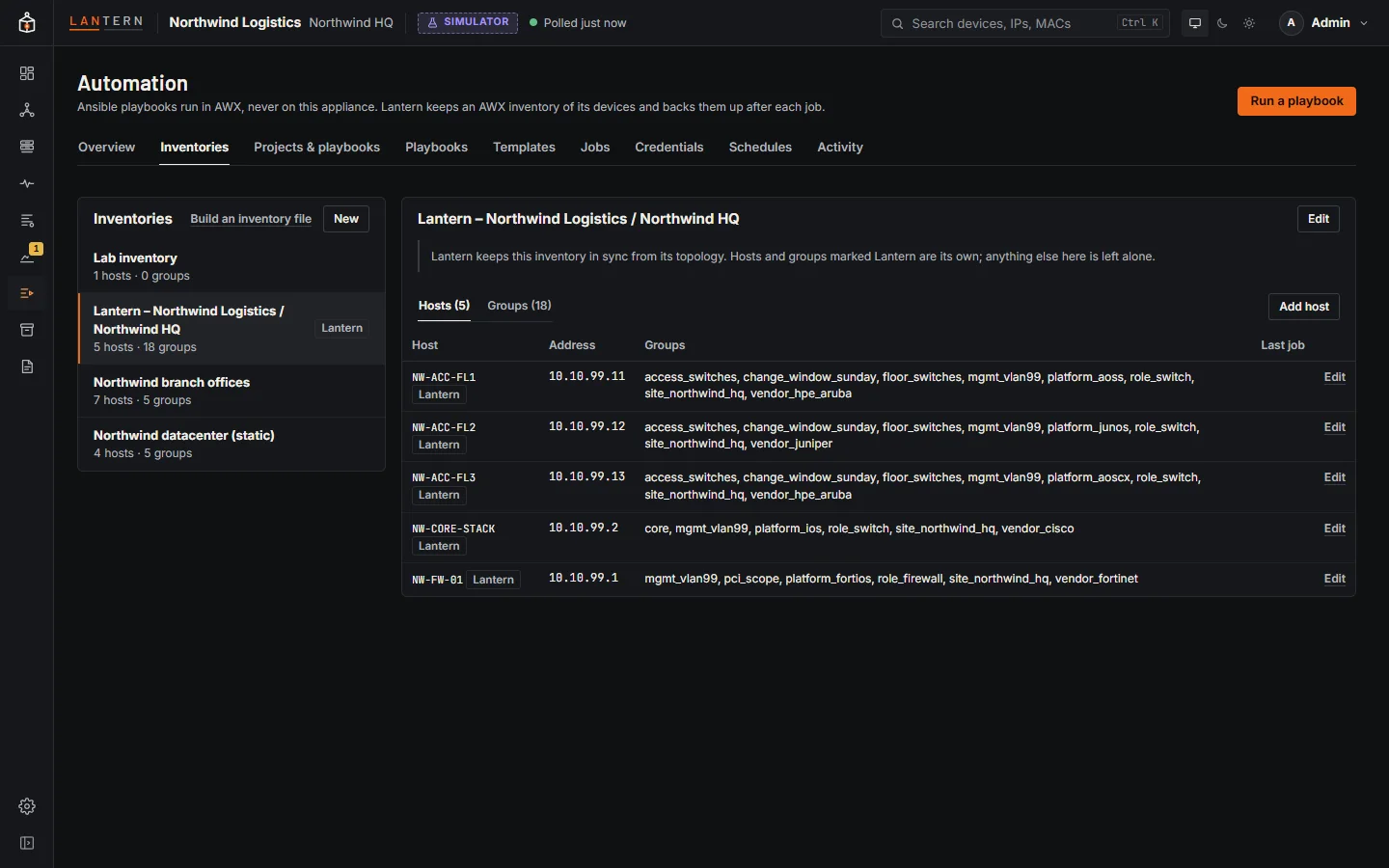
| Inventories | The inventories in your organization, with their hosts and groups. Hosts and groups marked Lantern are kept in sync by Lantern; administrators can edit the others, add hosts and groups, and change group membership. Build an inventory file opens the inventory builder. |
| Projects & playbooks | AWX projects: the git repository and branch, sync status, last update and the playbooks AWX found. Sync fetches the latest version. |
| Playbooks | Playbook repositories kept in Lantern, with an editor and full history. See Playbook repositories. |
| Templates | Job templates: playbook, inventory, credentials, whether a dry run is offered, and the last job. Launch a template, Edit it (credentials, launch prompts and a simple survey), or give it a Schedule. |
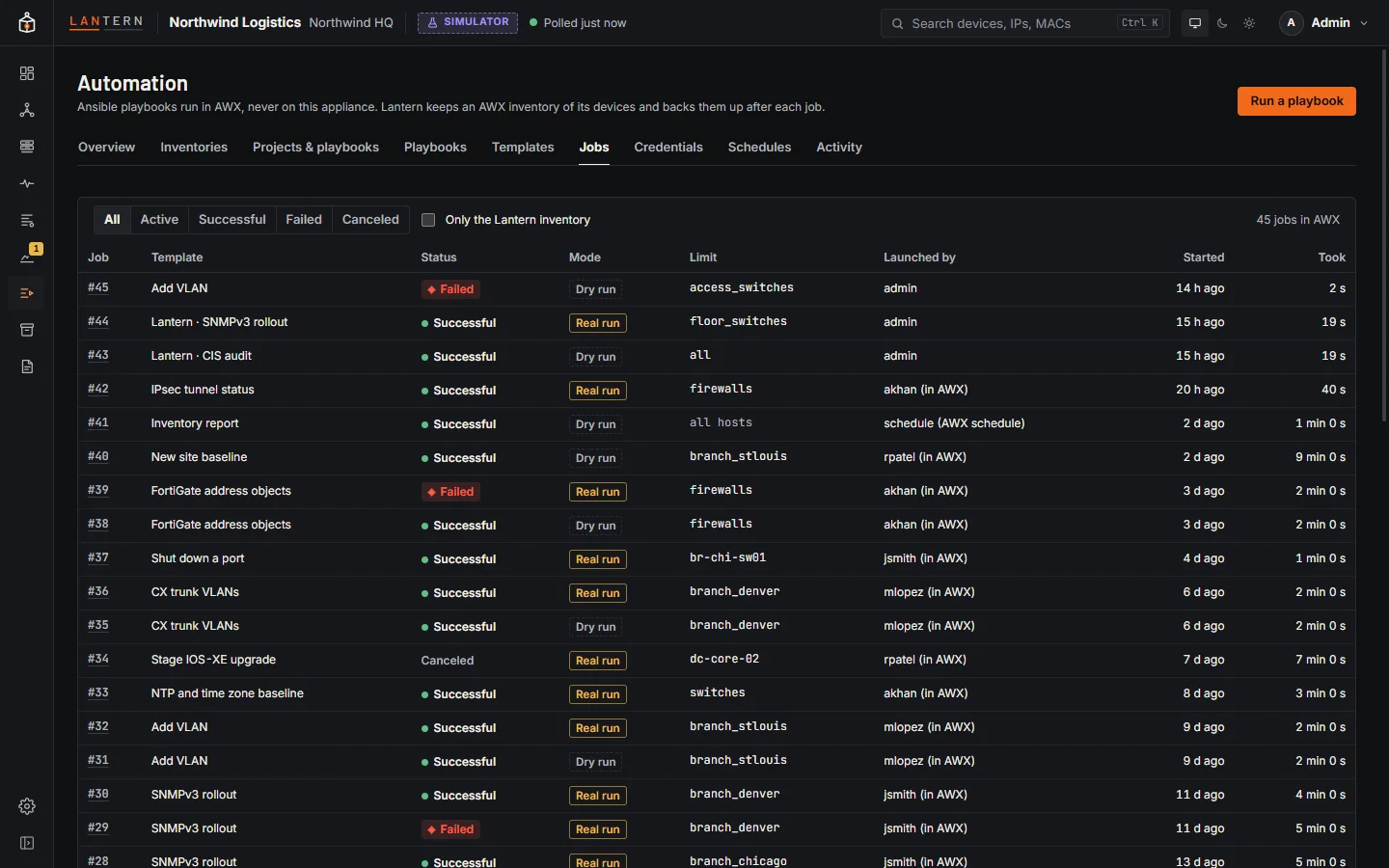
| Jobs | Every job, filtered by status (Active, Successful, Failed, Canceled), with mode, limit, who launched it and how long it took. |
| Credentials | Machine, Network, Source Control and Vault credentials. Secrets can be set but are never shown again. |
| Schedules | When templates run on their own, with the next run time from AWX. |
| Activity | AWX's activity stream: what was created, changed or deleted, and by whom. Changed values are not shown. |
The Lantern inventory
Lantern keeps one inventory in AWX with every device it can manage with Ansible: Cisco IOS and IOS-XE, NX-OS, Aruba AOS-CX and AOS-S, Juniper Junos, FortiGate and HPE Comware devices with a management address. Each host has its management address and Lantern's details about it (vendor, model, firmware, serial, role, site), and is placed in groups by platform, role, site and vendor, plus any grouping rules you add. It never contains credentials.
On Overview, Preview shows what the next sync would change in AWX, and Sync now applies it. Sync once by hand; after that, Lantern syncs changes in the topology on its own once they have settled. Lantern only ever changes or deletes hosts and groups it created, and keeps any variables you add in AWX.
Meraki and UniFi devices, access points and FortiSwitches managed by a controller, servers, unmanaged switches and devices without a management address are left out. Settings › Ansible lists them with the reason.
Run a playbook
- Choose Run a playbook at the top of the page, Launch on a template, or Run playbook in a device's details (the device is then the limit).
- Pick the Job template. Lantern shows which playbook it runs, from which project, on which inventory.
- Choose how to run it:
- Dry run (the default): check mode, with diff when the template allows it. Ansible shows what it would change and changes nothing.
- Run for real: the playbook changes the devices. Tick the confirmation to enable it. Lantern backs the devices up afterwards and credits the changes to this job.
- Set the Limit (hosts and groups). Pick Lantern devices and groups from the list, or type them. Leave it empty to run on every host of the template's inventory.
- Fill in any survey questions or Extra variables (YAML or JSON), and choose Show differences (diff mode) or the verbosity if the template asks for them.
- Start dry run or Run for real.
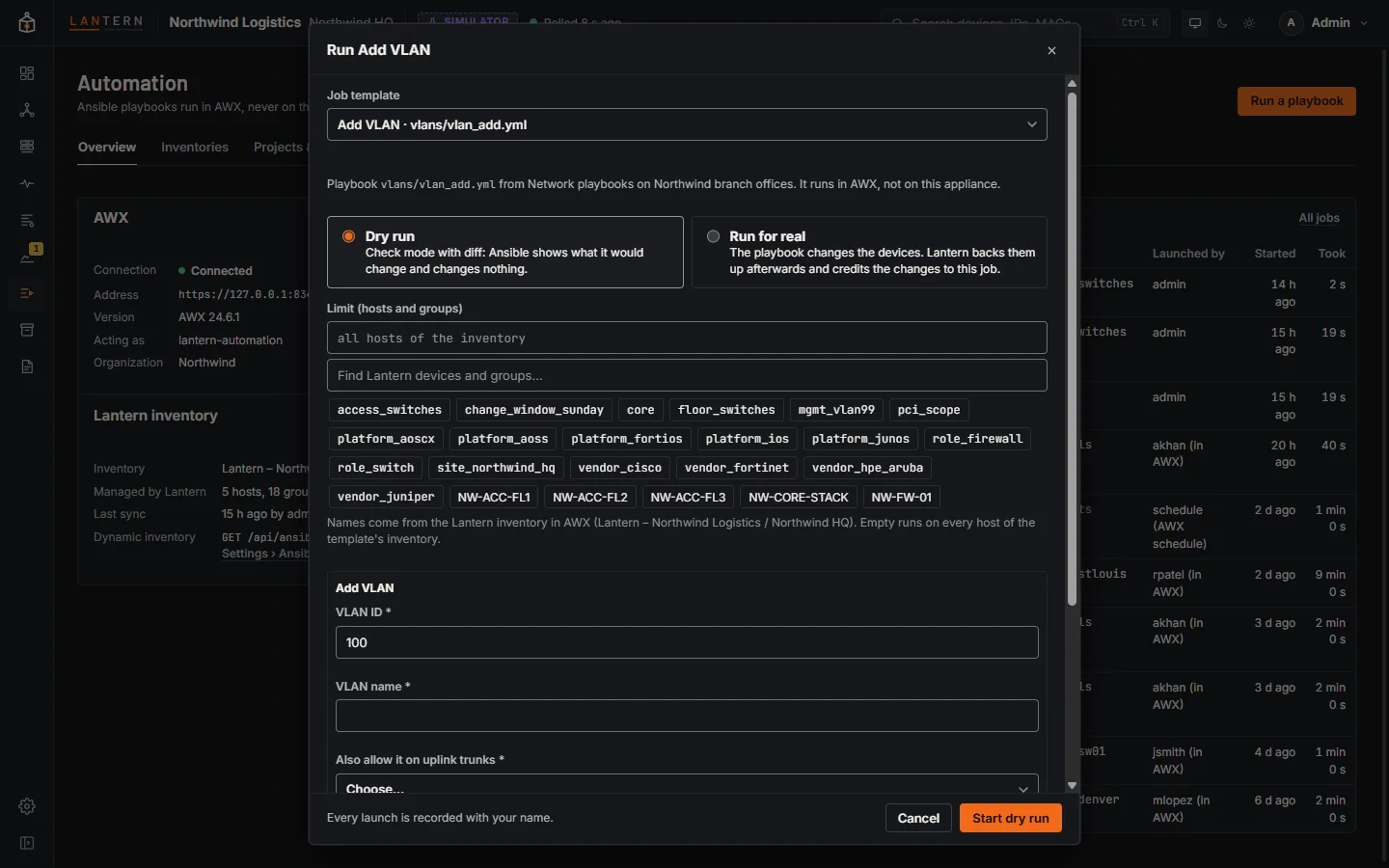
Every launch is recorded with your name. A real run asks for your password again if you last signed in more than 15 minutes ago.
Watch a job
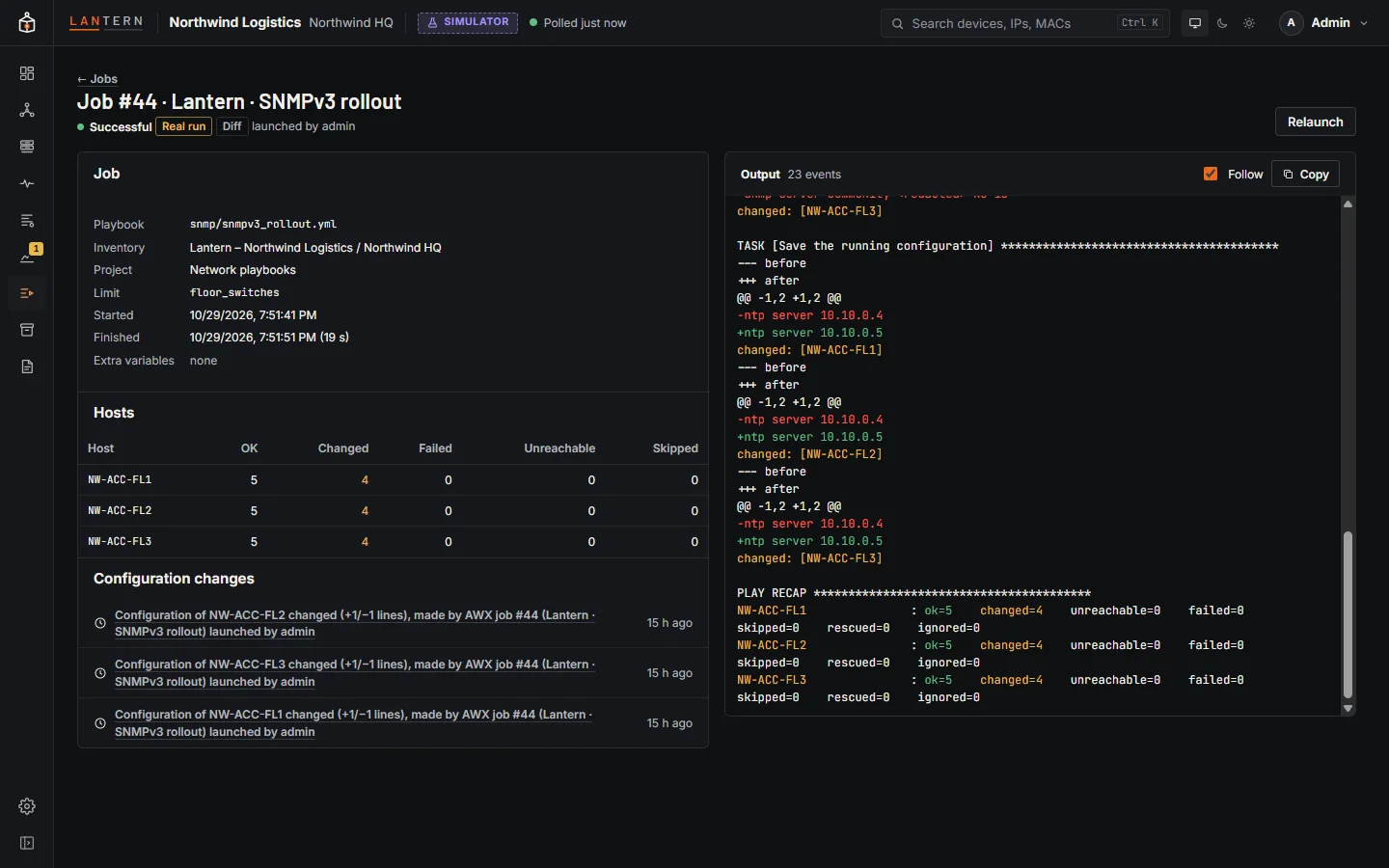
A job's page shows its status, Dry run or Real run, who launched it, and its live Output, in colour, updated every second while it runs. Passwords and keys that appear in the output are hidden. Cancel job stops a running job; Relaunch runs it again (a dry run stays a dry run). Hosts lists each host with its changed, failed, unreachable and skipped counts.
Configuration changes
After a real run finishes (or is cancelled), Lantern backs up every device the job reached. Any change it finds is credited to the job and the person who launched it: AWX job #N (template) launched by the Lantern user, or by the AWX user for jobs started in AWX. The job page lists those changes under Configuration changes, each linking to its diff on the Backup page, and each diff links back to the job.
A dry run changes nothing, so no backup follows it. Jobs that had already finished before Lantern started watching are not backed up. Administrators can turn this off with After AWX jobs in Settings › Ansible.
Roles
| Role | Can |
|---|---|
| Viewer | See the connection, inventories, hosts, groups, projects, templates, jobs (without output), credentials (without secrets), schedules and activity. |
| Operator | Also see job output and extra variables (secret-looking values hidden); launch, cancel and relaunch jobs; sync a project; sync the Lantern inventory. |
| Administrator | Also create, change and delete inventories, hosts, groups, projects, credentials, templates and schedules, and manage Settings › Ansible. |
AWX's own permissions apply on top: Lantern can only do what its AWX user is allowed to do, and shows AWX's refusal when it is not.
Limits in this preview
- Workflow templates, inventory sources, execution environments, instance groups, notifications and AWX permissions are not managed from Lantern: use AWX for those.
- Surveys support text, long text, password, whole number and choice questions.
- The schedule form makes simple repeating rules; anything else is typed as a rule.
- Scheduled jobs run exactly as their template says, including real runs.
- The job viewer keeps the last 5,000 events of a very long job.