Docs Use Lantern
Devices
A device's details: identity, problems, ports, PoE, live monitoring and SSH.
Select a device on the map, in Inventory or from search.
Overview
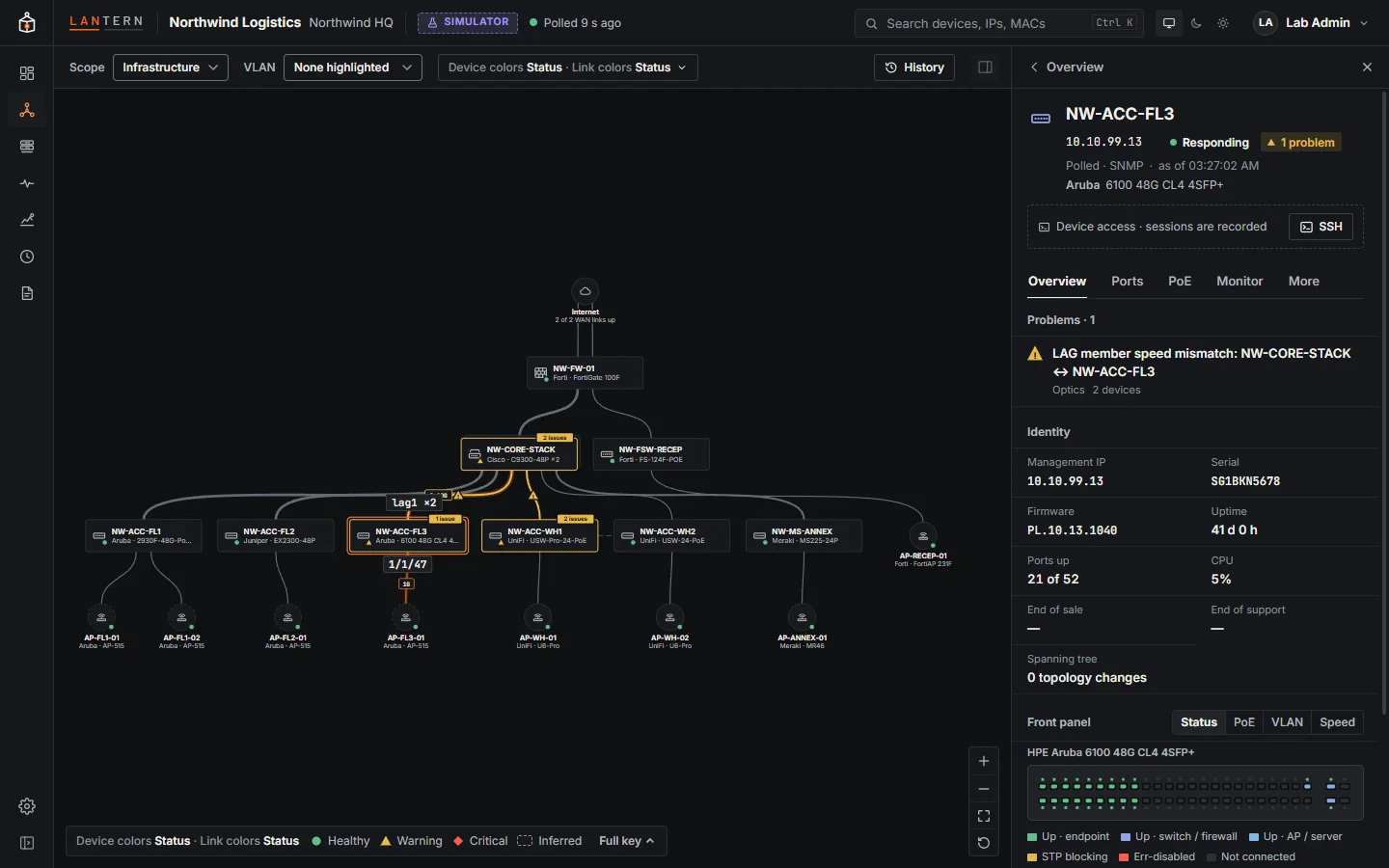
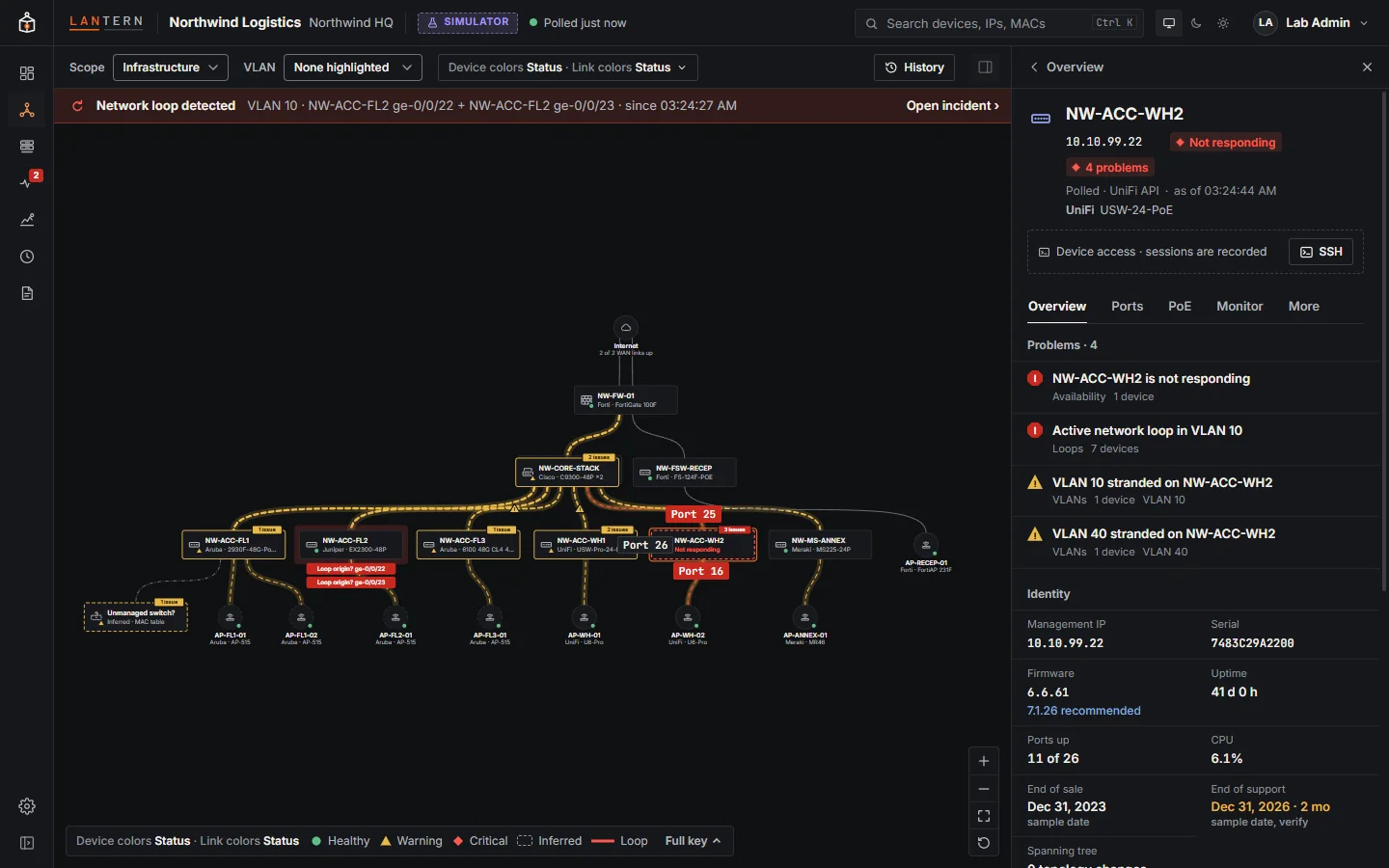
- Header: name, management IP (click to copy), whether it is responding, its problems, how it is known (Polled · SNMP, or Seen at last poll for inferred devices) and when the data is from.
- Device access: SSH opens a recorded session through Lantern (see SSH sessions).
- Problems for this device, then Identity: serial, firmware (with the recommended release when it differs), uptime, ports up, CPU, end of sale and end of support (sample dates in this preview), spanning tree.
- Front panel: the switch's ports as they look on the device, coloured by Status, PoE, VLAN or Speed. Hover a port for its details.
Ports
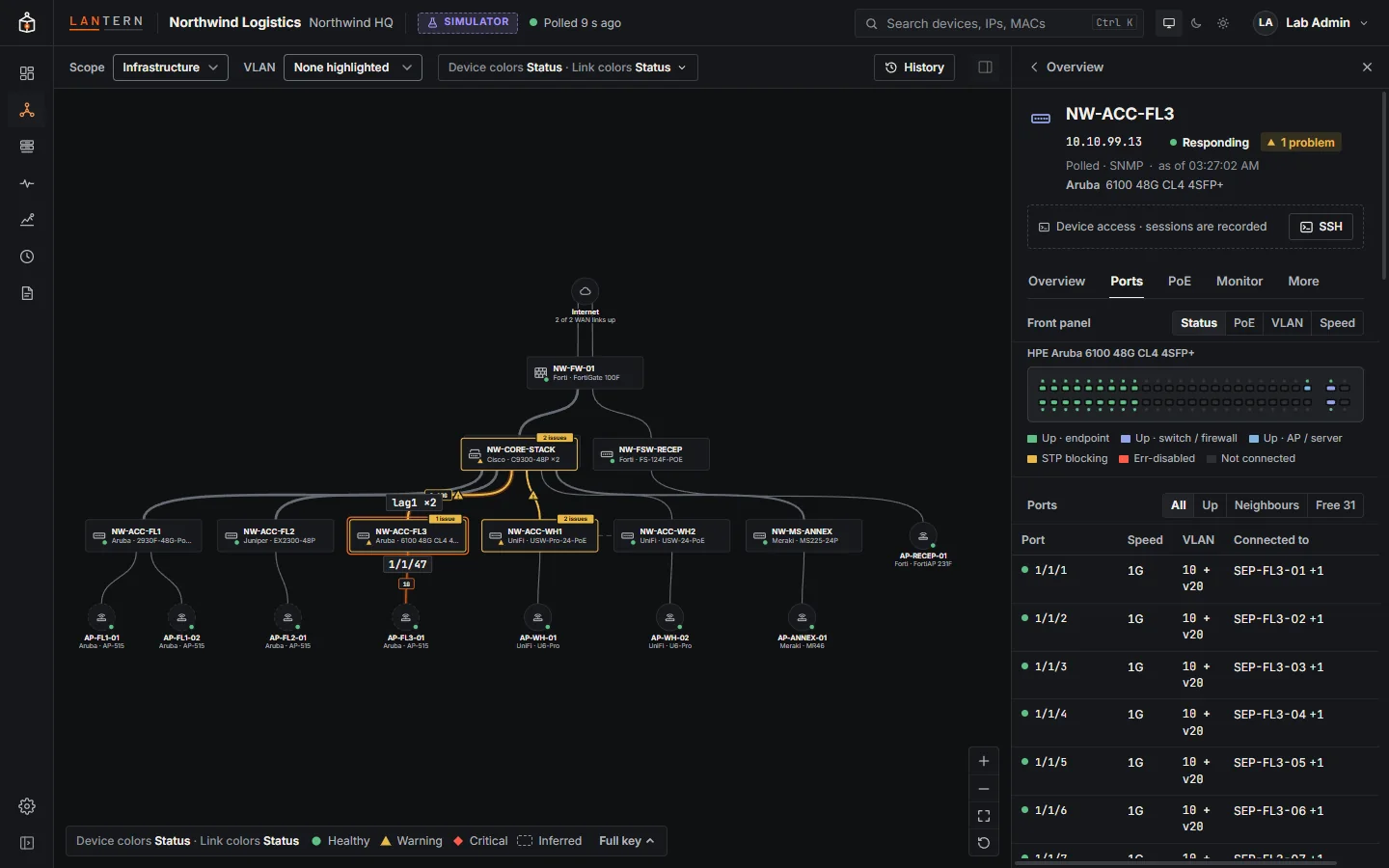
Every port with its state, speed, VLANs (access, voice, or trunk native and allowed), what is connected to it (neighbour or endpoints), and errors.
PoE
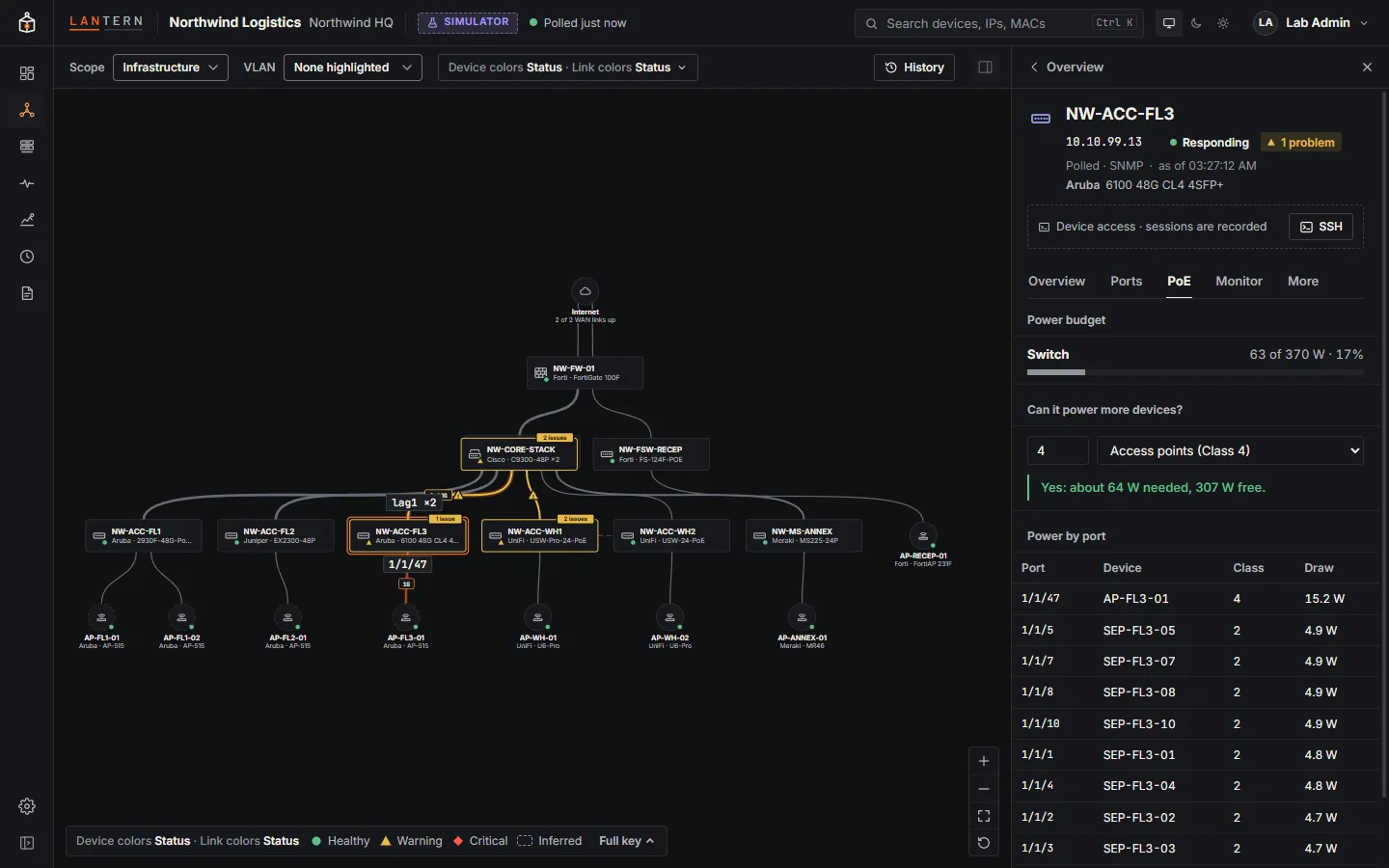
The switch's power budget and what each port draws.
Monitor
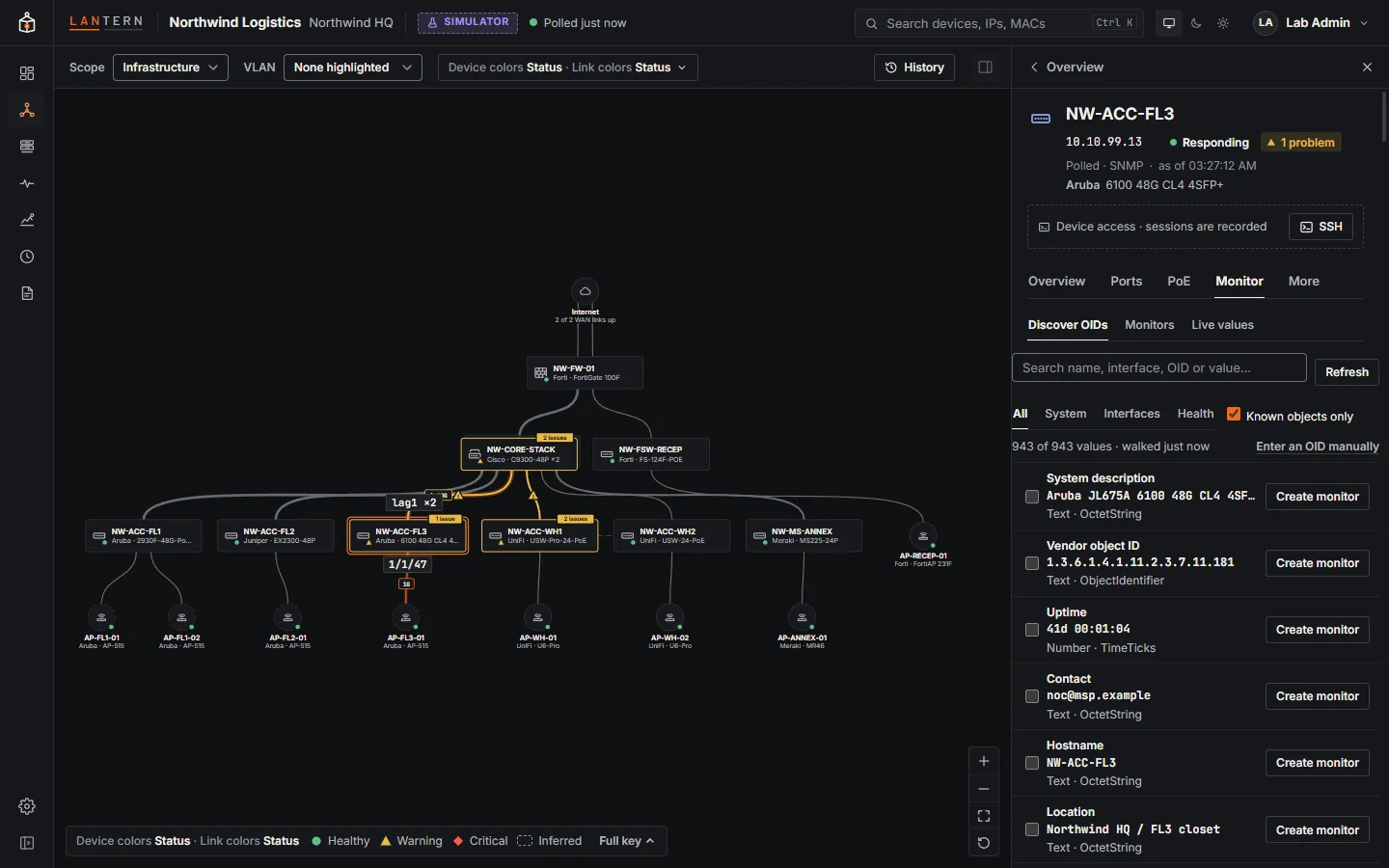
Live SNMP values from the device, and the place to start monitoring one: Discover OIDs walks the device and lists every value with a friendly name, current value, interface and description; Create monitor turns one into a monitor. See Monitoring.
More
VLAN details and other information.
When a device goes down
A device that stops answering turns red, with Not responding, and its links go down. Its details stay, from the last time it answered.
Inferred devices
An unmanaged switch or a device known only from a neighbour's LLDP has a dashed frame and Seen at last poll. Its panel shows how it was inferred and the devices behind it. See Loops and unmanaged switches.