Docs Reference
Simulator and test faults
Explore Lantern with a simulated network, and break it on purpose to see how problems look.
Every build includes a simulator: Northwind Logistics, a 13-device network with a firewall, a core switch stack, access switches from several vendors, access points and about 185 endpoints. Start it with Start Lantern (demo).cmd on Windows or -collector sim on Linux. The top bar shows SIMULATOR.
The simulated network already has a few realistic problems (a trunk VLAN mismatch, a stranded VLAN, a LAG speed mismatch, firmware drift), so the map, health and dashboard have something to show.
Test faults
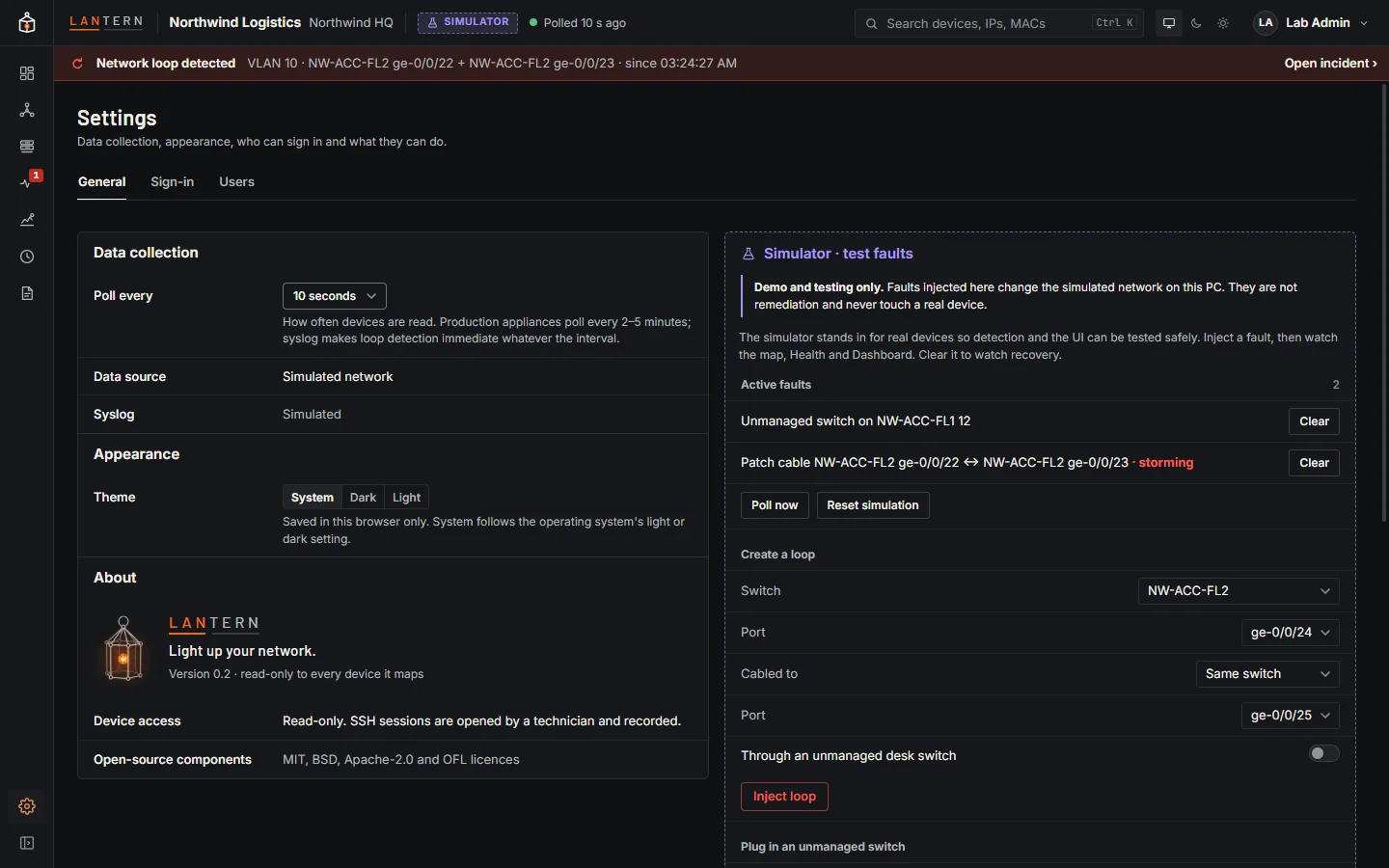
In the simulator, Settings › General has a Simulator · test faults bench (operators and administrators). Faults change only the simulated network on this machine; they are not remediation and never touch a real device.
| Fault | What you see |
|---|---|
| Create a loop (two ports, optionally through an unmanaged desk switch) | The loop banner, flooded links, the traced origin and an incident. |
| Plug in an unmanaged switch | A dashed Unmanaged switch? with the devices behind it. |
| Pull cable, Make flaky | A link going down, or flapping. |
| Degrade optic | Falling light levels on a fibre link. |
| Power off, Reboot | A device going down, or its counters and uptime resetting. |
| Break SNMP login | SNMP authentication errors for monitoring. |
| Fail stack member N | A stack losing a member. |
| Connect a new device | A device appearing on a free port. |
Clear a fault to watch the network recover; Poll now runs a poll straight away, and Reset simulation clears everything.