Docs Use Lantern
Inventory
Devices, endpoints and optics in sortable tables, with column choice and CSV export.
Inventory has three lists. Select a row to open it in the details panel; the pin at the end of a row shows it on the map.
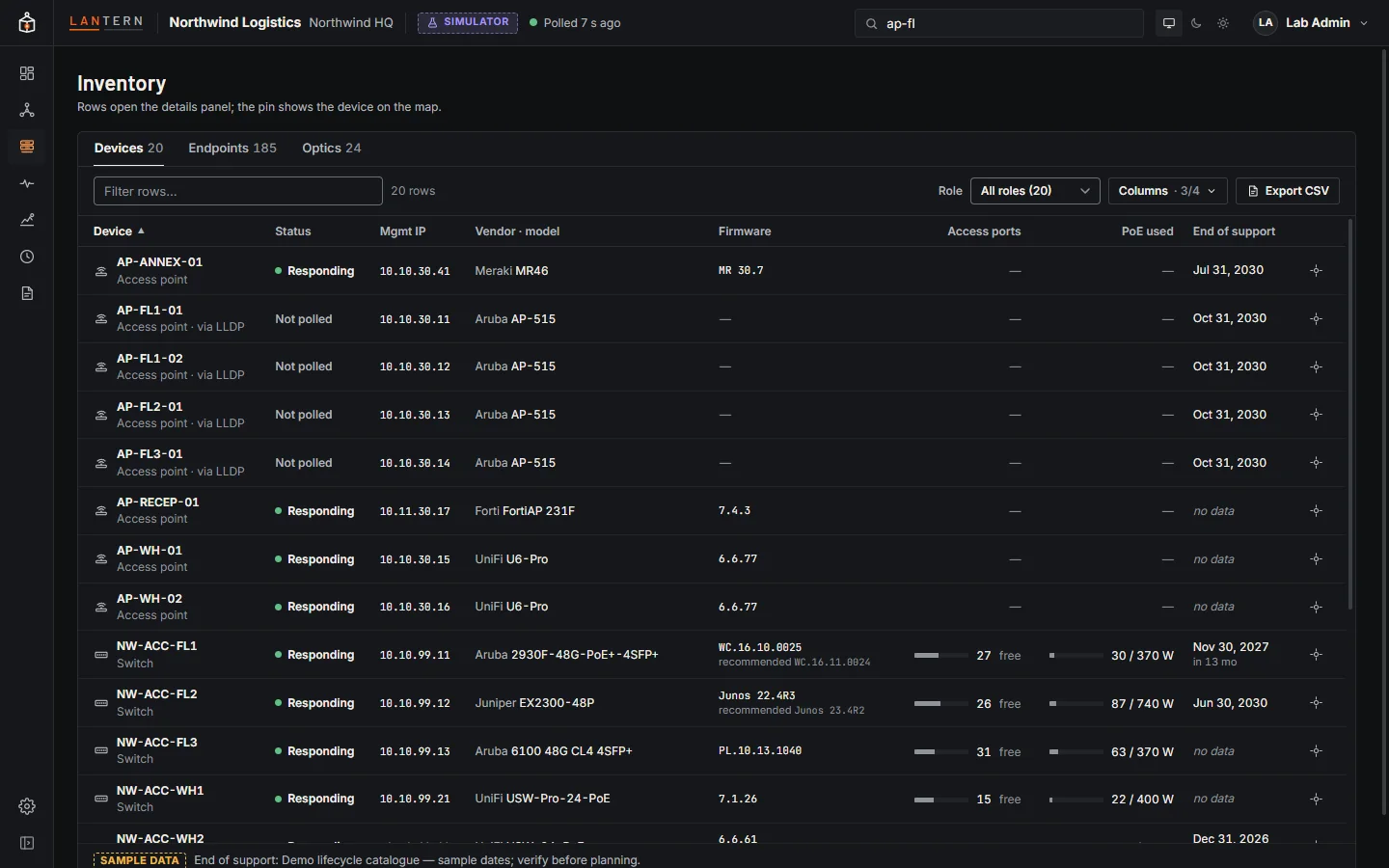
Devices
Every polled and discovered device with its status, management IP, vendor and model, firmware (and the recommended release when it differs), free access ports, PoE in use, end of support and serial number.
- Filter rows searches names, vendors, models, serials, IPs and firmware.
- Role narrows the list to firewalls, switches, access points and so on.
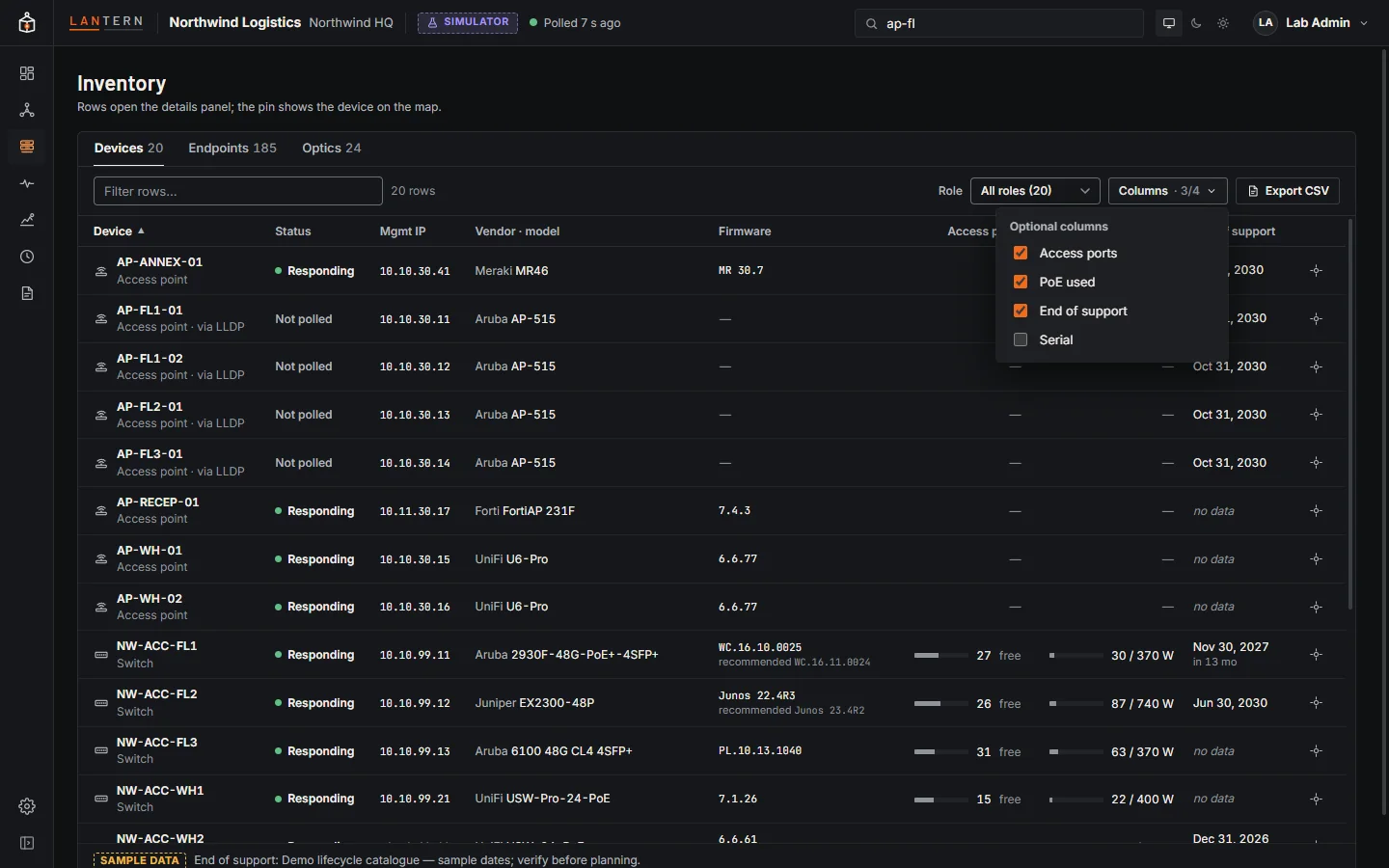
- Columns chooses optional columns; the choice is remembered per list in this browser. Serial starts hidden so the table fits a laptop screen.
- Click a column header to sort.
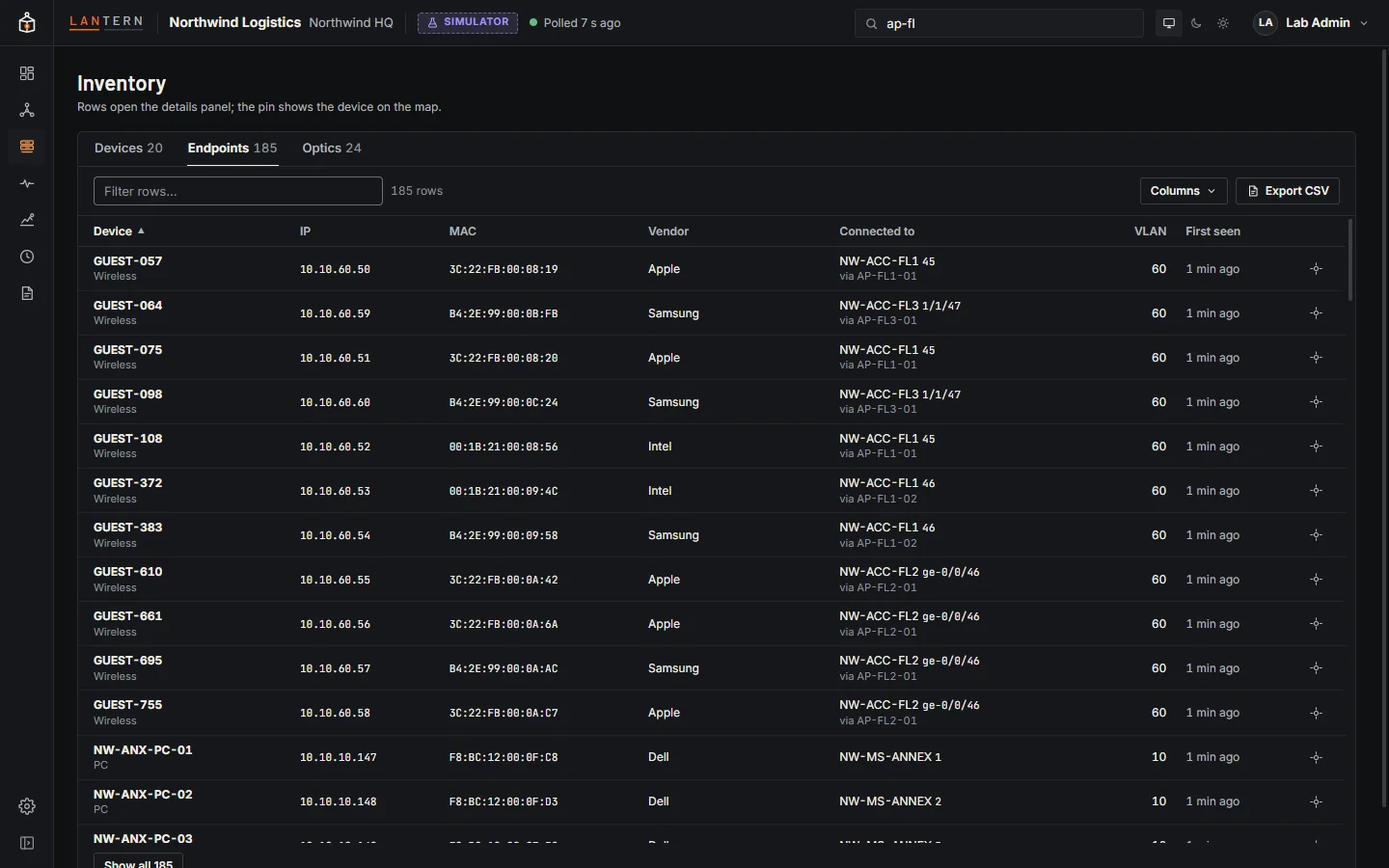
Endpoints
Every device Lantern has learned from MAC tables: name (from DHCP and ARP where available), IP, MAC, vendor, where it is connected (switch, port, and access point for wireless clients), VLAN and when it was first seen.
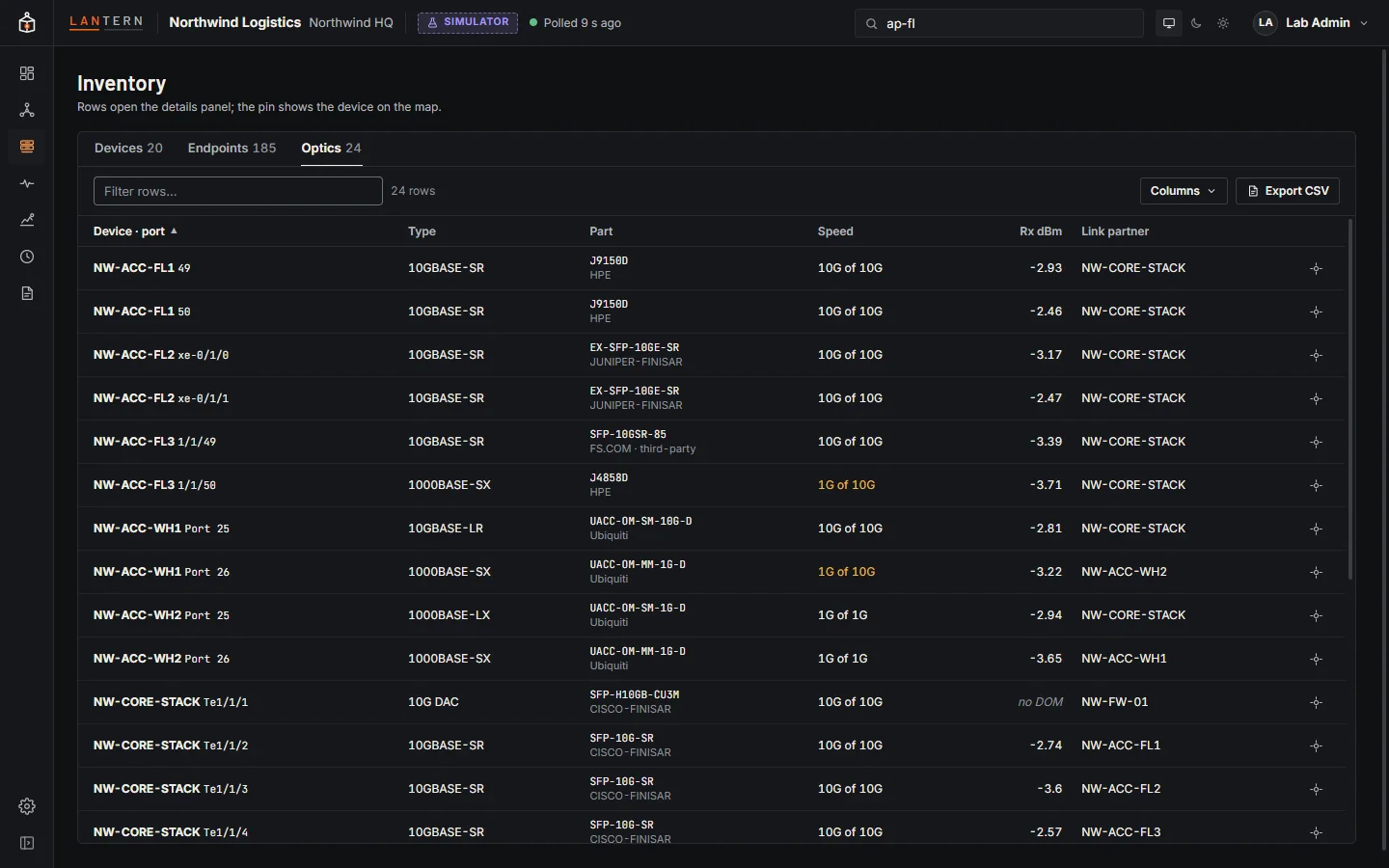
Optics
Every transceiver with its device and port, type, part number, speed, received light level (Rx dBm, where the device reports it) and link partner. The CSV export adds the vendor, serial number and whether the module is vendor-supported.
Export
Export CSV downloads the current list, with every column (optional ones included). The device export includes stack members' serials.