Docs Get started
What is Lantern?
Lantern maps a network's switches, firewalls, access points and the devices behind them, and points out what needs attention.
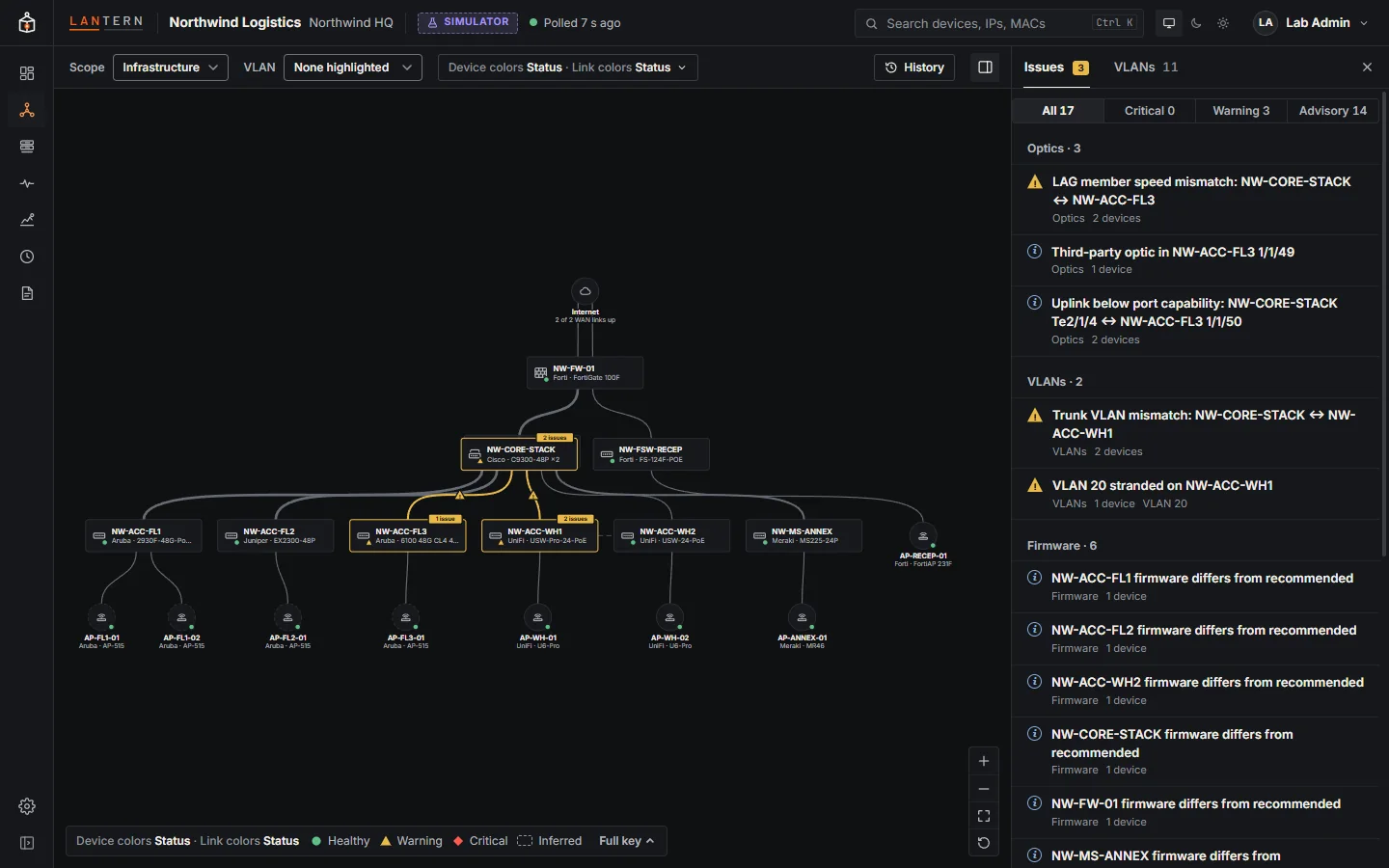
Lantern builds a live map of a network from what its devices already know: neighbour tables (LLDP and CDP), MAC address tables, VLANs, spanning tree and interface counters. On top of that map it finds problems that are hard to see from one switch at a time.
What it does
- Maps the network. Switches, stacks, firewalls, access points and endpoint groups, with the links between them, their speed and media, and which VLANs they carry.
- Finds loops and traces them. A loop is declared only when several signals agree (MAC addresses flapping, broadcast storms, a switch hearing its own LLDP), and Lantern points at the port where it most likely starts. See Loops and unmanaged switches.
- Finds hidden devices. An access port with several devices behind it and no LLDP neighbour is almost always a desk switch or hub. Lantern lists them and the devices behind each one.
- Keeps an inventory. Devices, endpoints and optics, with firmware, serials, port and PoE usage, exportable to CSV.
- Scores best practice. Fourteen built-in checks per site, from loop protection on access ports to trunks that match on both ends.
- Monitors values over SNMP. Turn any SNMP value into a monitor with confirmed status changes, alerts, maintenance windows and notifications.
- Remembers. Every structural change is kept as a snapshot you can step back to and compare.
What it never does
Lantern never changes a device on its own. The SNMP collector sends GET, GETNEXT and GETBULK requests and never SET; there is no code path that writes to a device, and an automated test fails if one is added. The only way a command reaches a device is an optional SSH session that a technician opens and types in, and those are recorded. See Security.
How it runs
You install the Lantern collector on a Windows or Linux machine inside the network you want to map. The collector polls your devices, listens for syslog, and serves the Lantern web UI itself: there is no cloud service, and your network data stays on that machine. People reach it with a browser and sign in with a local account, your directory (LDAP or Active Directory) or a cloud identity provider (Microsoft Entra ID, Google Workspace, Okta or any OpenID Connect provider).
Continue with How Lantern works or go straight to installing on Windows or Linux.
About this preview
This is a preview release. Some parts are still marked as such in the product, for example the lifecycle dates (end of sale, end of support) come from a sample catalogue and are labelled Sample data wherever they appear. Lantern is shared privately during the preview: request a demo to get access.