Docs Sign-in and users
Other OpenID Connect providers
Use Auth0, Keycloak, JumpCloud, Duo or any OpenID Connect provider, and test it before turning it on.
Any identity provider that supports OpenID Connect discovery and the authorization code flow works with Lantern.
What Lantern needs from the provider
- An issuer URL whose
/.well-known/openid-configurationLantern can read. - A confidential client (client ID and secret) allowed to use the authorization code flow, with Lantern's Redirect URI registered.
- The
openid,profileandemailscopes. - Optionally a claim listing groups or roles, for role mappings.
Lantern uses PKCE and a nonce on every sign-in and verifies the ID token's signature, issuer, audience, expiry and nonce.
Add the provider
In Settings › Sign-in, choose Add provider… › OpenID Connect and fill in the button name, Issuer URL, client ID and secret, the groups claim name, allowed domains and role mappings.
Check, then try
Check configuration reads the discovery document and shows the endpoints Lantern will use and the redirect URI to register.
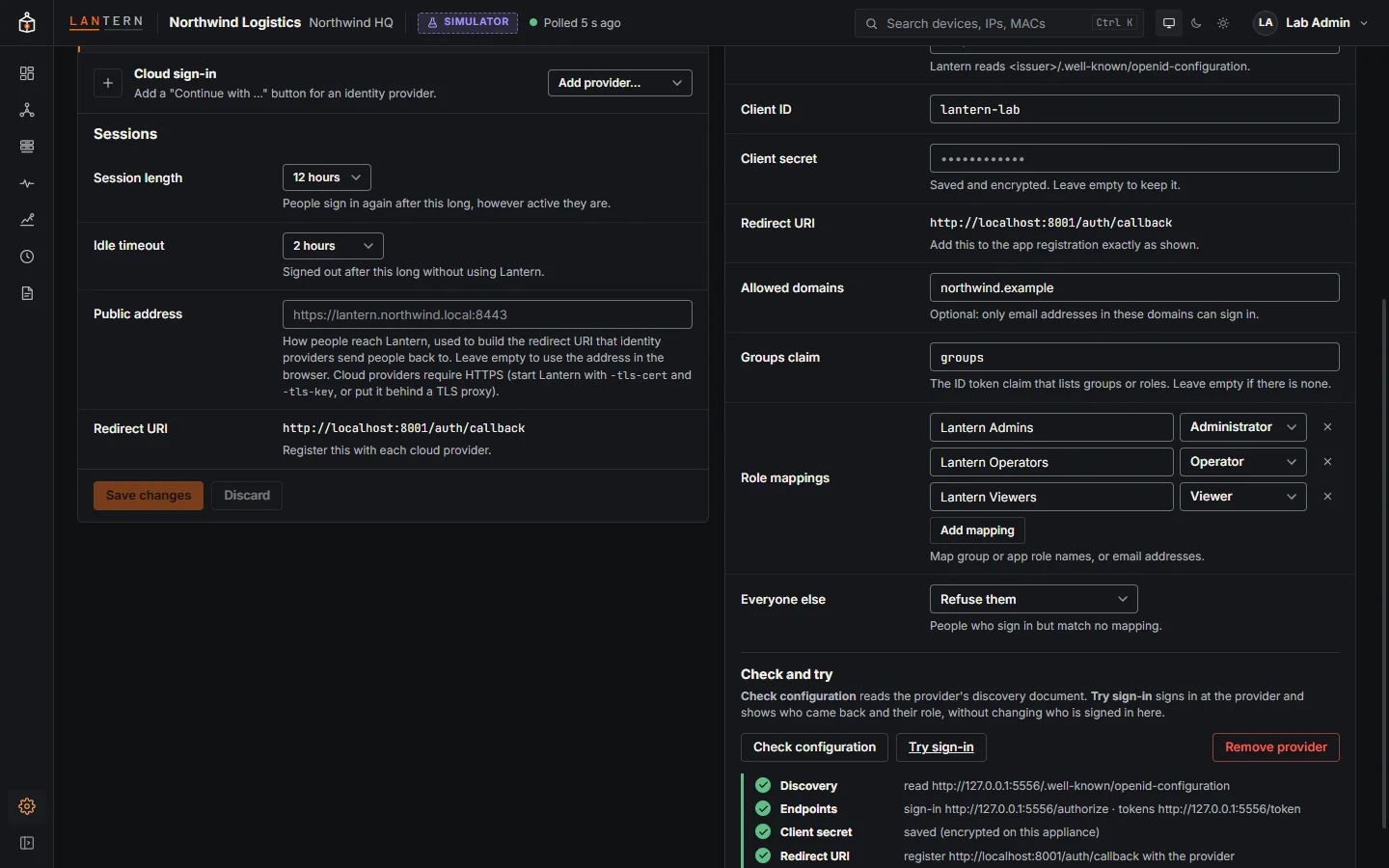
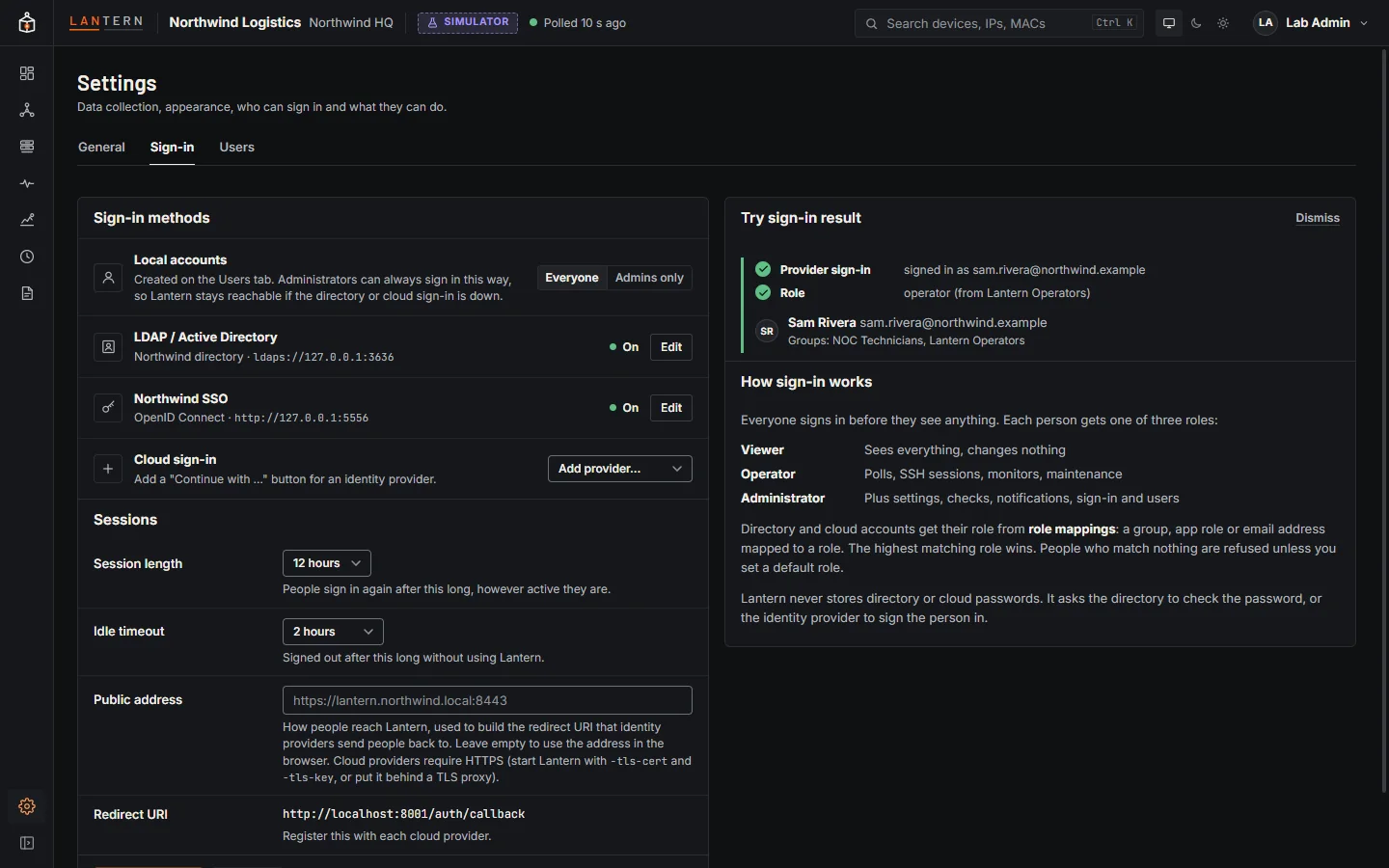
After saving, Try sign-in sends you to the provider. When you come back, Lantern shows who signed in, their groups and the role the mappings give, without signing you in as them, so you can check mappings with test accounts.
Troubleshooting
| Message | Check |
|---|---|
| cannot read the provider's OpenID configuration | Issuer URL (no trailing /.well-known/...), and outbound HTTPS from the collector. |
| the provider did not accept the sign-in code | Client ID and secret; the client allows the authorization code flow. |
| the ID token is not valid | Usually the issuer in the token differs from the URL you entered; use exactly the issuer the provider publishes. |
| accounts from … are not allowed to sign in | The person's email domain is not in Allowed domains. |
| no role mapping matches this account | The groups claim is missing or named differently; check Groups claim. |
| that sign-in expired or was started in another browser | Sign-ins must finish within 10 minutes in the same browser. |