Docs Use Lantern
Dashboard
The site at a glance, with what needs attention first.
The dashboard opens with four numbers and then the list of problems, most serious first.
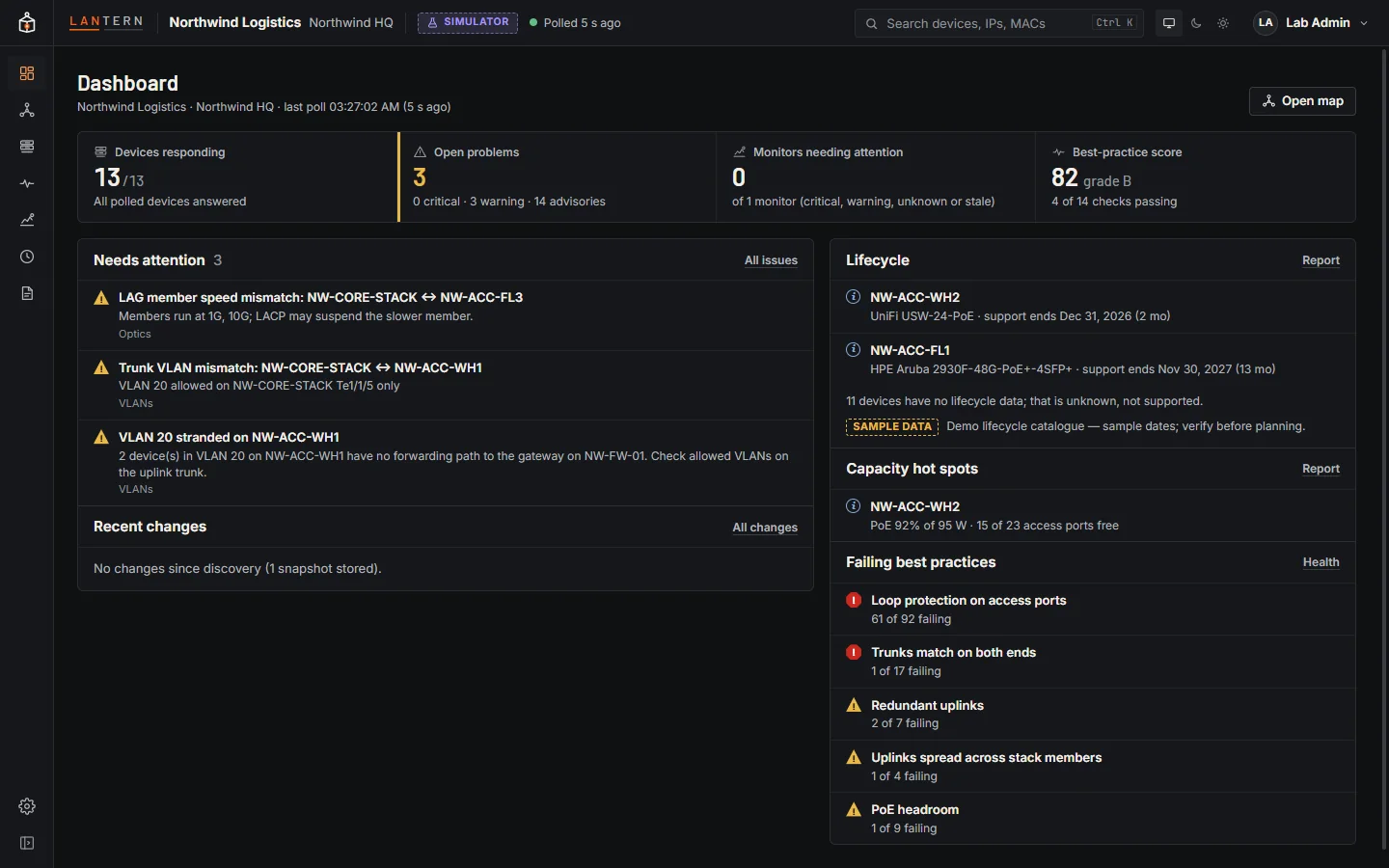
| Number | Means |
|---|---|
| Devices responding | Polled devices that answered the last poll, out of all polled devices. |
| Open problems | Critical and warning issues, with advisories counted separately. |
| Monitors needing attention | Monitors that are critical, warning, unknown or stale. |
| Best-practice score | The site's score out of 100 and its grade, from Health. |
Below them:
- Needs attention: open issues, with an active loop at the top and an Investigate link to its incident.
- Recent changes: devices, links, endpoints and issues that appeared or went away.
- Lifecycle: devices reaching end of support in the next 24 months. In this preview the dates come from a sample catalogue and are labelled Sample data.
- Capacity hot spots: switches running out of access ports or PoE budget.
- Failing best practices: the checks that lower the score.
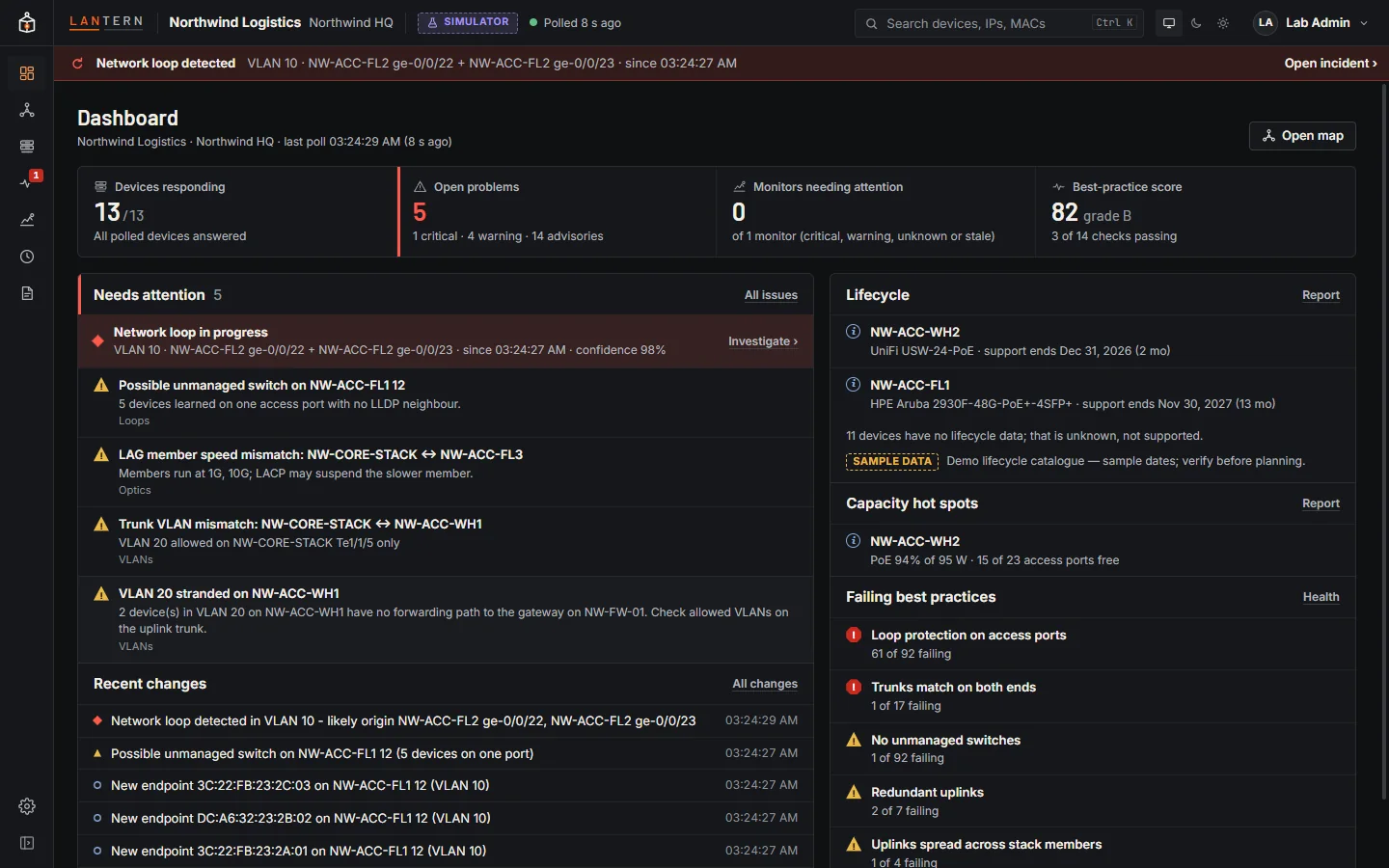
Select any item to open it in the details panel.