Docs Use Lantern
History and compare
Step back to an earlier state of the network and see exactly what changed.
Every poll builds a new picture of the network. When something structural changes (a device, a link, a wired endpoint or an issue appears or goes away), Lantern keeps a snapshot. Live values such as traffic and PoE draw do not create snapshots, so the history stays small.
On the map, choose History.
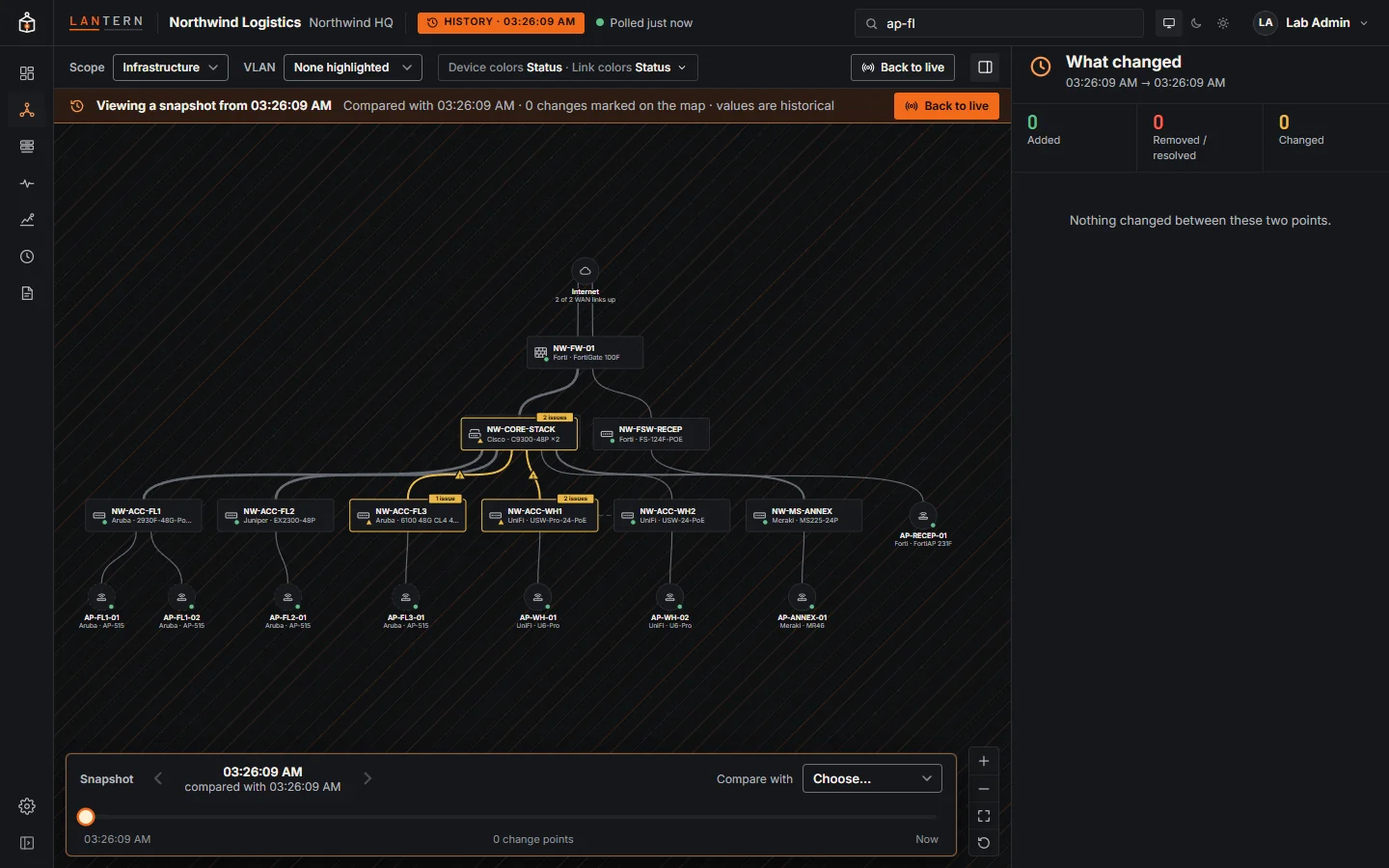
- The map shows the network as it was, with a hatched background, a HISTORY badge and a banner saying which snapshot you are viewing and what it is compared with.
- The timeline at the bottom moves between change points; Compare with picks the earlier snapshot to compare against.
- What changed on the right lists added, removed or resolved, and changed devices, links, issues and endpoints. Changes are marked on the map too.
- Back to live returns to the current network.
The Changes page lists the same snapshots.