Docs Use Lantern
Settings
Data collection, appearance, and where to find sign-in and users.
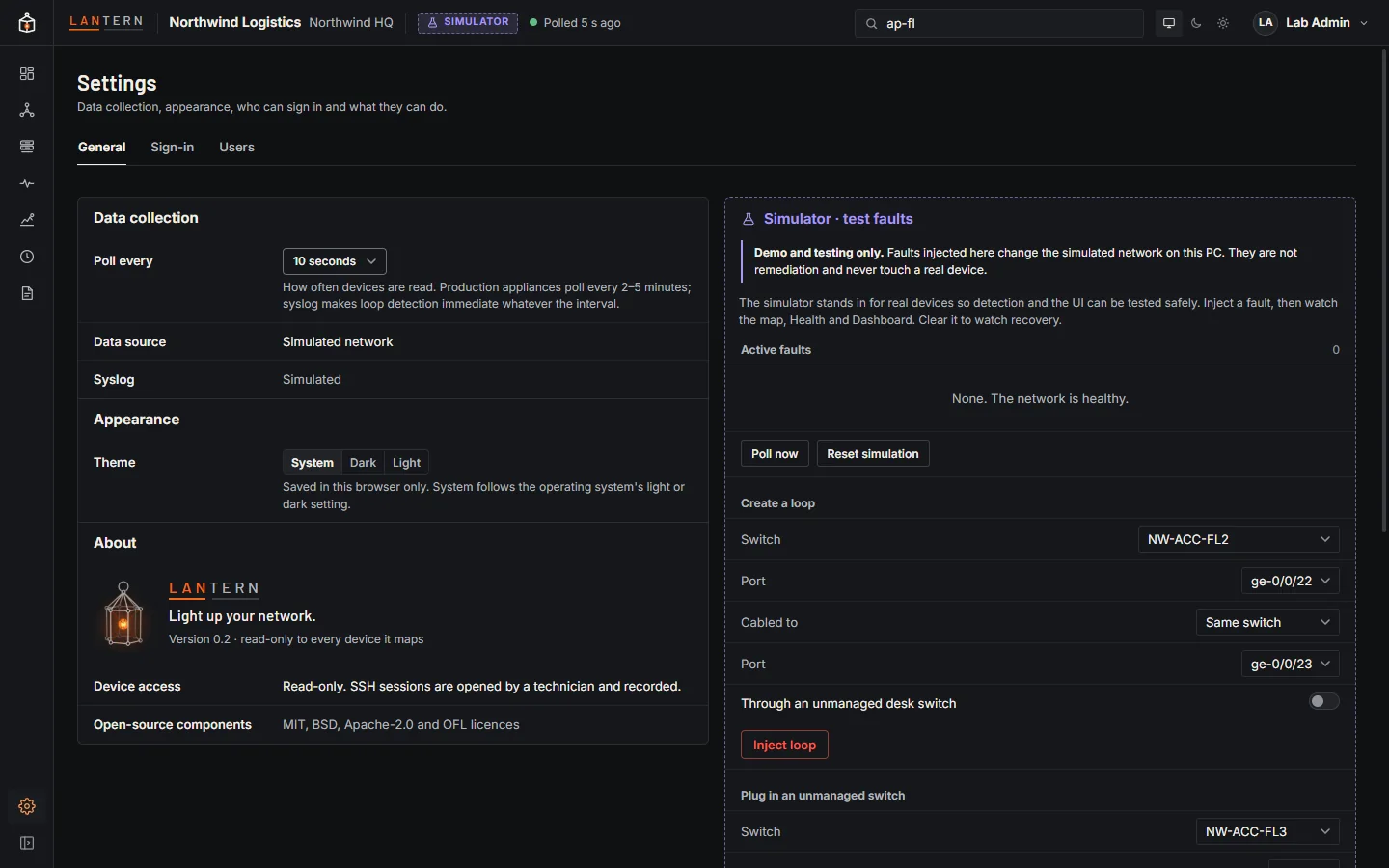
General
- Data collection:
- Poll every: how often devices are read. Administrators can change it in the simulator; with real devices it is set in
snmp.json. - Data source, Syslog (listening address) and Discovery subnets.
- Poll every: how often devices are read. Administrators can change it in the simulator; with real devices it is set in
- Syslog: messages received, the last message, drops, and the busiest senders, when syslog is on.
- Appearance: System, Dark or Light theme. It is saved in this browser only.
- About: the version, and how Lantern treats your devices (read-only).
- Polled devices (with real devices): see Check collection. In the simulator, this column is the test fault bench instead.
Sign-in and Users
Administrators also see the Sign-in and Users tabs: see Sign-in and roles and Users and local accounts.
Personal preferences
Some choices are remembered in your browser rather than on the collector: the theme, the sidebar (expanded or compact), the side panel's width, map positions you dragged, the map's colours and scope, and the optional columns in Inventory.