Docs Sign-in and users
Users and local accounts
See who can sign in, add local accounts, reset passwords, disable people, and read sign-in activity.
Settings › Users (administrators) lists everyone who can sign in.
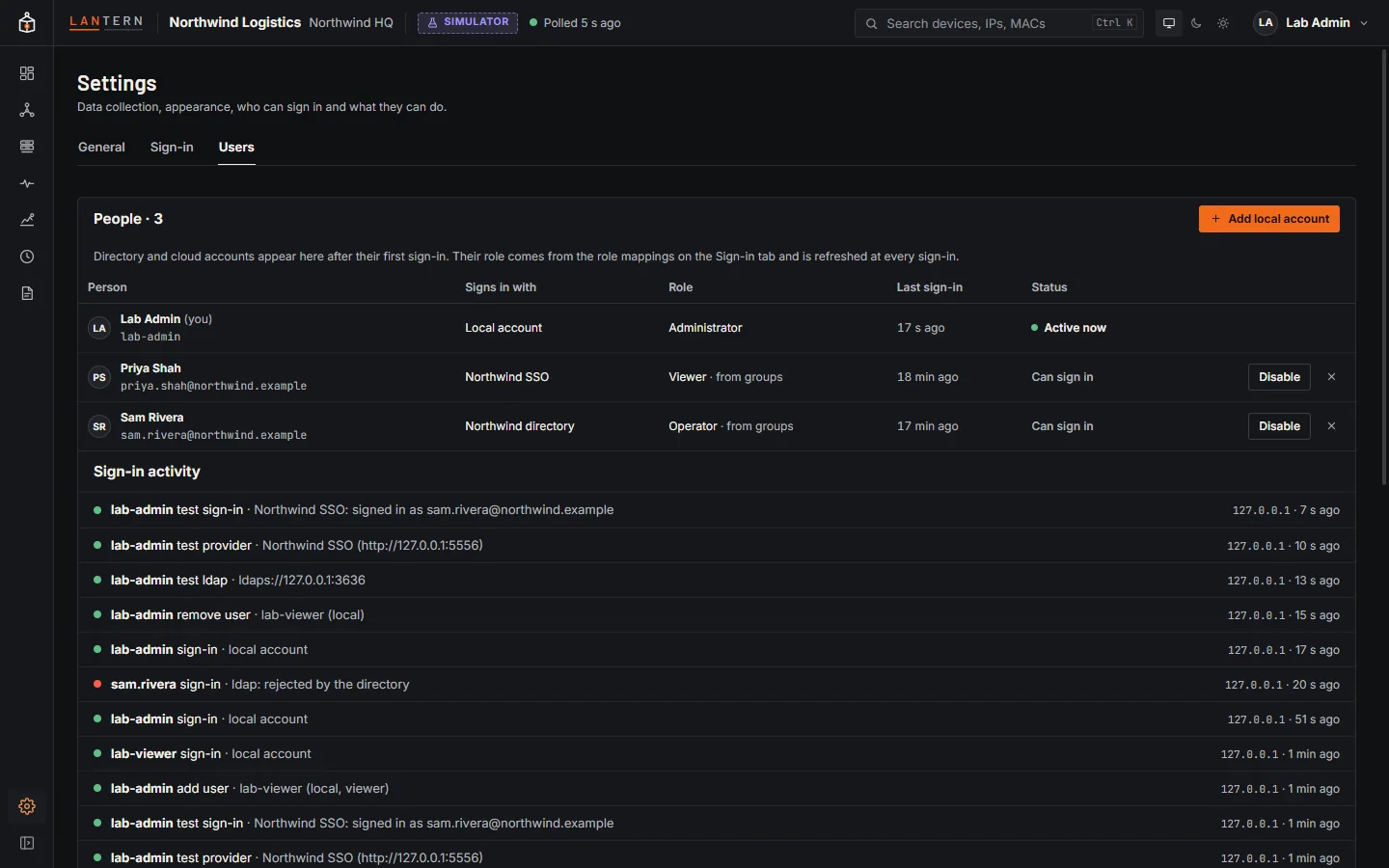
| Column | Shows |
|---|---|
| Person | Name and username or email. |
| Signs in with | Local account, your directory's name, or the cloud provider's button name. |
| Role | A menu for local accounts. Directory and cloud accounts show their role from groups: change the role mapping, not the person. |
| Last sign-in | When they last signed in. |
| Status | Active now, Can sign in or Disabled. |
Directory and cloud accounts appear after their first sign-in.
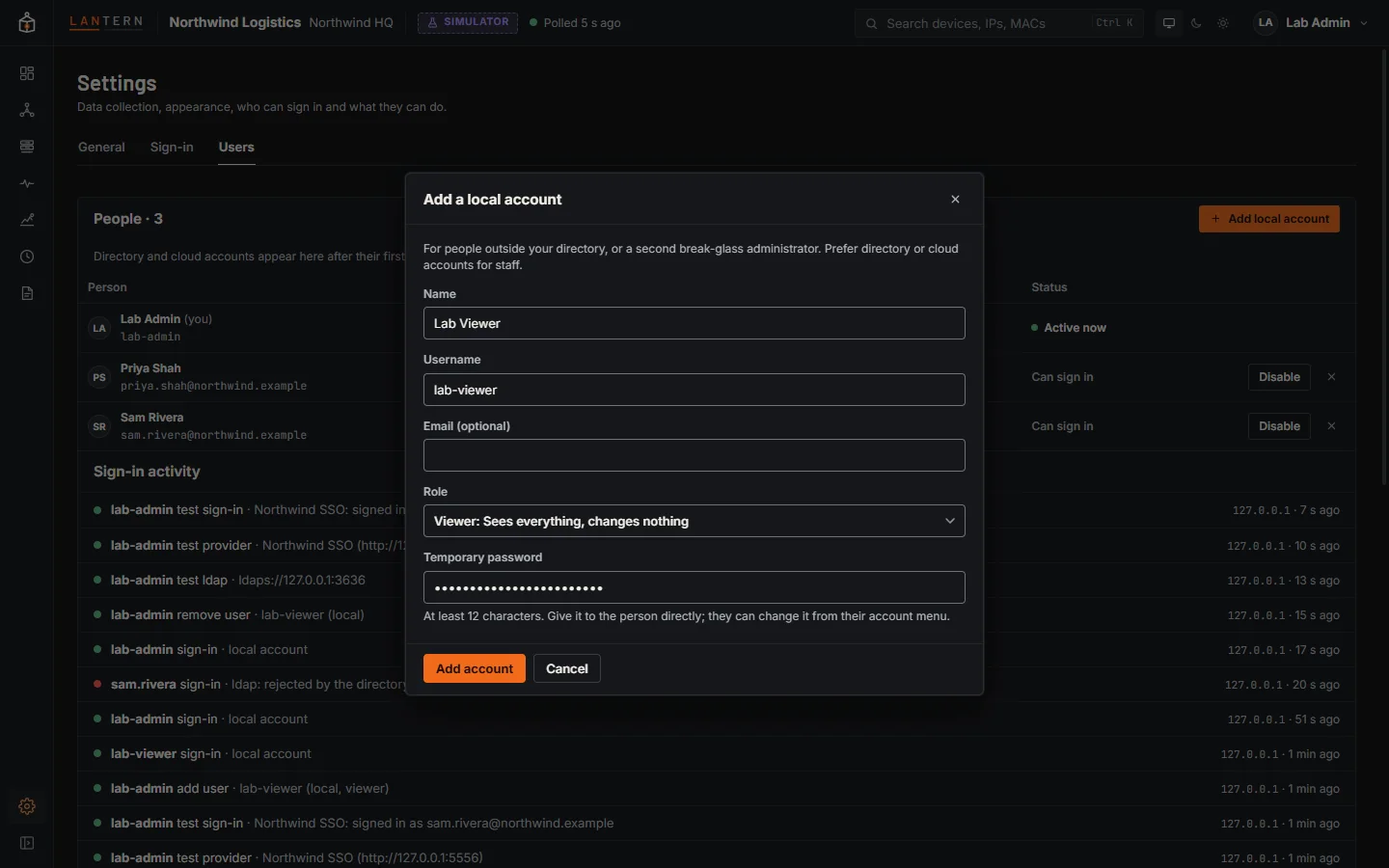
Add a local account
Add local account creates an account for someone outside your directory, or a second break-glass administrator. Give them a temporary password of at least 12 characters directly; they can change it from their account menu.
Change, disable or remove
- Reset password (local accounts): sets a new password and signs the person out everywhere.
- Disable: the person is signed out at once and cannot sign in until you enable them again. This works for directory and cloud accounts too.
- Remove (×): deletes a local account. A directory or cloud account can sign in again later if their groups still map to a role; disable it instead to keep them out.
Lantern keeps you from locking yourself out: you cannot change your own role, disable or remove yourself, and there must always be at least one enabled local administrator.
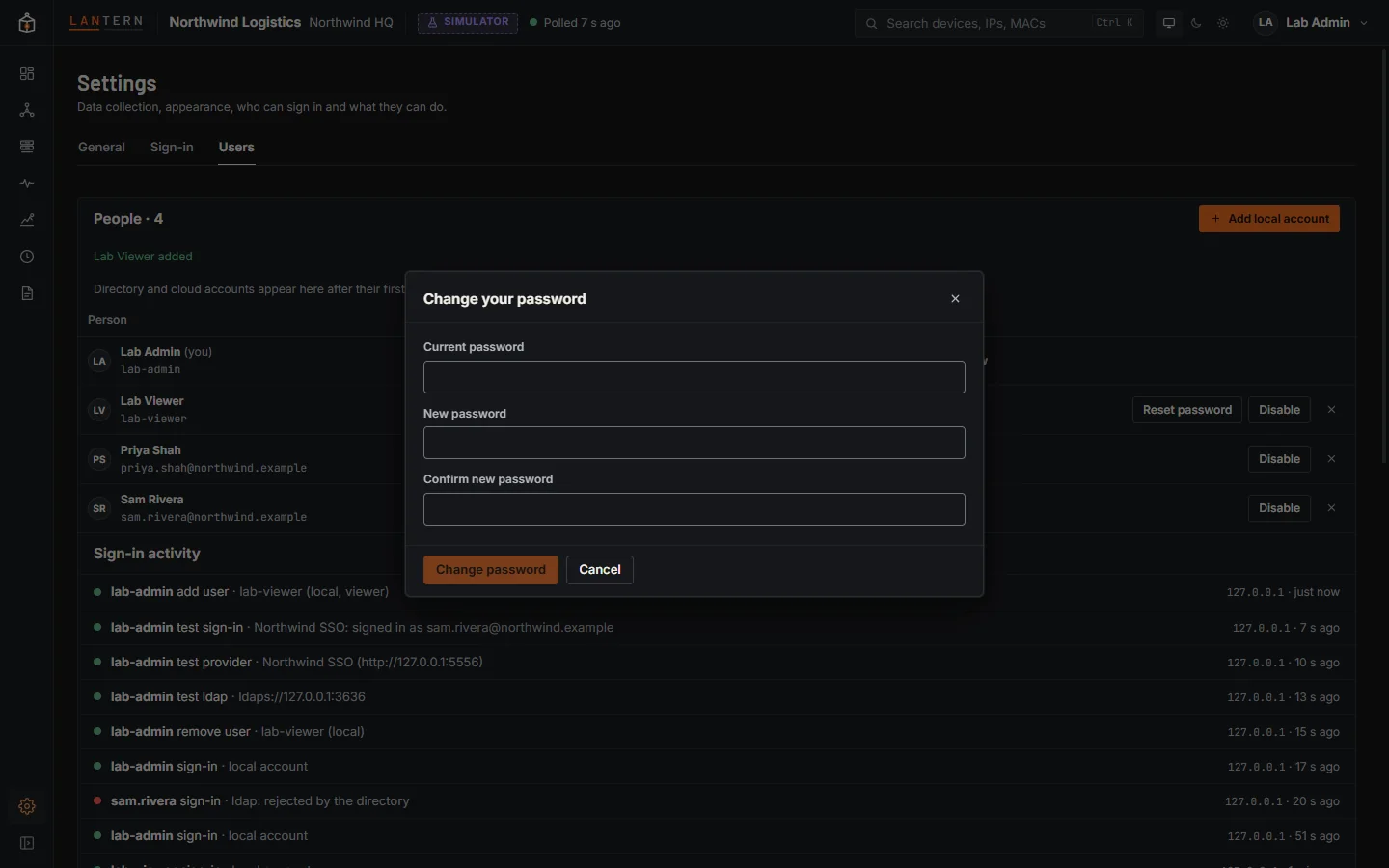
Change your own password
Local accounts change their password from the account menu at the top right, Change password. Directory and cloud accounts change theirs in the directory or at the provider.
Sign-in activity
The bottom of the Users tab lists the latest sign-ins, failures (with the reason), sign-outs, test sign-ins, and changes to sign-in settings and accounts, each with who, when and from which address. The full trail is auth-audit.log in the data folder.