Docs Use Lantern
Reports
The lifecycle and capacity report, ready to print or export.
Reports is a printable document for the customer or your planning meeting.
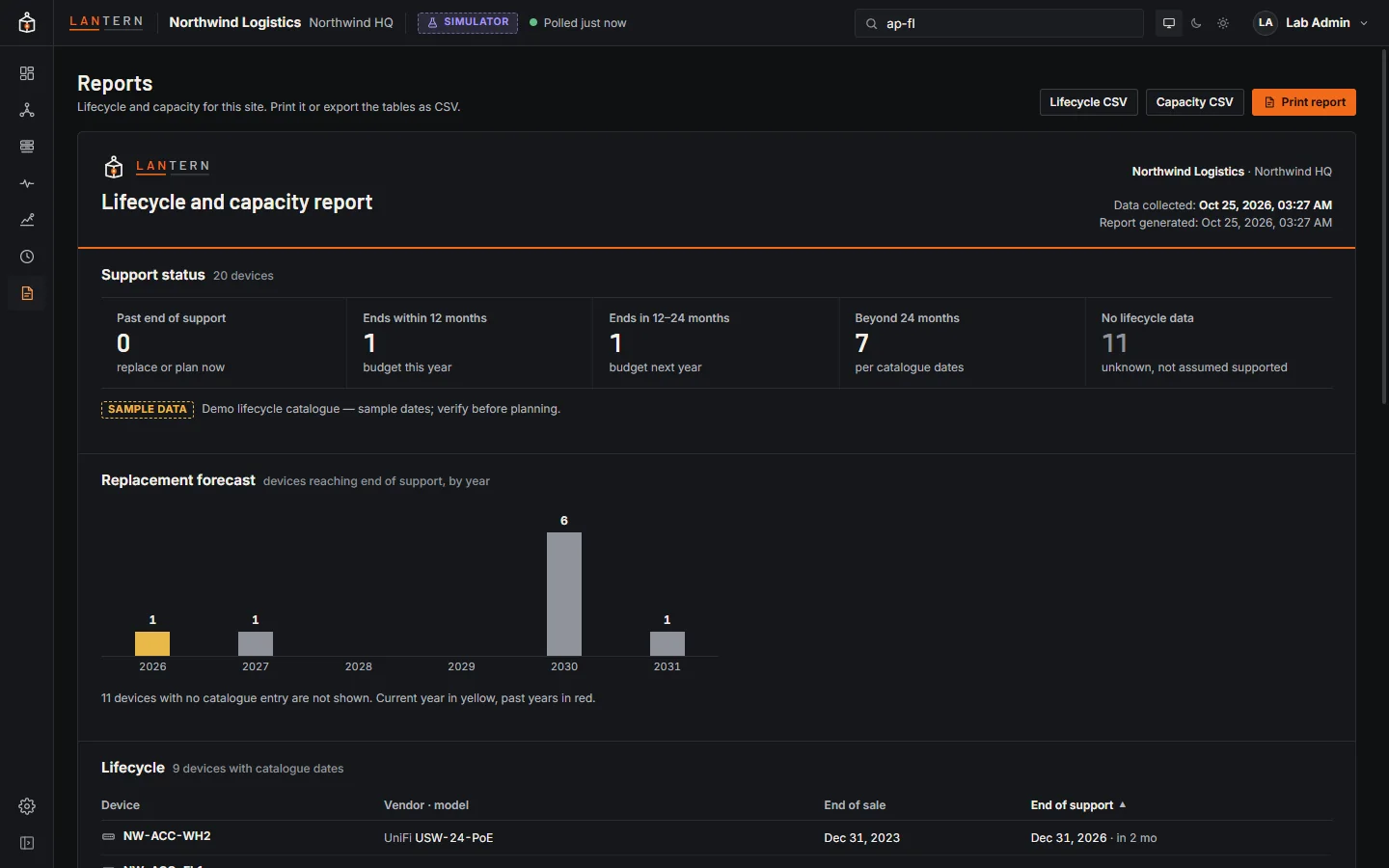
It has:
- a header with the customer, site, title, when the data was collected and when the report was generated;
- Support status: how many devices are past end of support, reach it within 12 months, within 12–24 months, later, or have no lifecycle data;
- Replacement forecast: devices reaching end of support by year;
- Lifecycle: every device with end-of-sale and end-of-support dates;
- Closet capacity: access ports and PoE used per switch, and uplinks;
- Single points of failure from the redundancy checks.
Each section says where its data comes from.
Print and export
- Print report prints a clean light document, whatever theme you use, with table headings repeated on every page. Choose Save as PDF in the print dialog for a PDF.
- Lifecycle CSV and Capacity CSV export the tables.