Product tour
See Lantern at work.
Ninety seconds through the live map, a loop traced to its port, inventory, health, reports and sign-in. Every frame is the real product running against its built-in simulated network.
Demo video
Transcript and captions
The video has no sound; captions are part of the picture. They say:
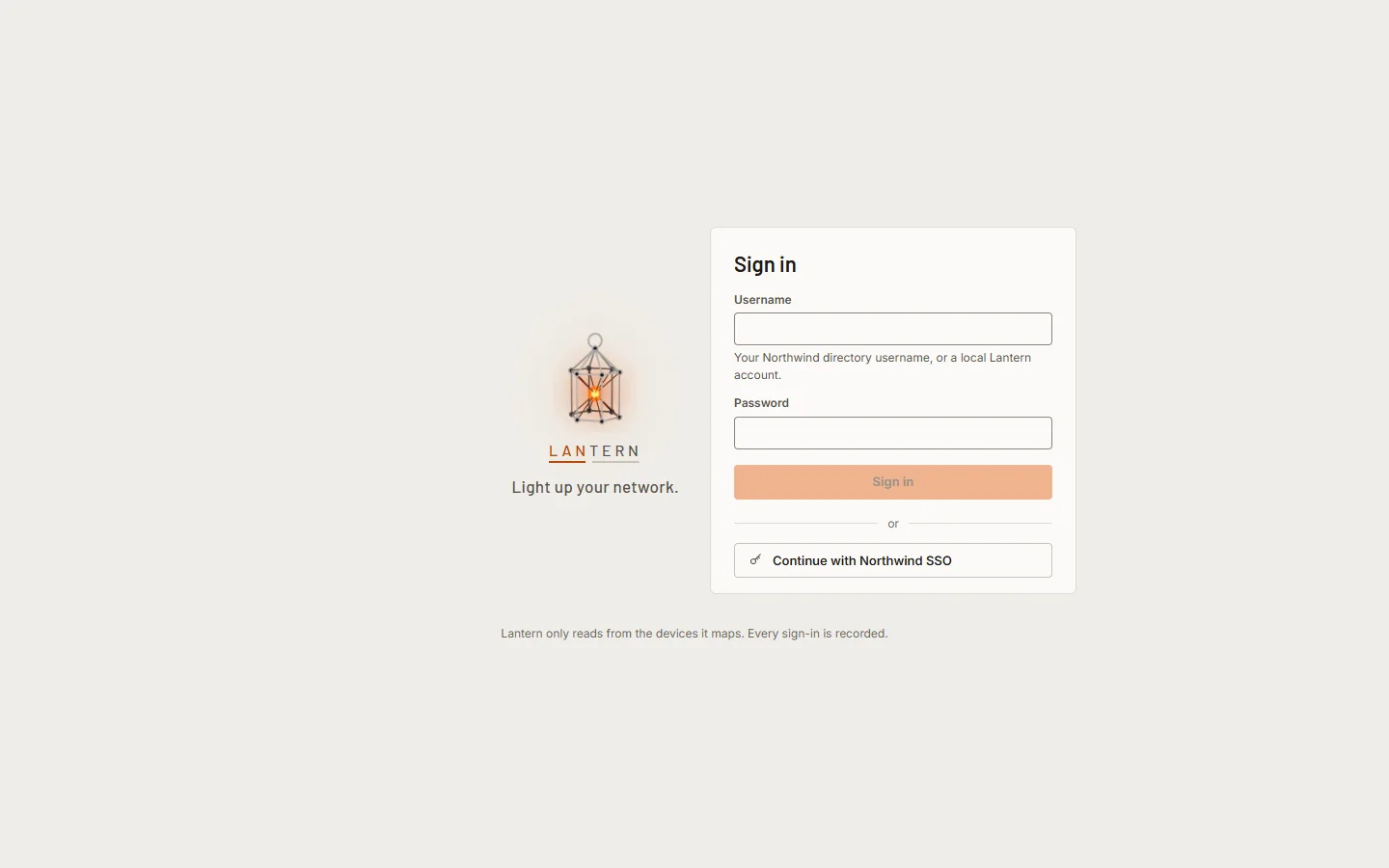
- Sign in with your directory, a cloud identity provider or a local account.
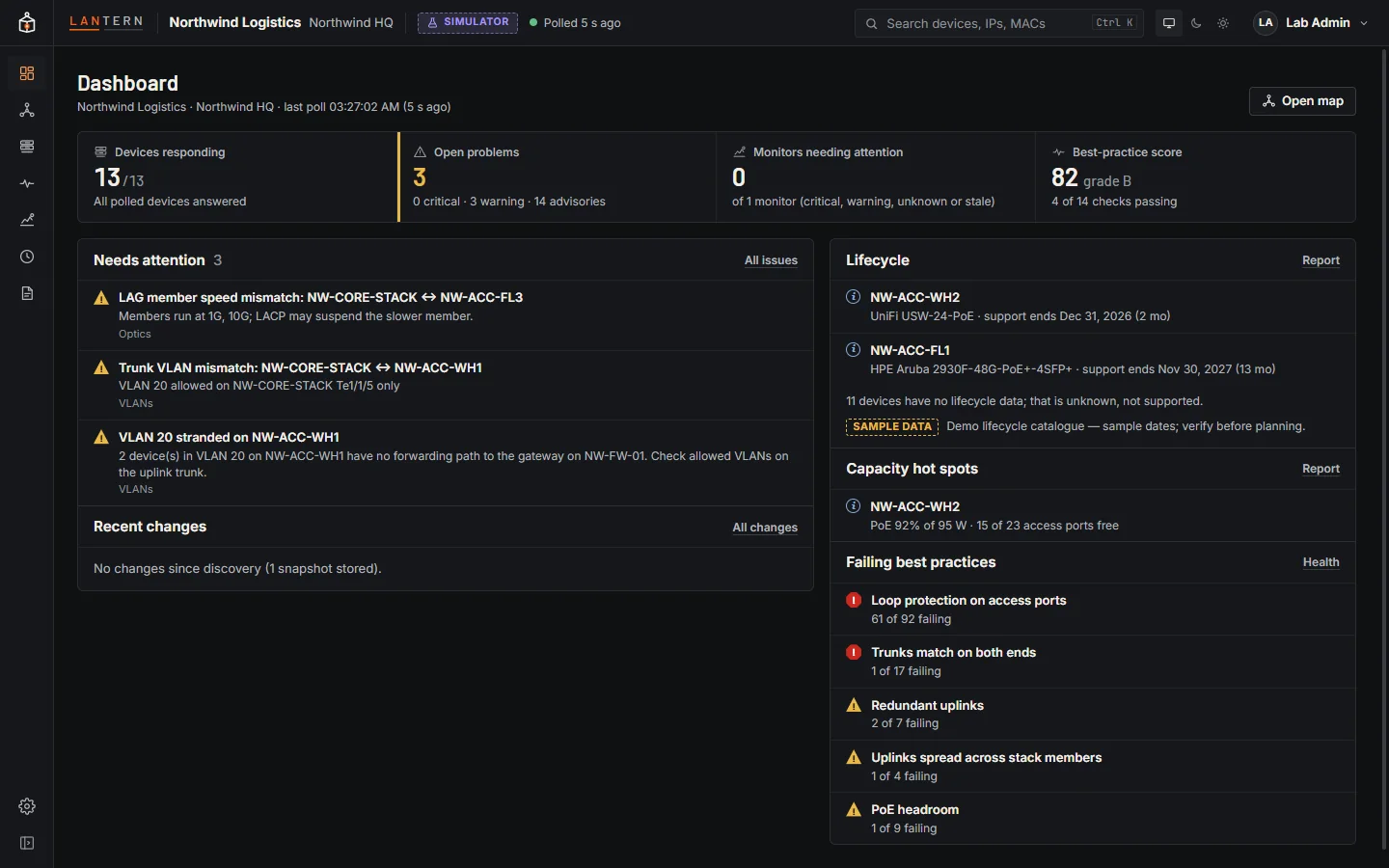
- The dashboard leads with what needs attention.
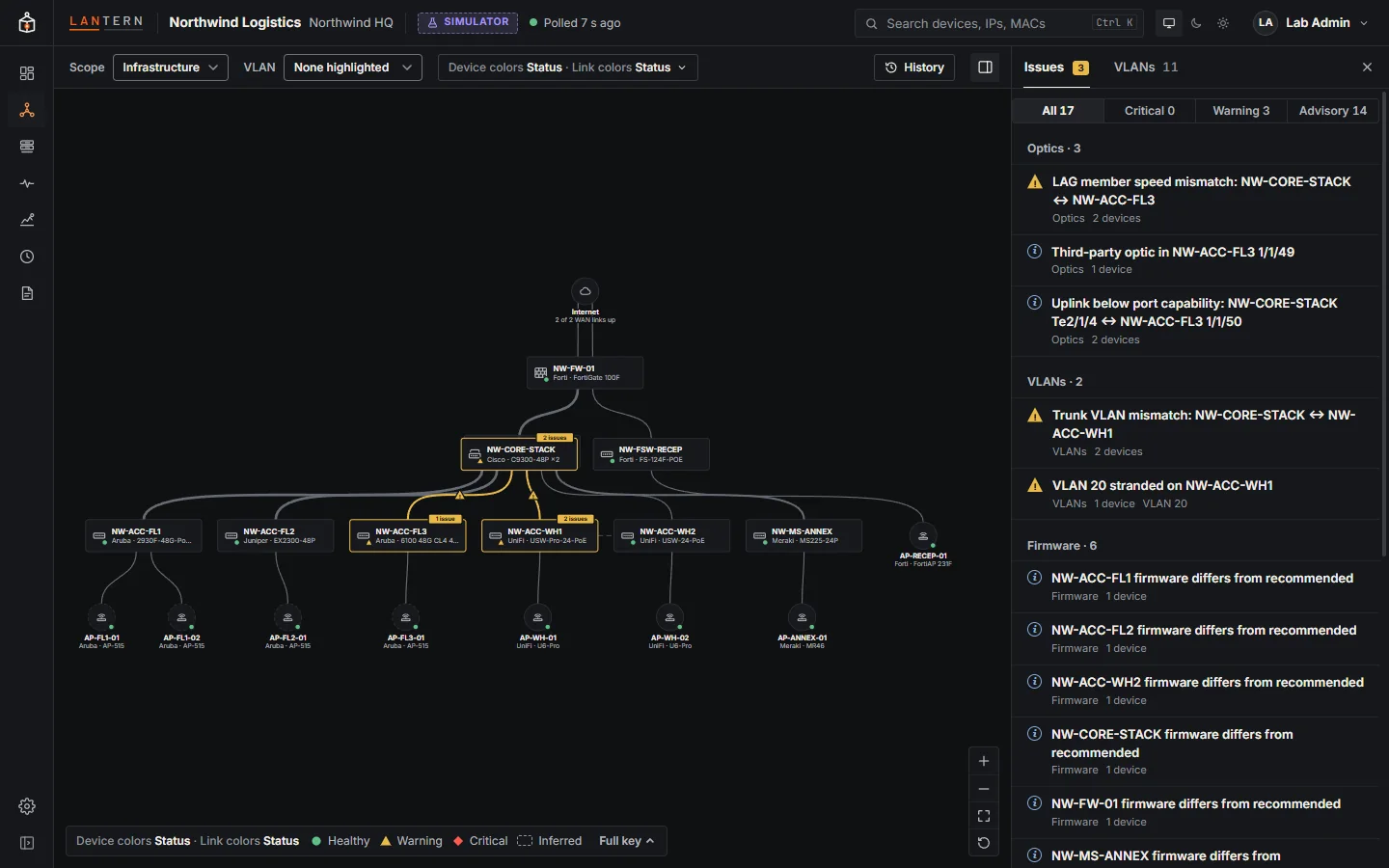
- A live map of every switch, firewall and access point: Cisco, Aruba, Juniper, Fortinet and UniFi on one map, read over SNMP.
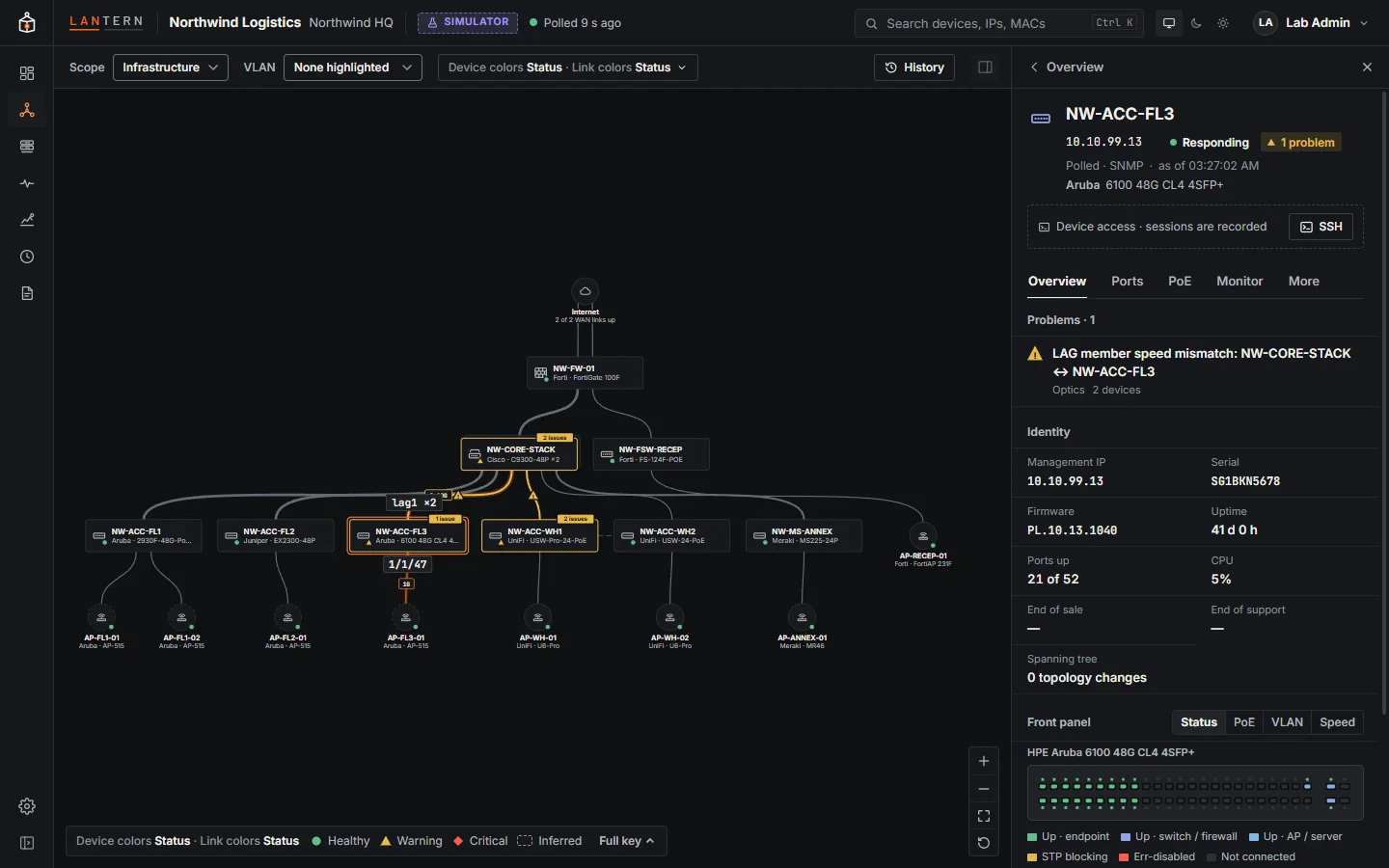
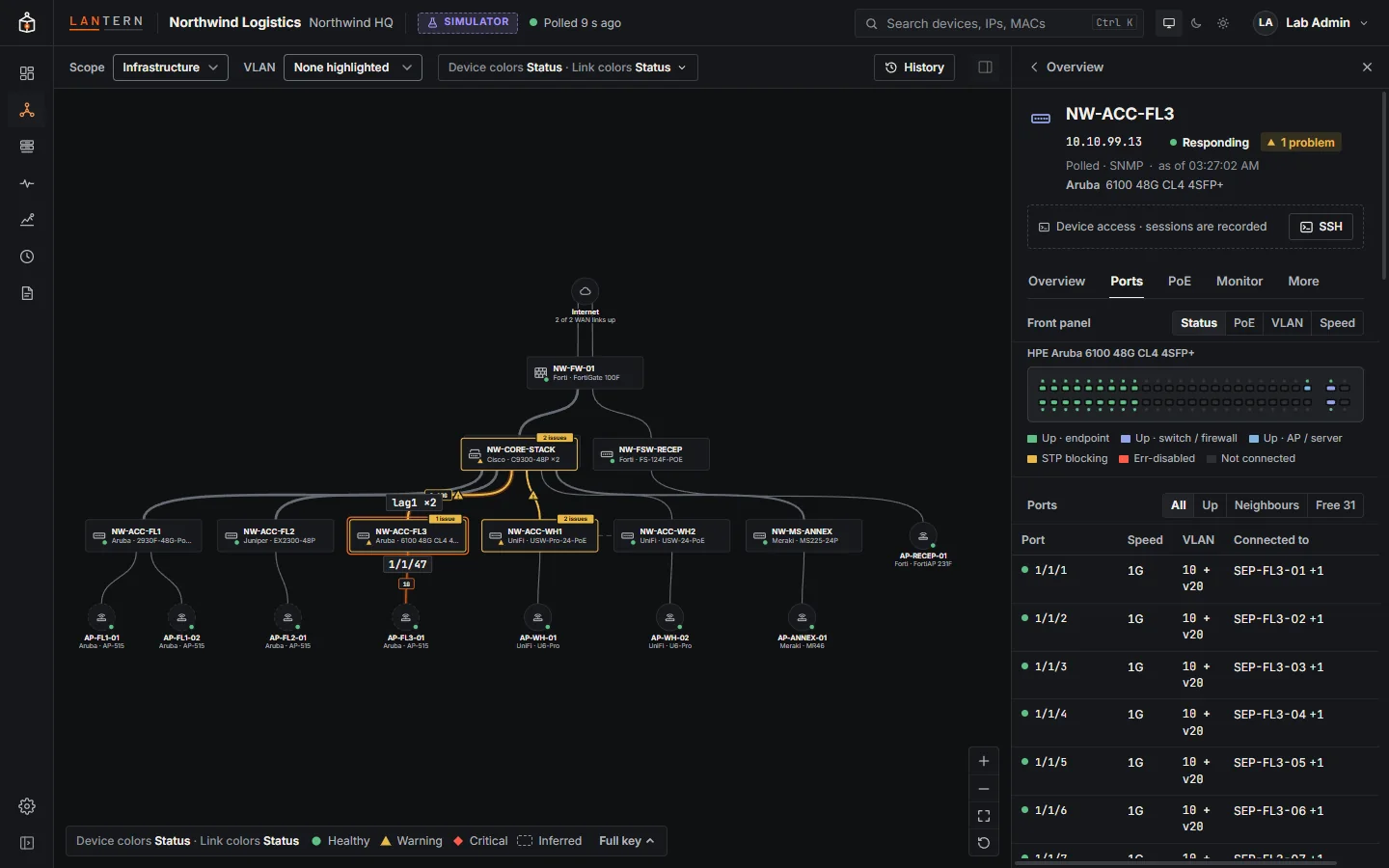
- Click a device for its ports, PoE budget, VLANs and live values.
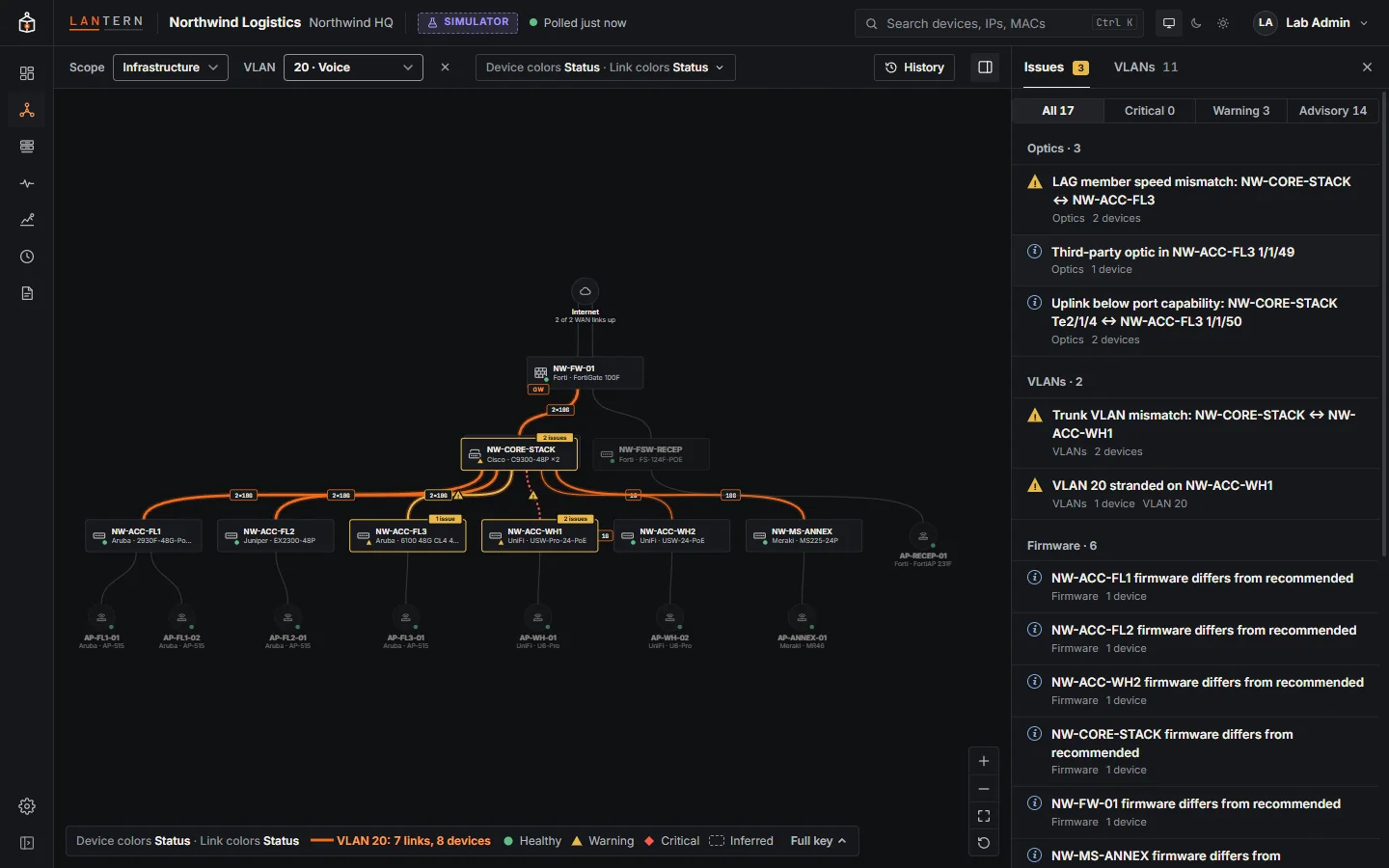
- Trace a VLAN through the network. Its carried links light up; faulty links keep their warning colours.
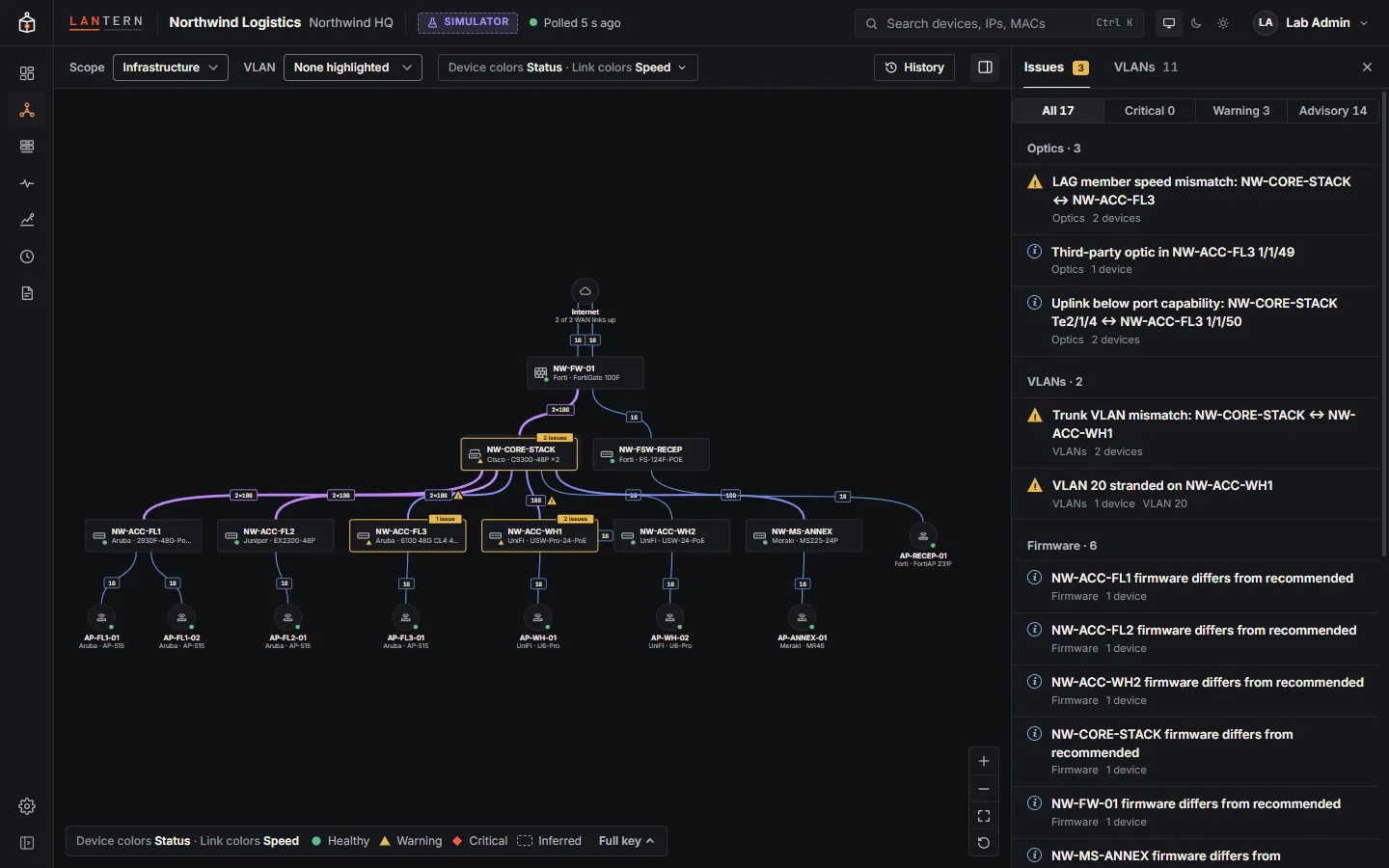
- Colour devices by vendor, and links by speed, cable type or load.
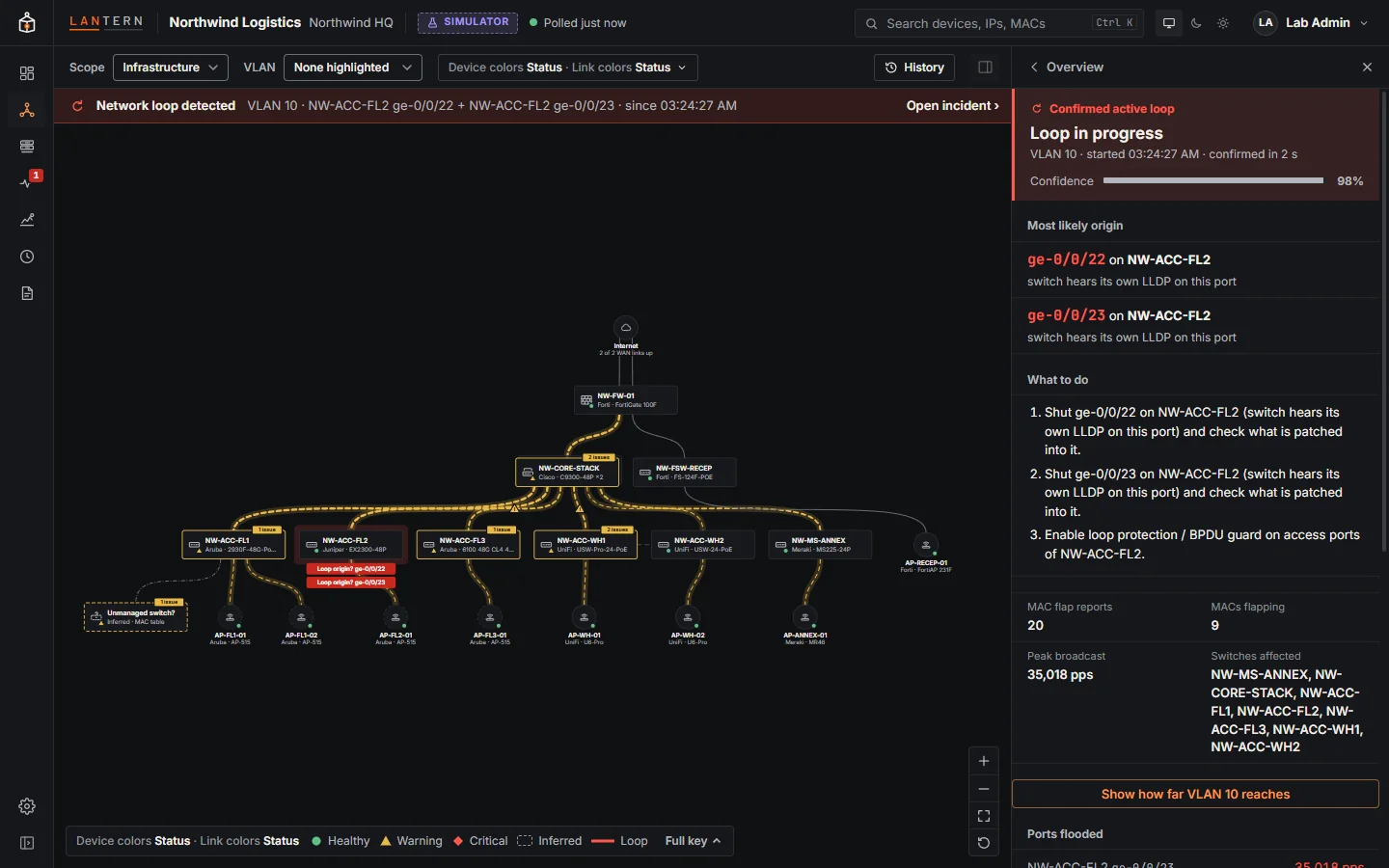
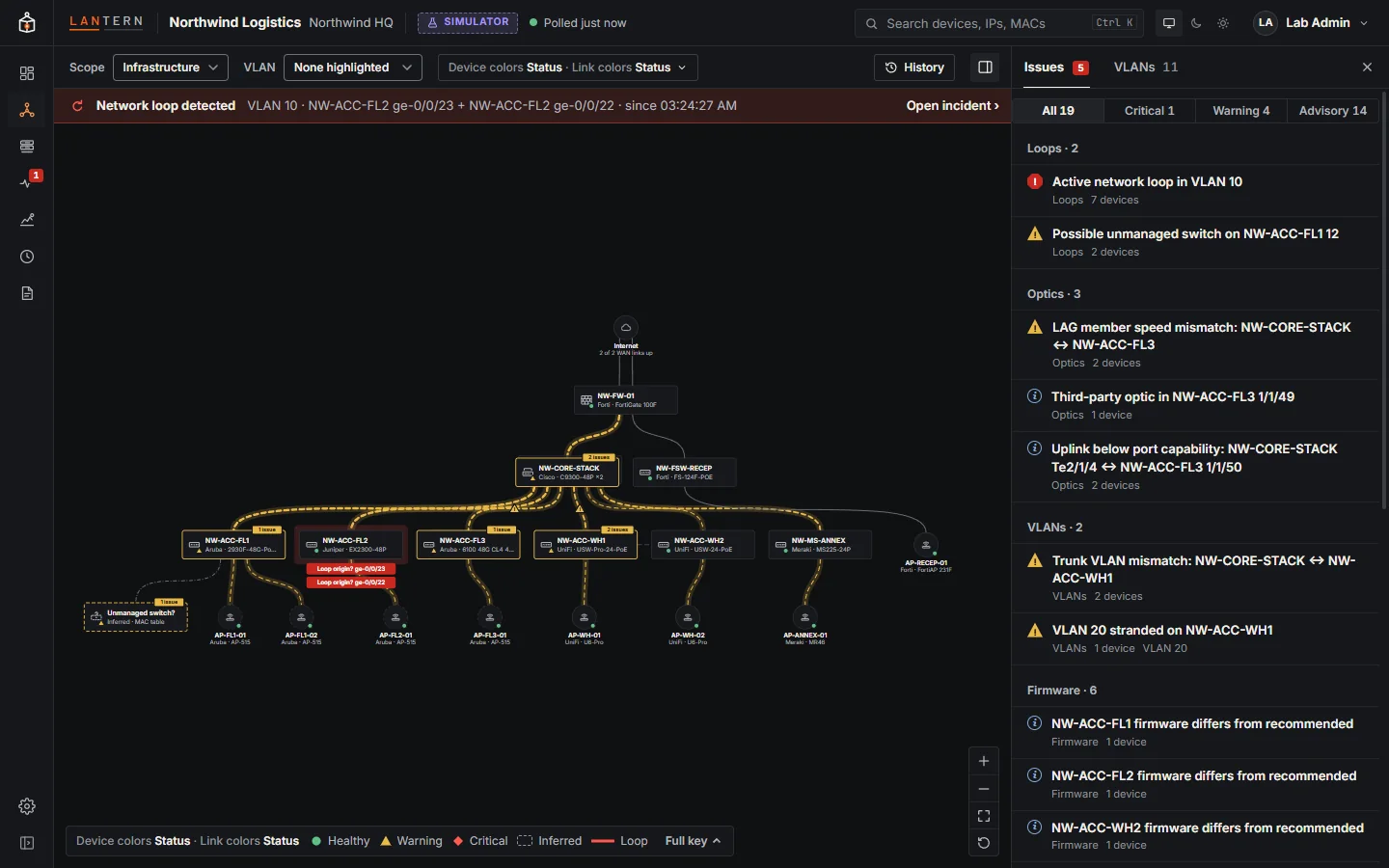
- When a loop starts, Lantern finds it from agreeing signals (MAC flapping, broadcast storms, a switch hearing its own LLDP), never a single MAC move, and traces it to the port where it most likely starts.
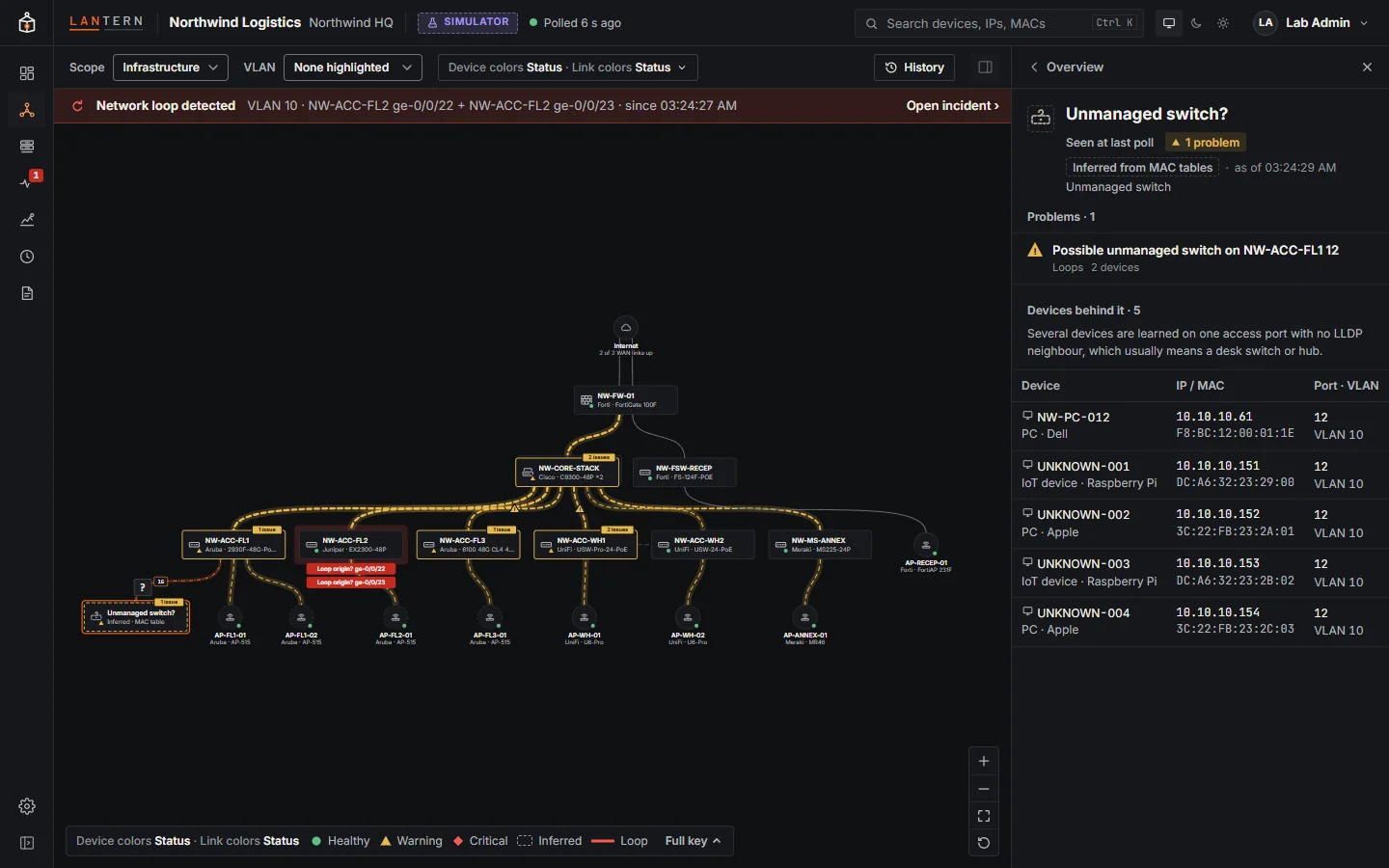
- Unmanaged switches hiding behind a port show up too.
- Step back in time and see exactly what changed.
- Inventory of devices, endpoints and optics, with CSV export.
- Best-practice checks score every site, with the reasons.
- Lifecycle and capacity reports, ready to print. Lifecycle dates in this preview come from a sample catalogue.
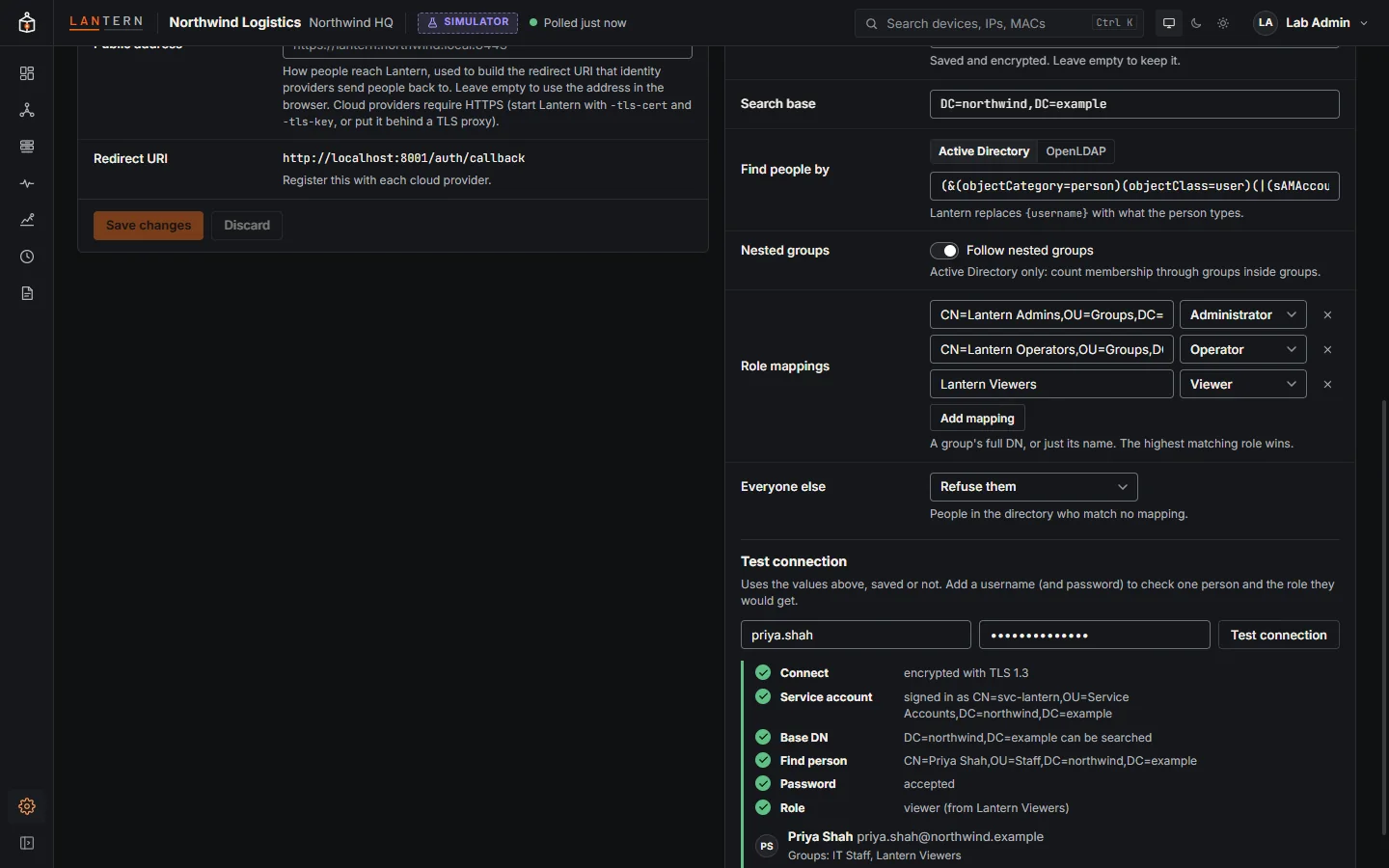
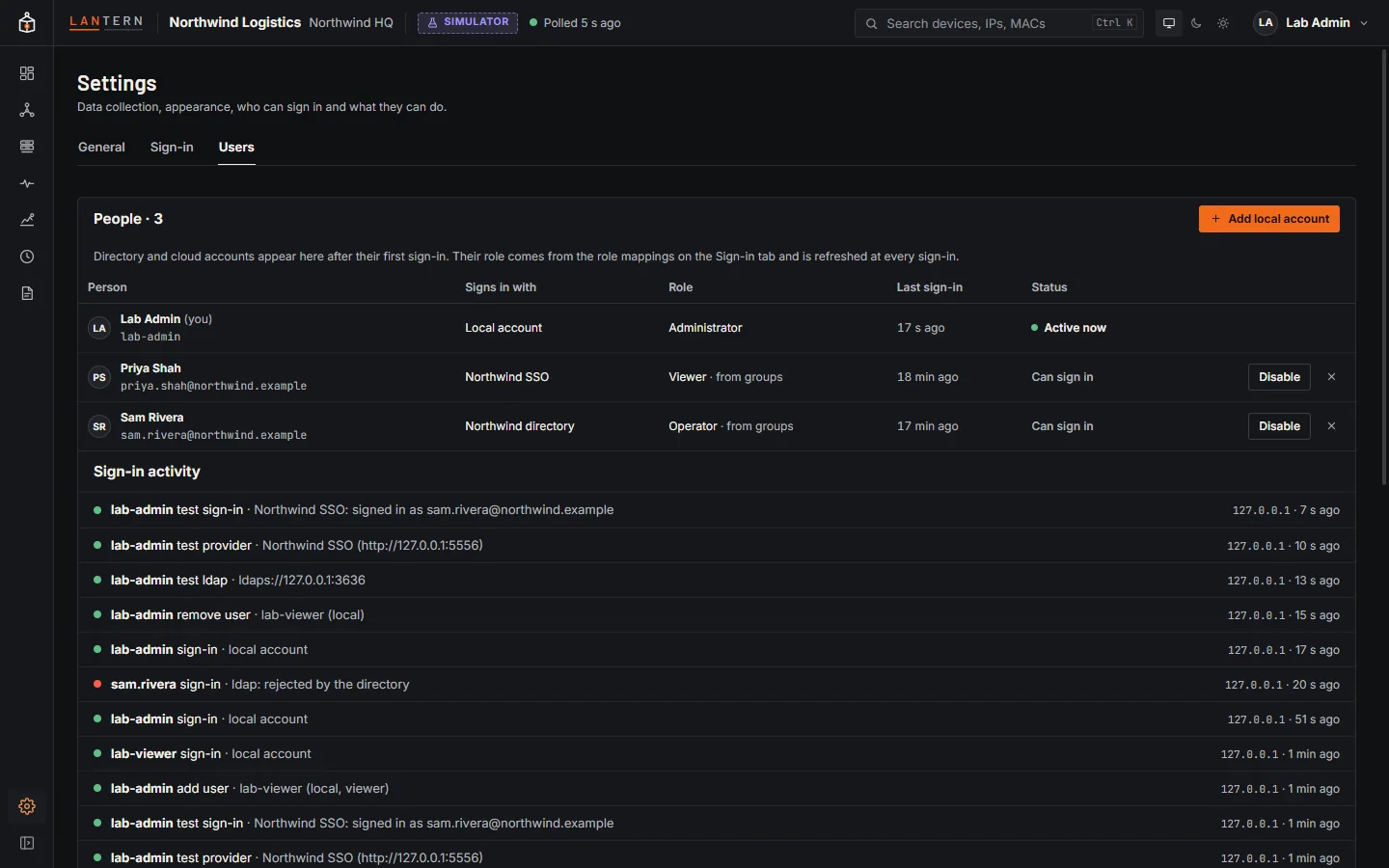
- Connect Active Directory and cloud sign-in in Settings, with roles from your groups.
The map
Every switch, firewall and access point, and how they connect.
Links show their speed, media and the VLANs they carry. Healthy devices stay quiet; problems get an outline and a count. Choose the scope, highlight one VLAN, or colour links by speed, cable or load. The map keeps fitting itself until you move it, then never jumps on a poll.
Loops and hidden switches
Find the loop, and the port it started on.
A loop is declared only when several signals agree: MAC addresses flapping, broadcast storms, a switch hearing its own LLDP. Lantern traces it to the likely origin, explains the evidence, and says what to do. It also finds desk switches and hubs hiding behind access ports, with the devices behind them.
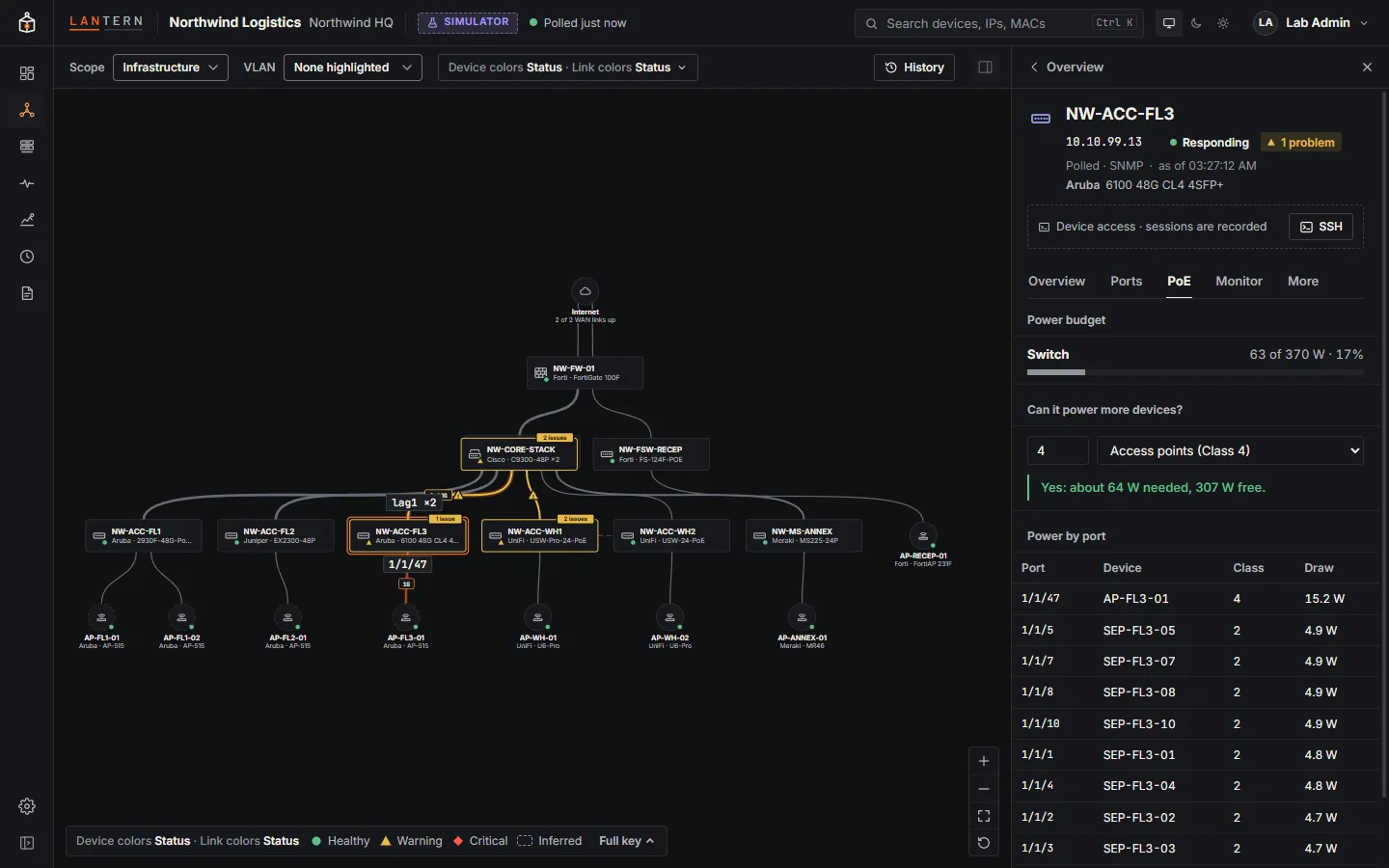
Device details
Ports, PoE and live values, one click away.
Select any device for its identity, problems, a front panel coloured by status, PoE, VLAN or speed, every port with its neighbour or endpoints, the PoE budget, and live SNMP values you can turn into monitors. Open a recorded SSH session from the same panel.
Inventory and reports
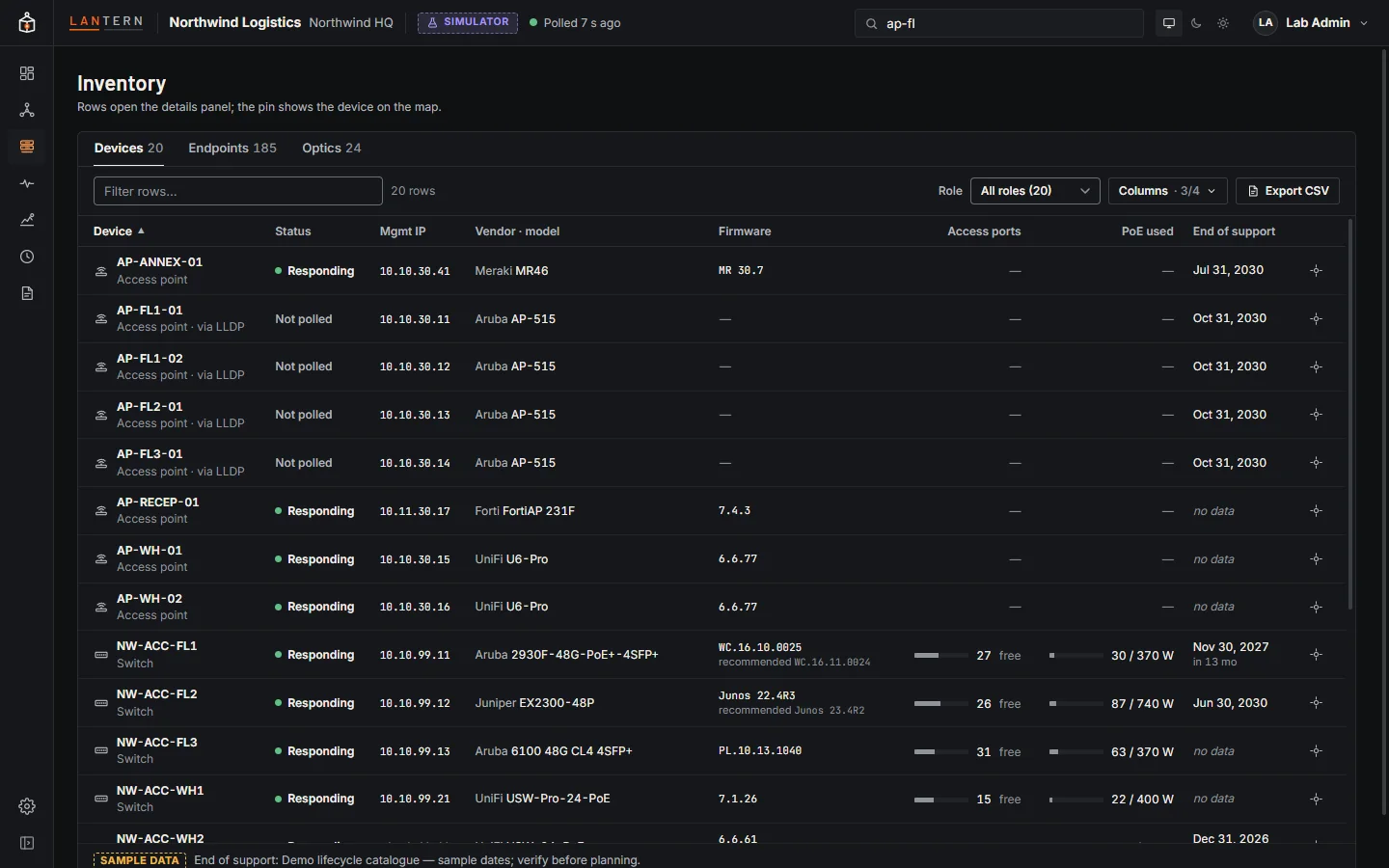
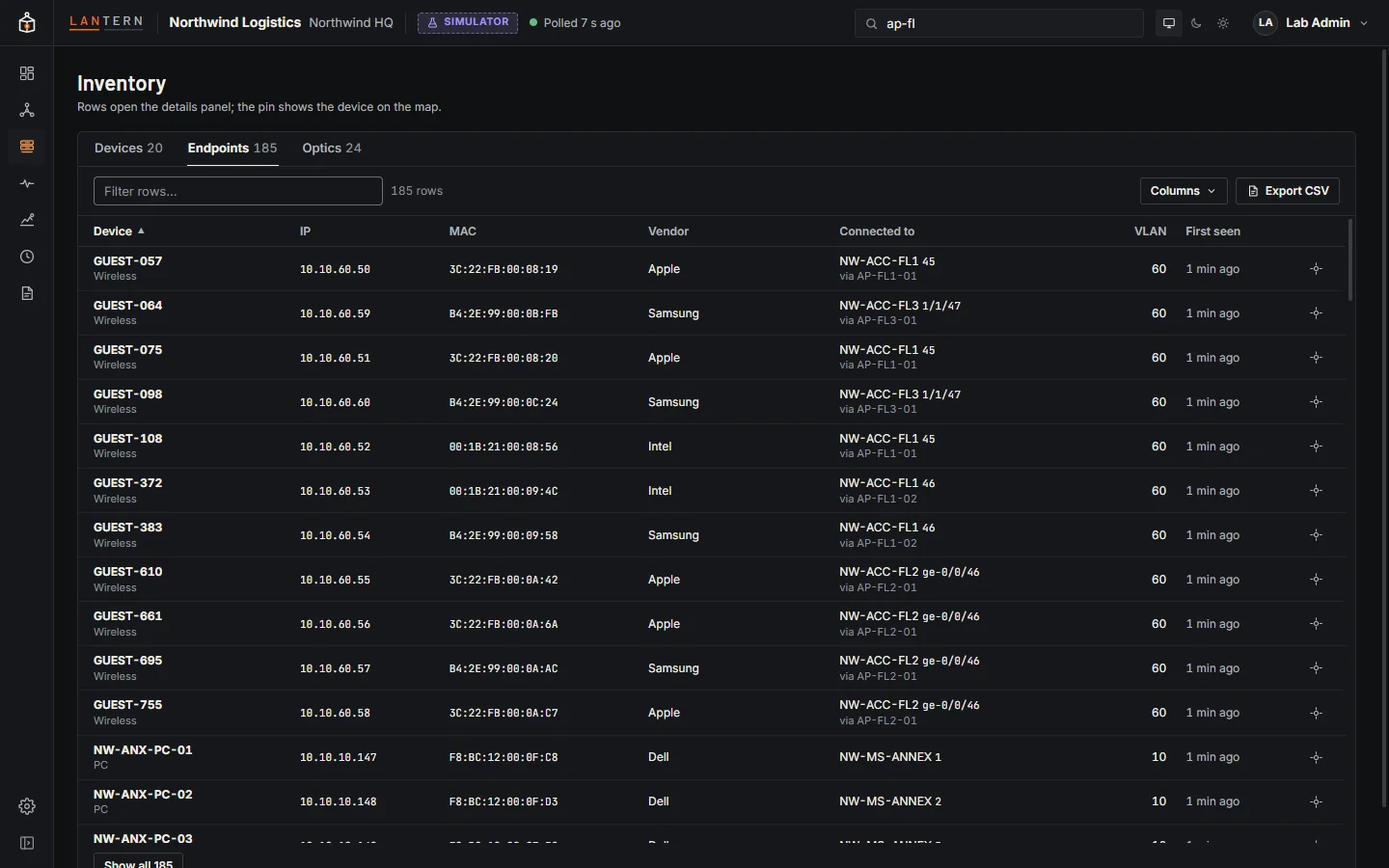
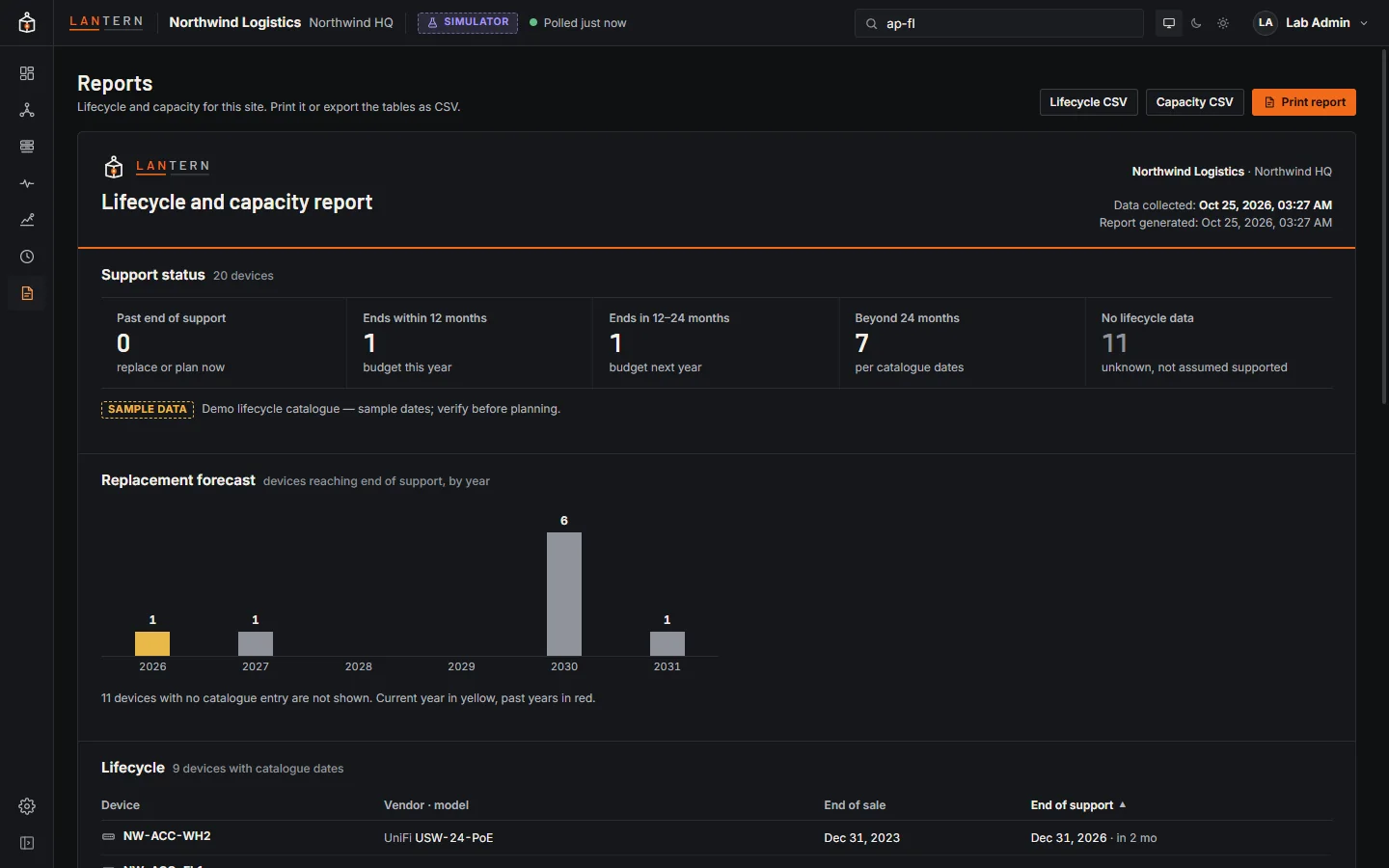
Know what you have, and what needs replacing.
Devices, endpoints and optics in tables you can sort, filter, trim and export. Reports put lifecycle, a replacement forecast and closet capacity in one document, ready to print. In this preview, lifecycle dates come from a sample catalogue and are labelled as such.
Health and monitoring
Best practice scored, values watched.
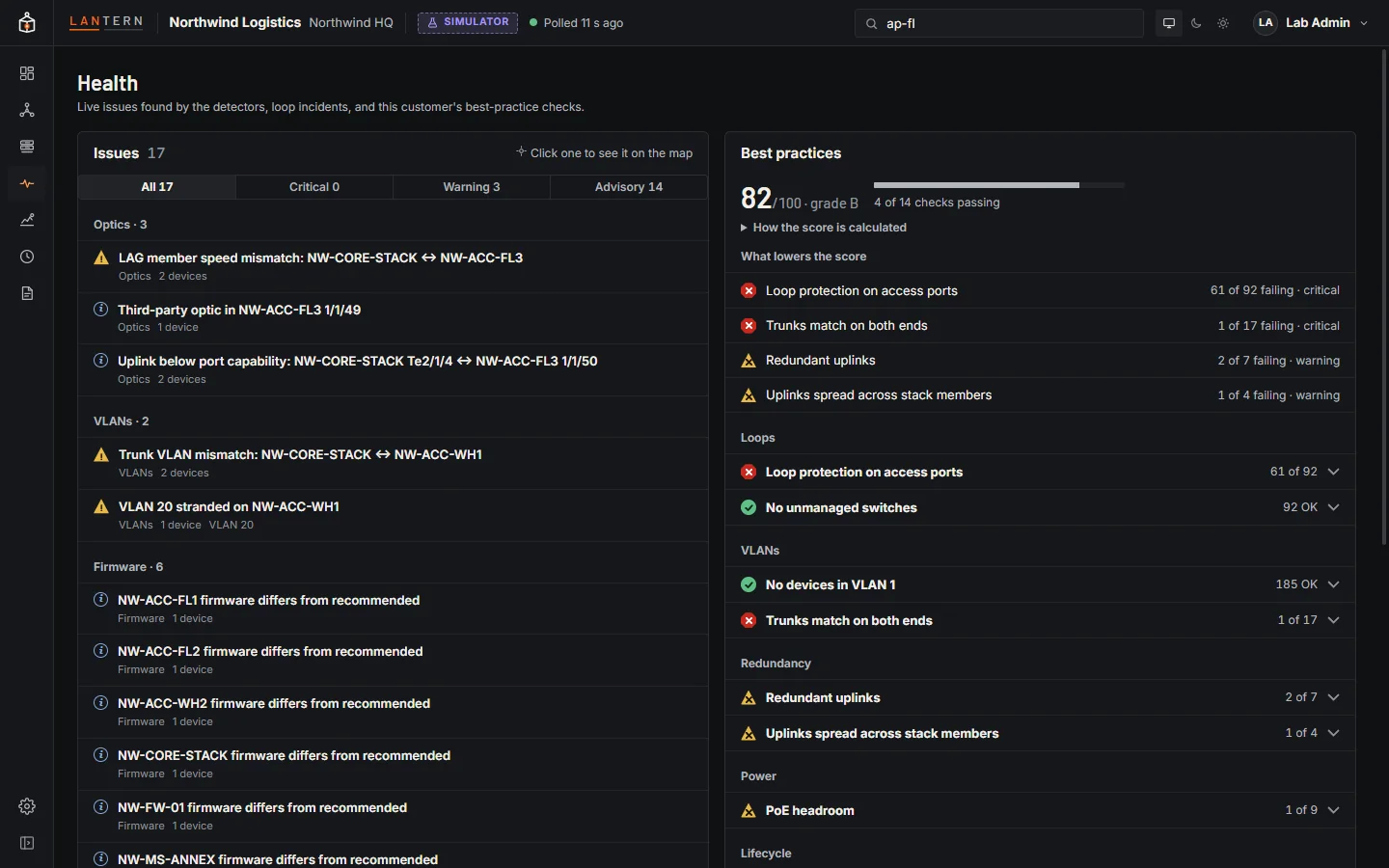
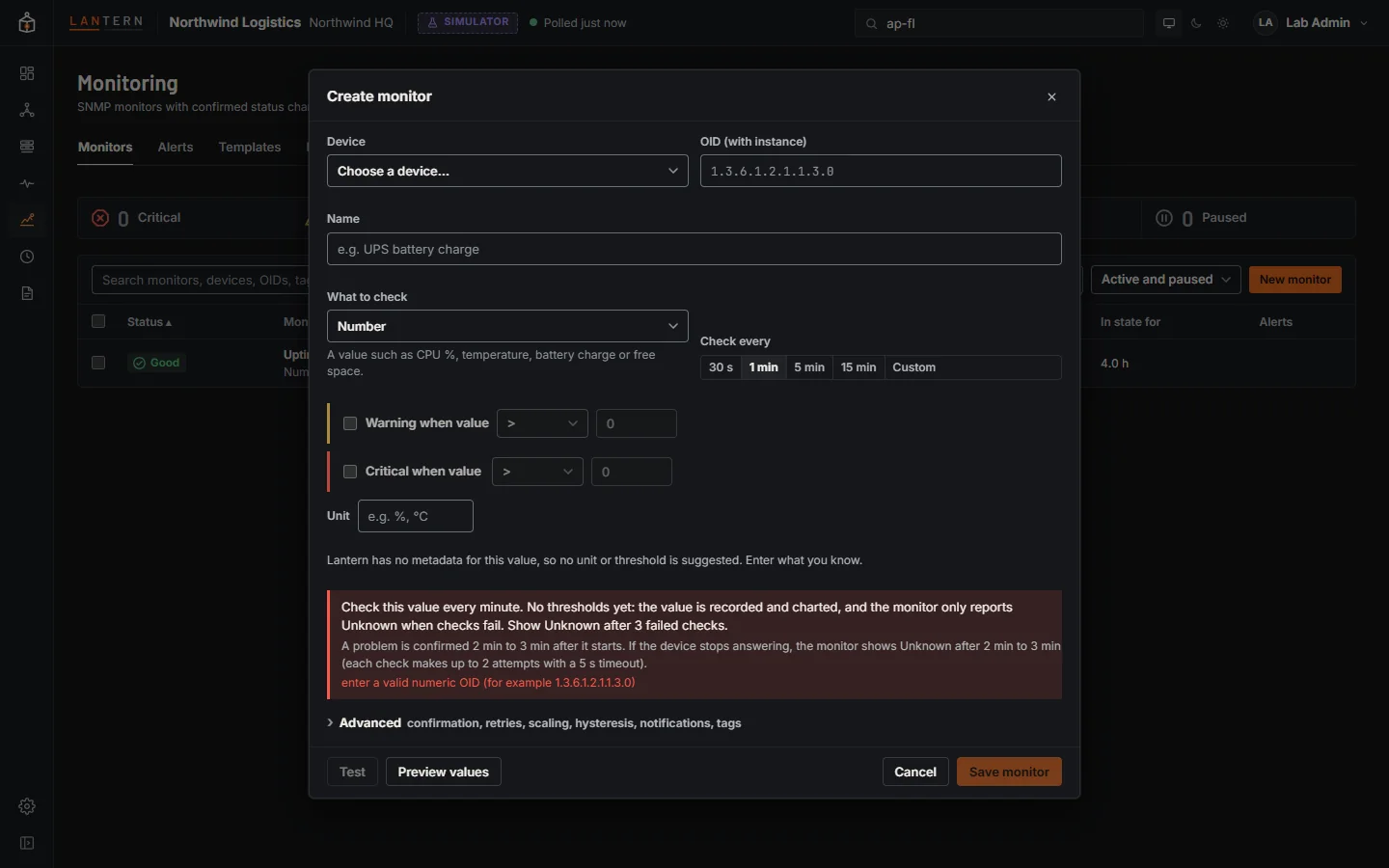
Fourteen built-in checks score each site, from loop protection on access ports to trunks that match on both ends, with the reasons. Turn any SNMP value into a monitor with confirmed status changes, maintenance windows, and notifications by email or webhook.
Sign-in and roles
Your directory, your identity provider, your rules.
Sign in with Active Directory or any LDAP directory, Microsoft Entra ID, Google Workspace, Okta or any OpenID Connect provider. Groups become Viewer, Operator or Administrator roles. Test a connection or try a sign-in before you turn it on, and see every sign-in in the activity log.
More screens
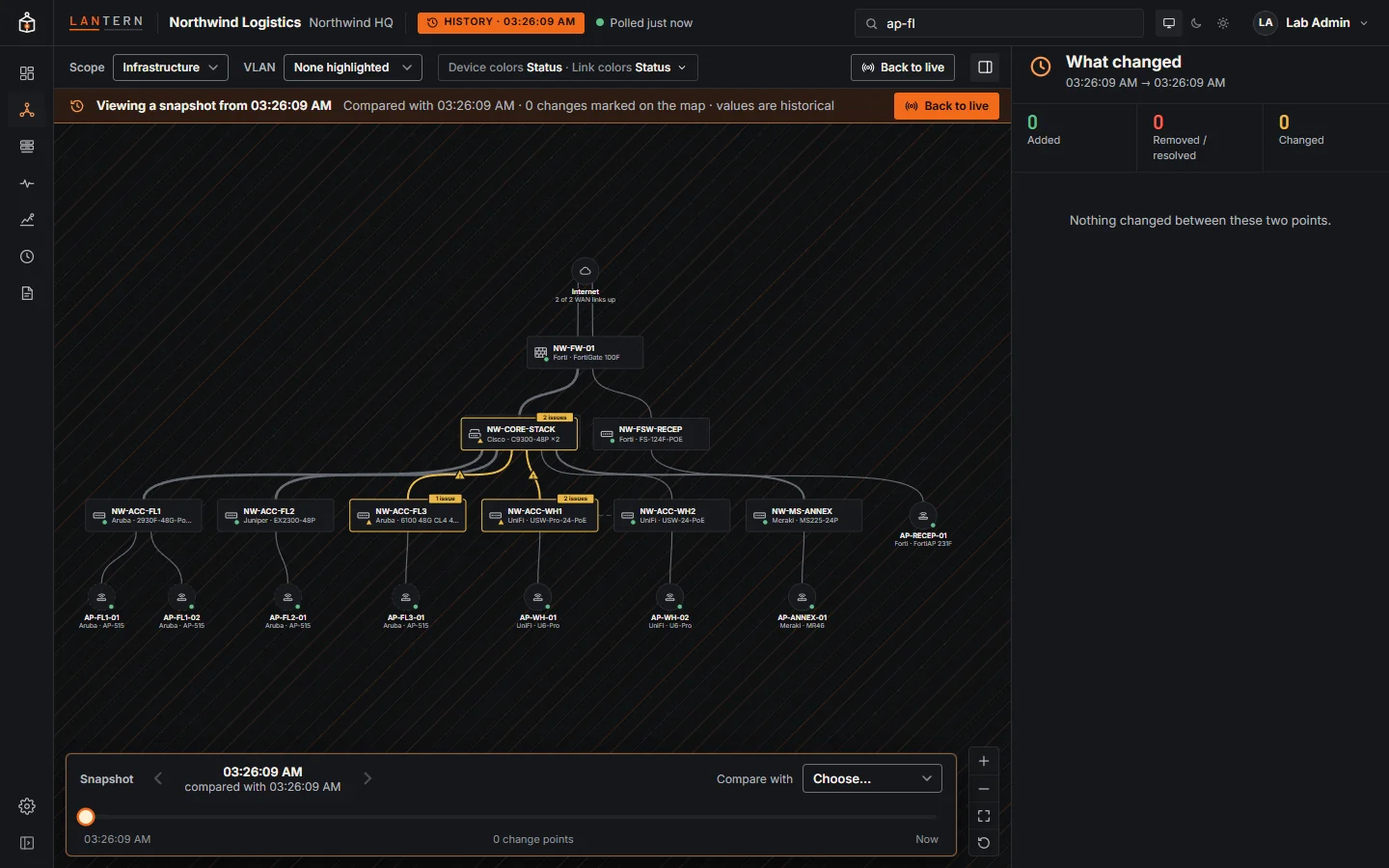 History and compare
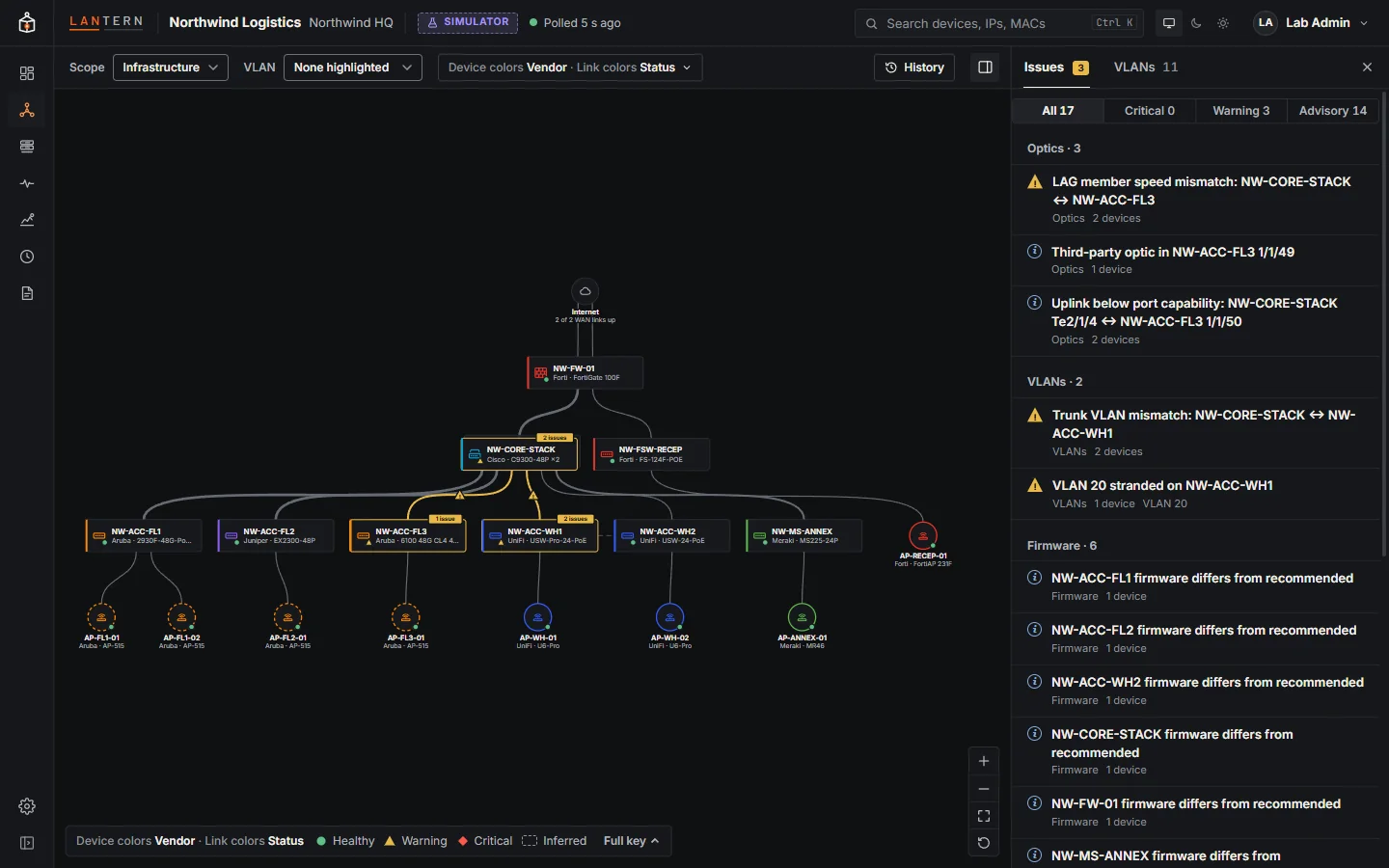 Devices by vendor
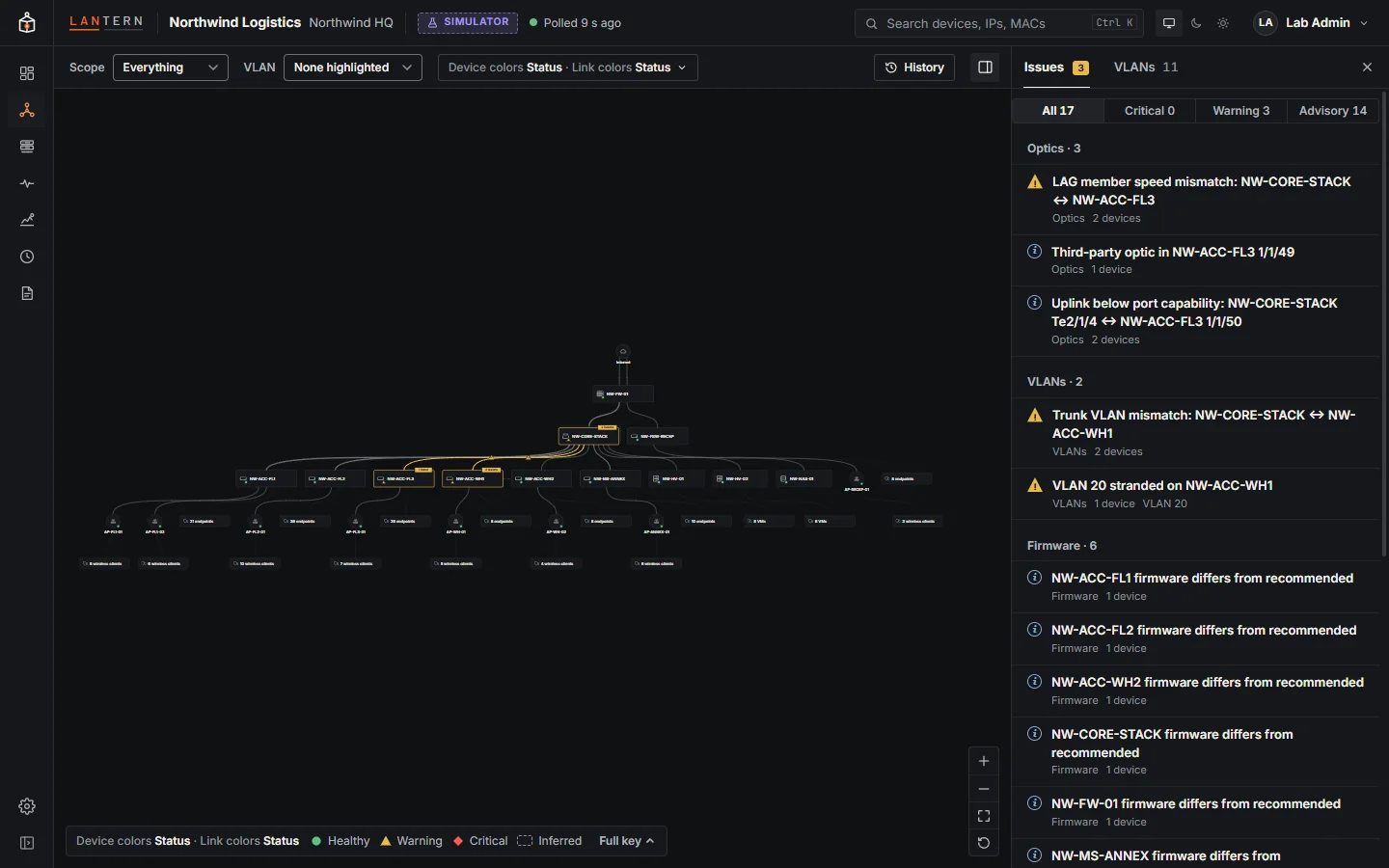 Everything, endpoints included
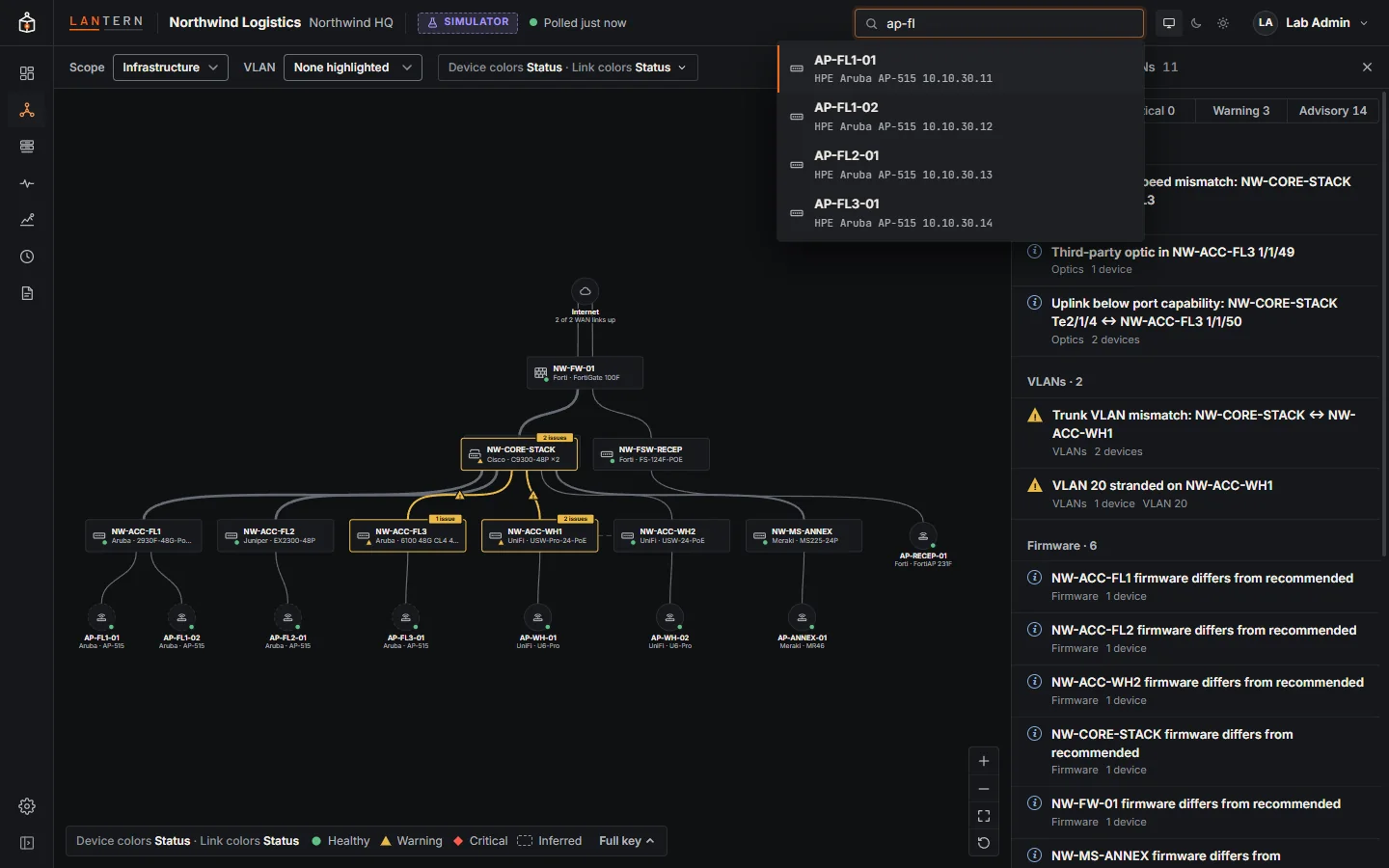 Search: Ctrl K
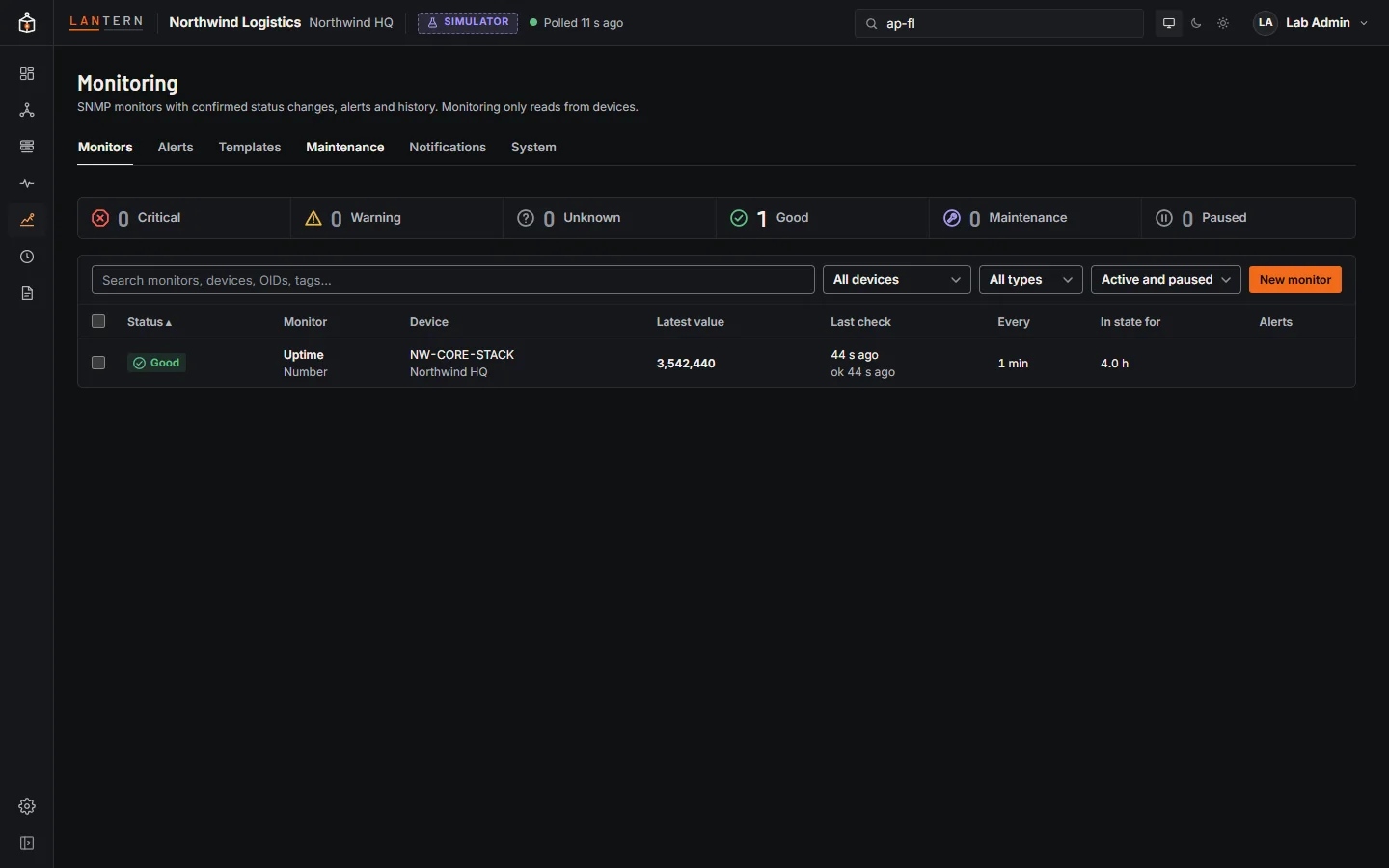 Monitors
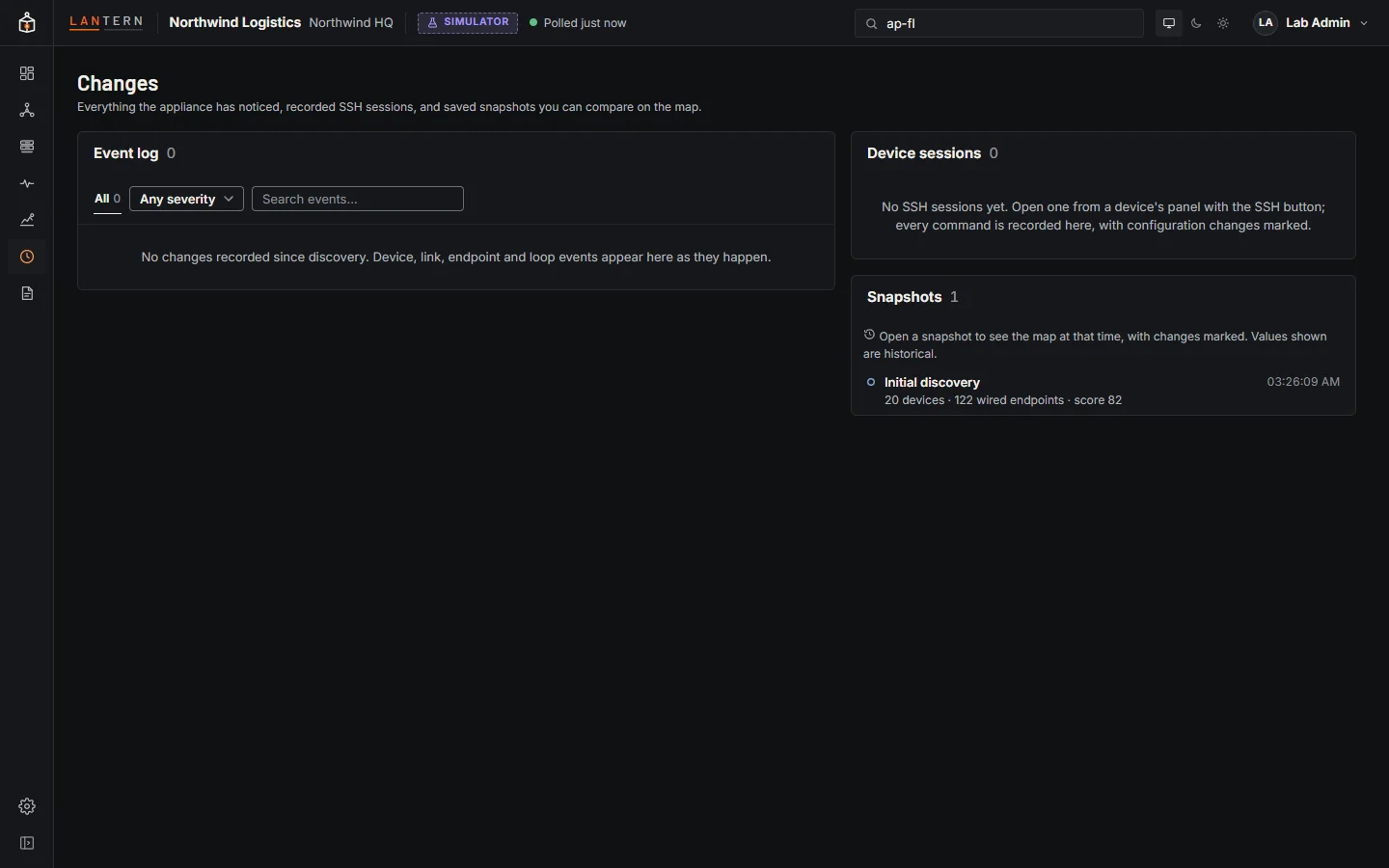 Changes and sessions
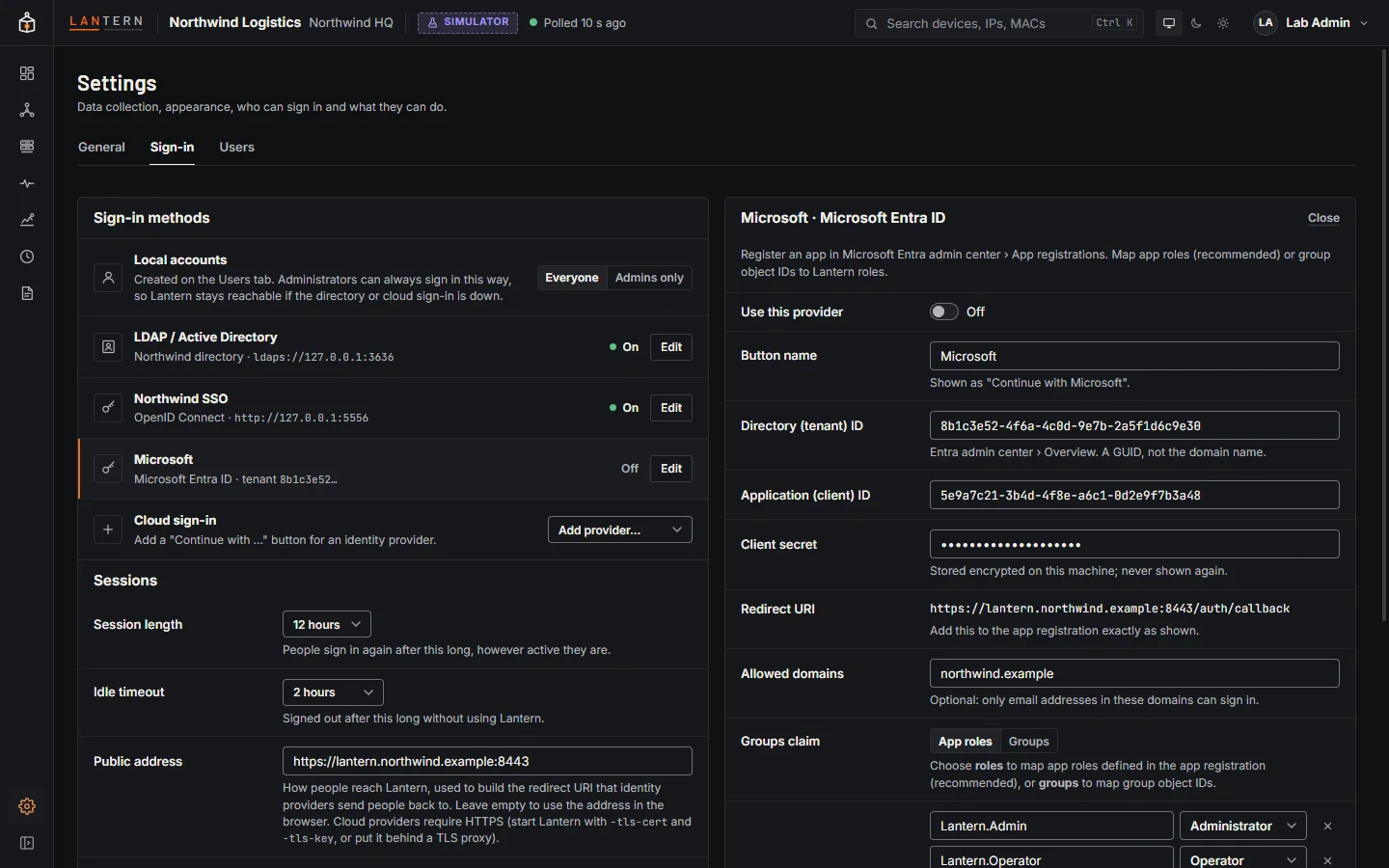 Microsoft Entra ID
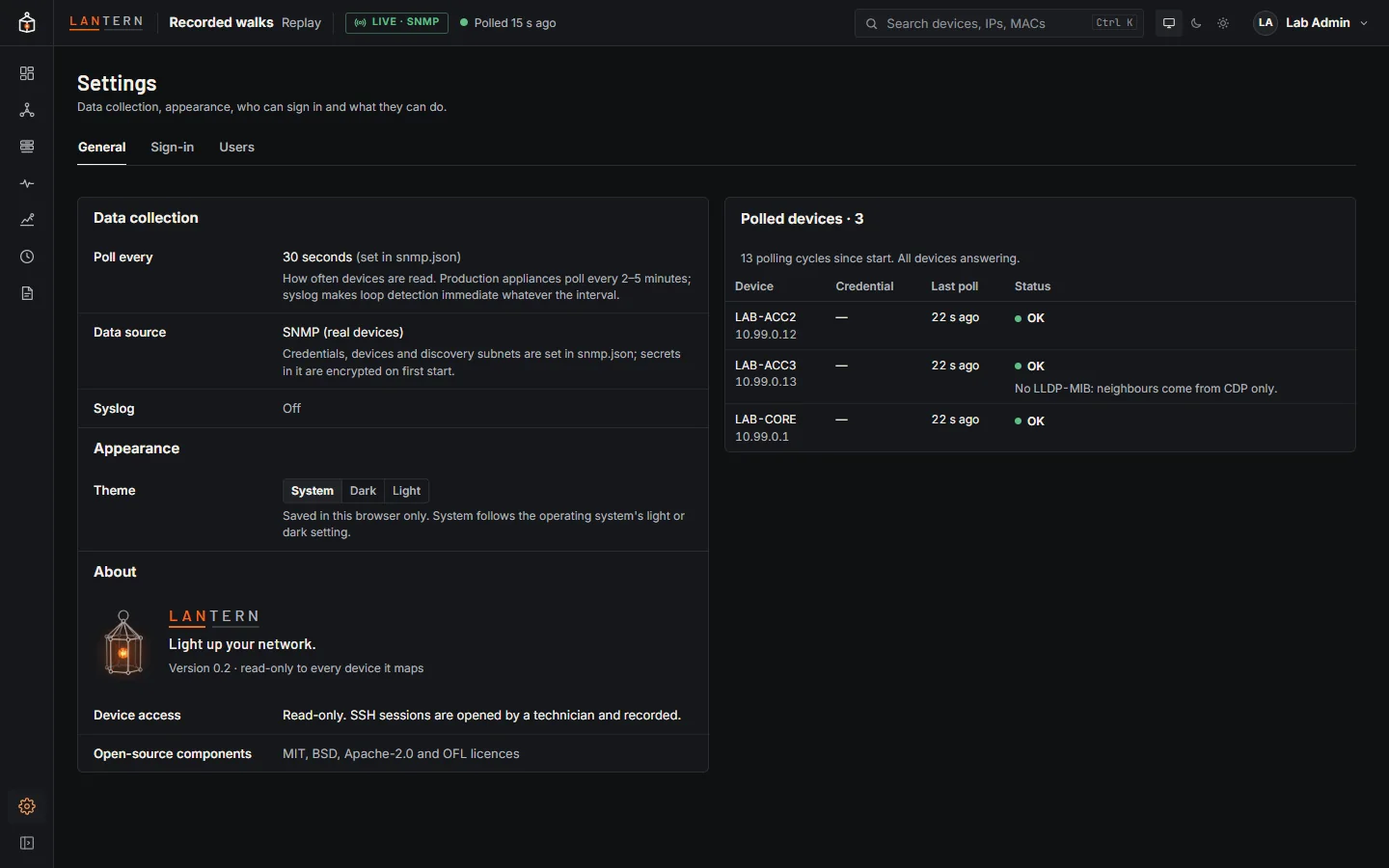 Collection status
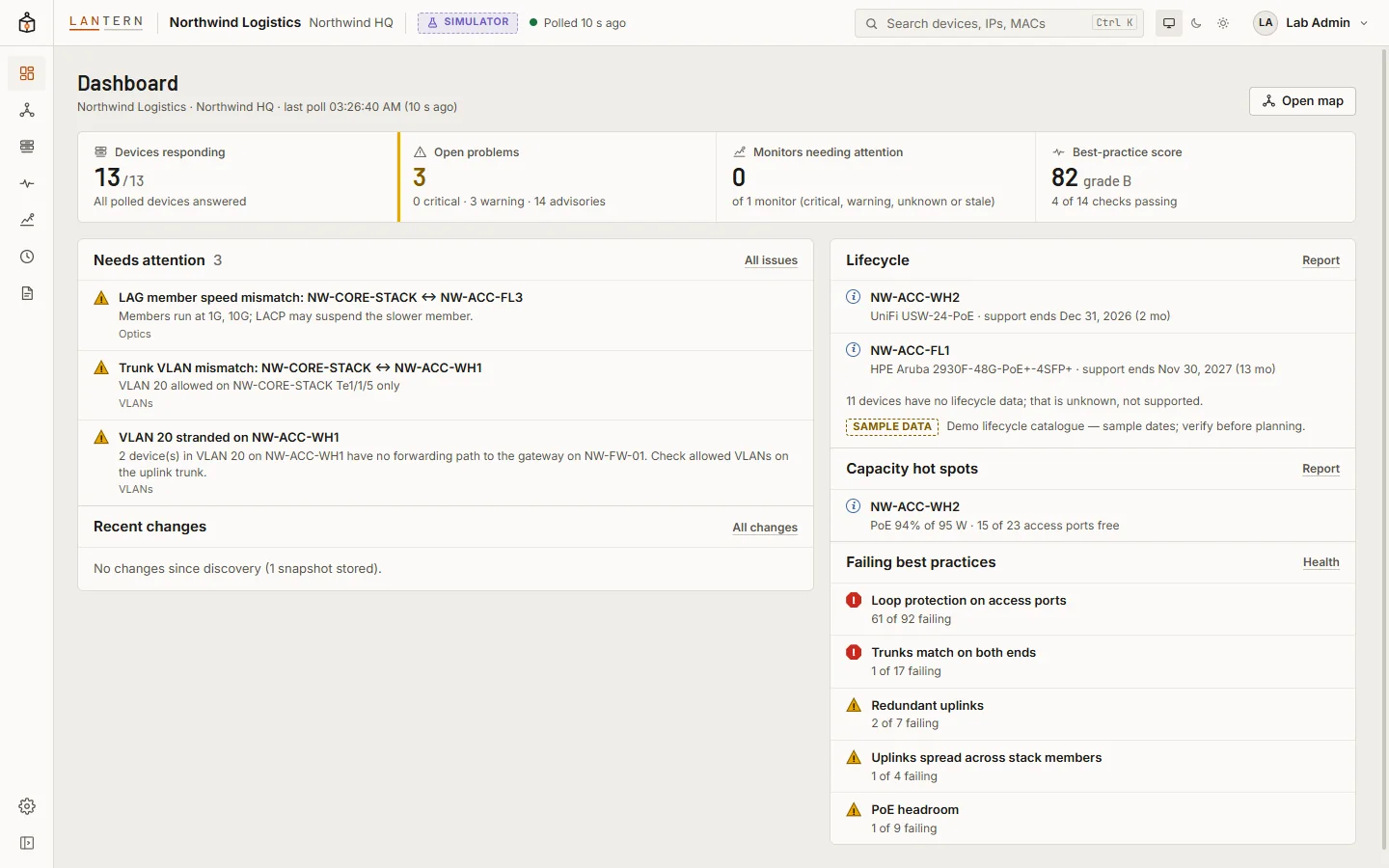 Light theme
Screens show Lantern's built-in simulated network, Northwind Logistics, and test accounts. Device names, addresses and people are fictional.