Docs Use Lantern
Loops and unmanaged switches
How Lantern detects a network loop, traces where it starts, and finds switches hiding behind access ports.
Network loops
A loop (a cable plugged back into the same network, often through a desk switch) floods broadcast traffic until the network falls over. Lantern declares a loop only when several signals agree, never on a single MAC address moving:
- MAC addresses flapping between ports,
- broadcast storms on interfaces,
- a switch receiving its own frames (self-sighting) or hearing its own LLDP on an access port,
- loop protection or BPDU guard triggering,
- links coming up at the moment the trouble starts.
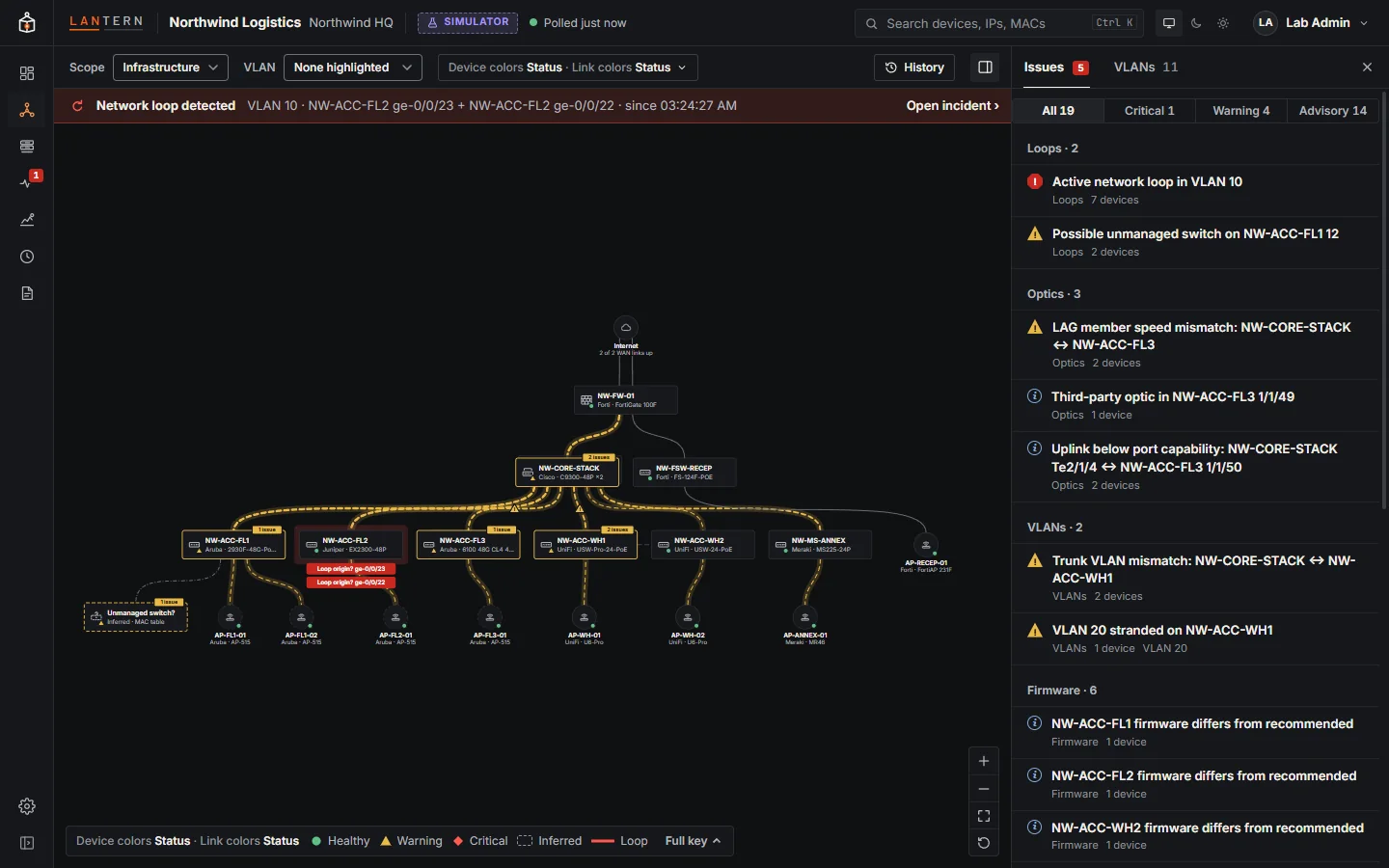
When a loop is found:
- a red Network loop detected banner shows on every page, with the VLAN, the likely origin and when it started;
- the links that carry the flood turn red or orange, and the likely origin ports are tagged Loop origin?;
- the incident leads the dashboard and the issues list.
Select the banner to open the incident.
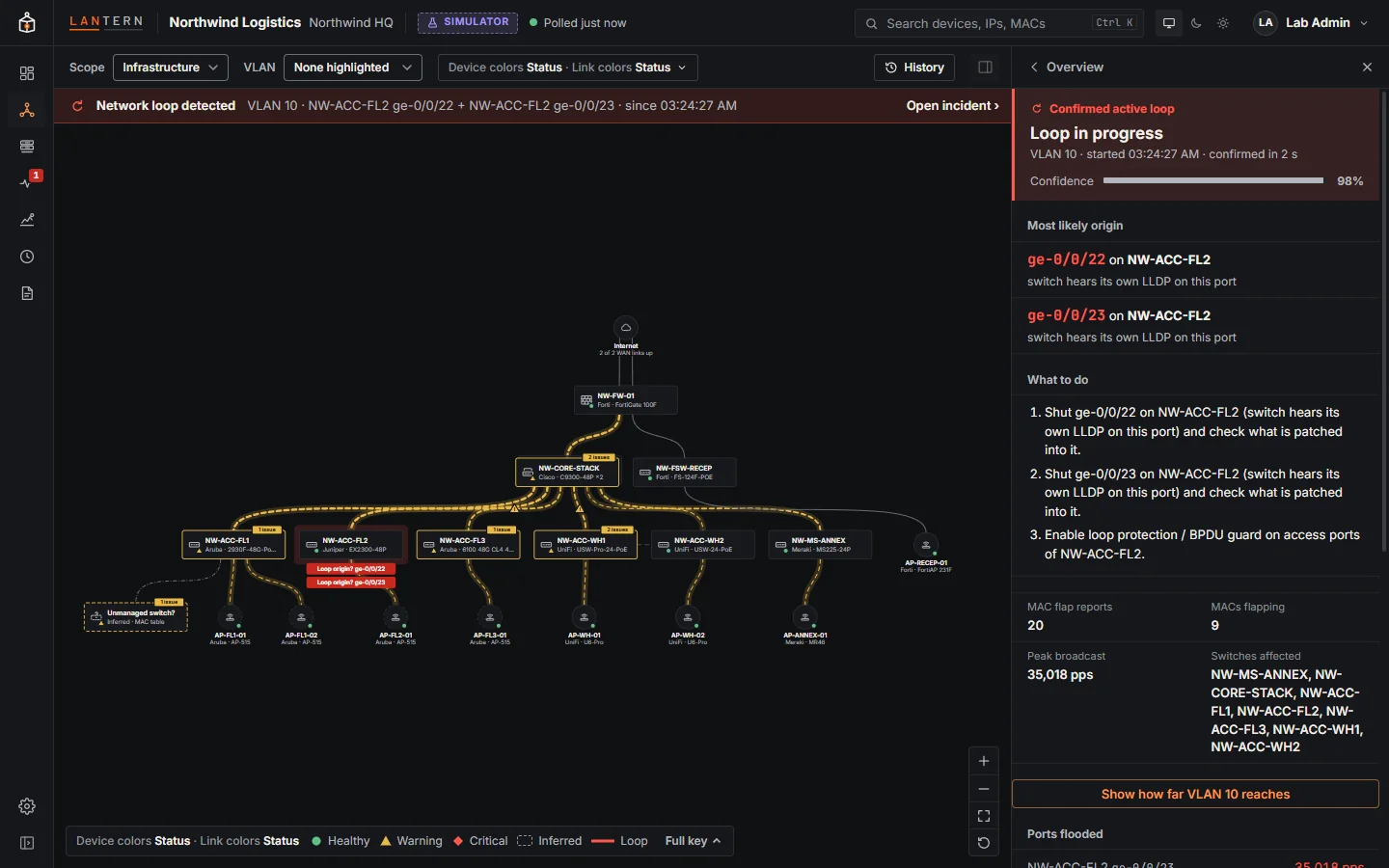
The incident shows the likely origin (for example a switch that hears its own LLDP on a port), the evidence for it, the confidence, and what to do: usually shut the origin port, check what is patched into it, and enable loop protection or BPDU guard on access ports. Lantern does not shut the port itself: it never changes a device on its own.
When the loop stops, the incident closes and its duration is recorded in Changes.
Unmanaged switches
An access port with three or more devices behind it (phones aside) and no LLDP neighbour almost always has a desk switch or hub on it. Lantern draws it as a dashed device called Unmanaged switch? and lists the devices behind it.
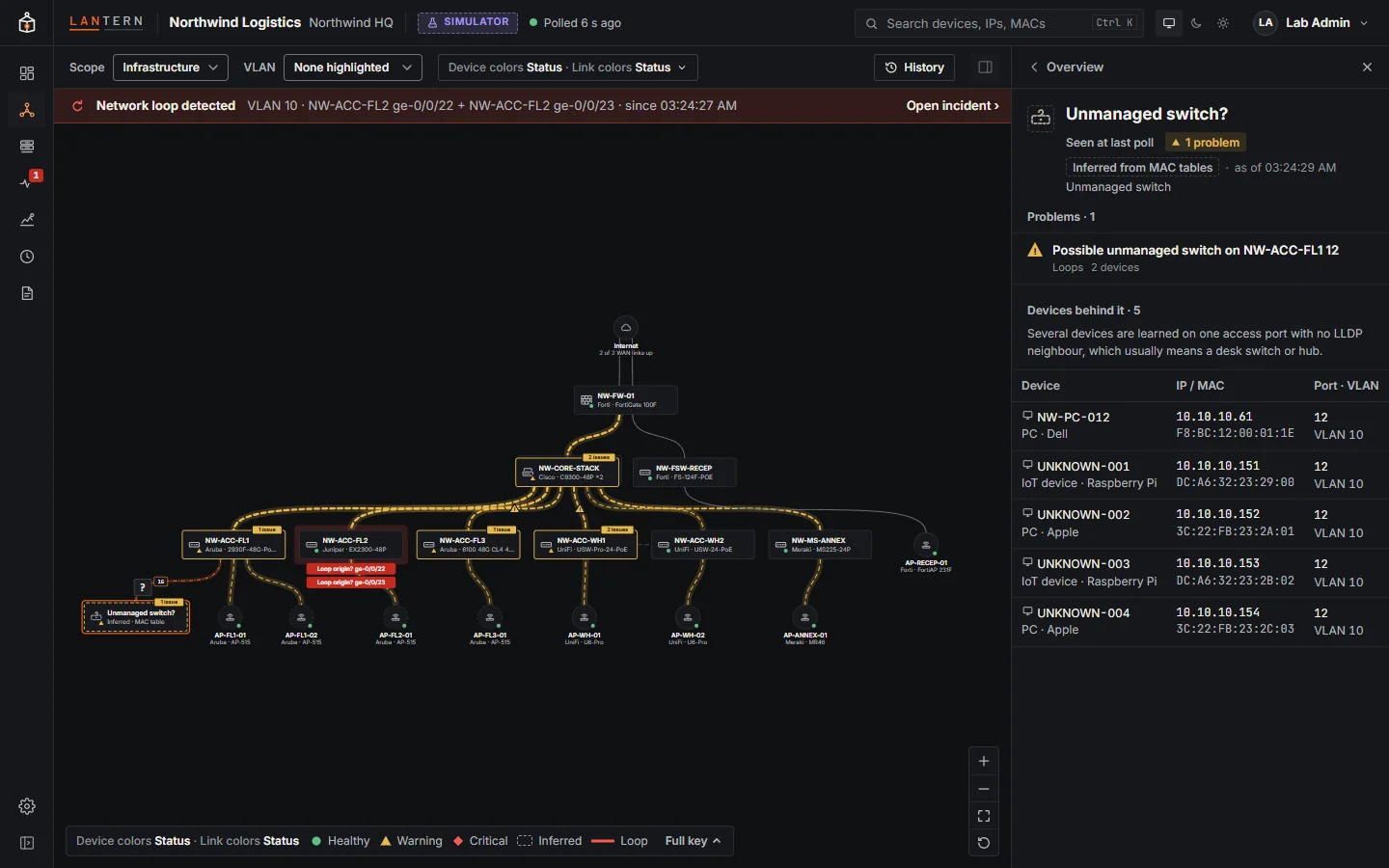
Unmanaged switches are a common source of loops and of devices on the wrong VLAN. The No unmanaged switches best-practice check counts them.